

Top 10 Best Continuous Integration Tools in 2026
Key Takeaways
- Continuous integration tools help teams detect issues early and maintain deployable code at all times.
- The right CI tool directly impacts release speed, code quality, and operational efficiency.
- Cloud-based CI tools like CircleCI and Buddy simplify setup, while Jenkins and GitLab CI offer deeper customization.
- Integration with modern stacks such as Kubernetes, Docker, and cloud platforms is critical for scalability.
- Enterprise teams often require advanced pipeline control and flexibility, making tools like Jenkins, GitLab CI, and TeamCity strong choices.
- Choosing a CI tool depends on team size, workflow complexity, and infrastructure preferences.
- CI is a foundational step toward building efficient CI/CD pipelines and accelerating DevOps maturity.
Introduction
Modern development demands speed, reliability, and automation, making continuous integration tools essential for maintaining stable and efficient release pipelines. Atlassian reports that 60% of teams use cloud-based CI/CD tools, while 57% report fewer bugs and outages after adopting CI/CD practices.
With the rise of cloud-native development, platform engineering, and AI-assisted coding, businesses are increasingly relying on CI/CD services to automate workflows, improve release cycles, and ensure consistent code quality. Choosing the right continuous integration tool directly impacts delivery speed, cost efficiency, and overall product performance.
In this blog, we explore the best continuous integration tools in 2026 and help you identify the right fit for your development workflow.
What is Continuous Integration in DevOps?
Continuous integration (CI) is a development practice where code changes are automatically built, tested, and validated whenever developers commit updates to a shared repository.
The goal is simple: detect issues early, reduce integration conflicts, and ensure that code is always in a deployable state.
Why Continuous Integration Matters
Continuous integration matters because it helps teams maintain code quality while accelerating software delivery in fast-paced development environments.
Here’s how it adds value:
- Detects bugs early in the development cycle
- Reduces manual testing effort
- Improves collaboration across teams
- Accelerates software delivery timelines
- Ensures consistent and reliable builds
CI is typically followed by continuous delivery (CD), which automates the release process. Mastering CI/CD pipelines helps teams bring both practices together effectively.
What is Continuous Integration in DevOps? Why is it so Important?
Continuous integration is the process of build automation that verifies every check-in in a shared repository. The main goal of this process is to deliver a bug-free code that is fit for release.
Inside this build, the source code of your program is compiled into a format that the computer can use. Events then trigger the build, or it performs regular checks according to a schedule.
When it comes to creating and developing complex software and programs, more often than not, an entire team is behind the creation and development of the code rather than a single individual. Each developer uses different platforms and tools to develop a code.
A shared repository and built-in continuous integration simplify the process of testing the codes for any errors. Apart from this, other important aspects and benefits of the ongoing integration process are,
- It provides continuous and rapid feedback to detect any errors instantly.
- It also reduces the time taken to review the code.
- The continuous integration process eliminates duplicated codes and the possibility of conflicts while merging the principles in the repository.
- CI speeds up the entire coding and development process with instant bug detection and correction, leading to faster software releases.
- Being robust and reliable tools, CI reduces any backlogs or arrears in the development project.
The process of CI is followed by the continuous delivery (CD) process that aims at automated delivery of changes to the users.
Top 10 Continuous Integration Tools in 2026
The top continuous integration tools in 2026 focus on automation, scalable pipelines, and seamless integration with modern development workflows.
The following tools are widely used to build, test, and deploy code efficiently across modern development environments.
Sl.No | Tool | Type | Ease of Use | Scalability |
| 1. | Jenkins | Open-source (Self-hosted) | Medium | High |
| 2. | GitLab CI | SaaS + Self-hosted | Medium | High |
| 3. | CircleCI | Cloud-based | High | High |
| 4. | Bamboo | Paid (Self-hosted) | High | Medium |
| 5. | TeamCity | Paid | Medium | High |
| 6. | Travis CI | Cloud-based | High | Medium |
| 7. | Concourse | Open-source | Low | High |
| 8. | Buildbot | Open-source | Low | High |
| 9. | Buddy | Cloud-based | Very High | Medium |
| 10. | GoCD | Open-source | Medium | High |
1. Jenkins
Jenkins is one of the most widely used open-source CI tools, known for its flexibility and extensibility. It enables teams to design highly customized CI/CD pipelines that align with specific development and deployment workflows.
Its self-hosted architecture gives organizations full control over infrastructure, making it suitable for enterprises with strict compliance or security requirements.
Key features:
- 1800+ plugins for integrations
- Distributed builds across multiple machines
- Strong community support
Limitations:
- Complex setup and maintenance
- Requires manual scaling
Best for: Custom CI/CD pipelines at scale
2. GitLab CI
GitLab CI provides a unified DevOps platform that combines version control, CI/CD, security, and monitoring in a single application. This integrated approach reduces tool fragmentation and simplifies workflow management for development teams.
GitLab CI is particularly effective for organizations aiming to improve collaboration across teams while maintaining visibility and control over the development process.
Key features:
- Built-in version control and CI/CD
- Strong security and compliance features
- Easy pipeline configuration
Limitations:
- Can be resource-intensive
- Learning curve for advanced features
Best for: All-in-one DevOps platform
3. CircleCI
CircleCI is a cloud-native CI/CD platform designed to deliver fast and efficient build pipelines. It helps teams automate testing and deployment processes while optimizing performance through parallel execution and caching.
With strong support for containerized environments such as Docker and Kubernetes, CircleCI aligns well with modern cloud-native development practices. It is especially useful for teams that need quick feedback loops and scalable infrastructure without managing servers.
Key features:
- Parallel execution for faster builds
- Docker and Kubernetes support
- Easy configuration
Limitations:
- Limited customization compared to Jenkins
- Pricing can increase with scale
Best for: Fast and scalable cloud CI
4. Bamboo
Bamboo is a CI/CD tool developed by Atlassian, designed to integrate seamlessly with tools like Jira and Bitbucket. This tight integration helps teams streamline workflows across development, testing, and project tracking.
It provides a unified interface for managing builds, tests, and deployments, making it easier to handle release processes without relying on multiple tools. Bamboo is particularly beneficial for teams already working within the Atlassian ecosystem.
Key features:
- Native Atlassian integrations
- Built-in deployment projects
- Easy setup
Limitations:
- Less flexible than open-source tools
- Licensing cost
Best for: Atlassian ecosystem users
5. TeamCity
TeamCity is an enterprise-grade CI server designed to support complex development workflows. It offers advanced configuration options and integrates well with a wide range of development tools and IDEs.
Its ability to manage large-scale builds and dependencies makes it a strong choice for organizations with sophisticated CI/CD requirements. TeamCity balances flexibility and usability, making it suitable for both mid-sized teams and large enterprises.
Key features:
- Advanced build configuration
- Strong IDE integrations
- Scalable architecture
Limitations:
- Requires configuration effort
- Paid licensing for advanced usage
Best for: Enterprise CI pipelines
6. Travis CI
Travis CI is a cloud-based CI tool known for its simplicity and seamless integration with GitHub repositories.
It has been widely adopted in the open-source community due to its ease of use and support for multiple programming languages. While it may not offer the same scalability as newer tools, it remains a practical option for smaller projects.
Key features:
- Simple setup with YAML configuration
- Supports multiple languages
- Cloud-based
Limitations:
- Limited scalability
- Slower builds compared to competitors
Best for: Open-source projects
7. Concourse
Concourse is a pipeline-driven CI/CD system where all workflows are defined as code. It emphasizes consistency by running jobs in isolated containers, ensuring reproducible builds across environments.
Its structured pipeline visualization helps teams better understand dependencies and workflow execution. Concourse is well-suited for organizations that prioritize automation, scalability, and strict control over pipeline execution.
Key features:
- Strong pipeline visualization
- Container-based execution
- High scalability
Limitations:
- Steeper learning curve
- Smaller community
Best for: Pipeline automation
8. Buildbot
Buildbot is an open-source CI framework designed for advanced users who need full control over their build and automation processes. It allows teams to create highly customized workflows tailored to specific requirements.
Buildbot supports multiple platforms and environments, making it suitable for complex or specialized use cases. However, its flexibility comes with increased setup complexity and the need for technical expertise.
Key features:
- Highly customizable
- Supports multiple platforms
- Open-source
Limitations:
- Requires manual configuration
- Not beginner-friendly
Best for: Custom automation workflows
9. Buddy
Buddy is a modern CI/CD tool designed for simplicity and speed. It offers an intuitive interface that allows teams to build and manage pipelines with minimal effort.
Its visual pipeline builder makes it easy to create automation workflows, even for teams with limited DevOps experience. Buddy is ideal for organizations looking to accelerate deployments without dealing with complex configurations.
Key features:
- Visual pipeline builder
- Fast deployments
- GitHub and Bitbucket integration
Limitations:
- Limited advanced features
- Not ideal for complex pipelines
Best for: User-friendly CI/CD
10. GoCD
GoCD is built to handle complex CI/CD workflows with multiple stages and dependencies. It allows teams to model pipelines visually, making it easier to manage intricate release processes.
Its support for parallel execution and workflow orchestration makes it suitable for large-scale systems. GoCD is particularly useful for teams that need advanced pipeline management and visibility across environments.
Key features:
- Pipeline modeling
- Parallel execution
- Open-source
Limitations:
- UI can feel outdated
- Requires setup effort
Best for: Complex pipeline management
How to Choose the Right Continuous Integration Tool?
Choosing the right continuous integration tool depends on your team’s workflow, budget, and scalability needs. Here are some key factors to consider.
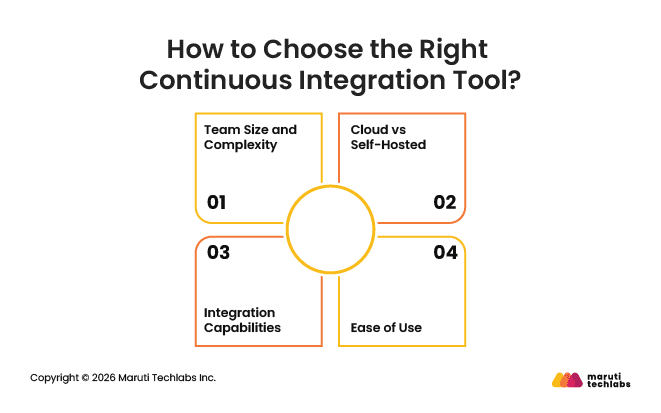
1. Team Size and Complexity
Small teams benefit from tools like CircleCI or Buddy, while enterprises may require Jenkins or GitLab CI for flexibility.
2. Cloud vs Self-Hosted
Cloud tools reduce infrastructure overhead, while self-hosted solutions offer more control and customization.
3. Integration Capabilities
Ensure compatibility with Git, Docker, Kubernetes, and cloud providers.
4. Ease of Use
Tools with simple interfaces improve developer productivity and reduce onboarding time.
Conclusion
Continuous integration tools play a critical role in modern software development by enabling faster releases, improving code quality, and reducing manual effort. With multiple tools available, the right choice depends on your team’s size, infrastructure, and long-term scalability needs.
As DevOps continues to evolve with cloud-native and AI-driven workflows, investing in the right CI tool will directly impact your development efficiency and business outcomes. Learn more about DevOps implementation to understand how CI fits into the larger ecosystem.
Why Maruti Techlabs for Continuous Integration
At Maruti Techlabs, we help businesses design and implement robust CI/CD pipelines tailored to their development workflows. Our focus is on building scalable, reliable systems that improve delivery speed while maintaining high code quality and operational efficiency.
Implementing the right continuous integration strategy requires more than just selecting tools. It demands a well-architected pipeline, seamless integrations, and ongoing optimization to ensure long-term efficiency and scalability.
In a recent data engineering and workflow automation project, we helped a business transform an unreliable system into a highly available one using Airflow and CI/CD automation.
Key outcomes:
- Availability improved from 90% to 99.95%
- Faster releases with streamlined workflows
- Reduced bugs through CI/CD automation
- Parallel job execution minimized failures
- Centralized monitoring improved visibility
- Scalable, reliable setup on AWS
Explore our DevOps consulting services to streamline your development lifecycle and accelerate software delivery.
FAQs
1. Which CI tool is easiest for beginners to use?
Tools like CircleCI, GitHub Actions, and Buddy are considered beginner-friendly due to their simple setup, intuitive interfaces, and strong documentation.
2. Do CI tools support multiple programming languages?
Yes, most modern CI tools support multiple programming languages and frameworks, making them suitable for diverse development environments.
3. How long does it take to set up a CI pipeline?
Setup time can range from a few hours to several days, depending on the complexity of the project, integrations required, and the chosen tool.
4. Can CI tools be integrated with cloud platforms?
Yes, most CI tools integrate seamlessly with cloud platforms like AWS, Azure, and Google Cloud, enabling scalable builds, testing, and deployments.
5. Are CI tools secure for enterprise use?
Yes, most CI tools offer enterprise-grade security features such as role-based access control, encryption, and compliance support.
6. Are cloud-based continuous integration tools better than self-hosted ones?
Cloud-based continuous integration tools are easier to set up and manage, making them ideal for fast-moving teams. Self-hosted tools provide greater control, customization, and security, which is often preferred by enterprise organizations.




![406[1] (1).jpg](https://cdn.marutitech.com/small_406_1_1_935e48a5b4.jpg)


