Technology in the Legal Profession: ChatGPT's Use Cases and Challenges
Key Takeaways
- ChatGPT can streamline legal work by assisting with research, drafting, document review, summarization, and client communication.
- ChatGPT is not a legal authority, so lawyers must verify case law, statutes, citations, and substantive claims against authoritative sources.
- Confidentiality and security are critical when using AI for legal work, especially when handling sensitive client information.
- Legal-specific AI tools are better suited to specialized workflows such as legal research, contract analysis, litigation analytics, and practice management.
- To handle hallucinations, legal nuances, professional accountability, and jurisdiction-specific needs, human monitoring is still crucial.
- Better reasoning, reliable database integration, AI agents, and stronger governance will be key components of the future of legal AI.
Introduction
Artificial intelligence is becoming a more practical part of day-to-day legal work. According to the ABA Legal Technology Survey, AI adoption among law firms increased from 11% in 2023 to 30% in 2025.
The appeal is simple for attorneys. Generative AI can summarize long documents, structure research, draft first drafts of legal documents, organize material, and support client interactions.
But legal work leaves very little room for unverified output, and a general-purpose model was never built to guarantee accurate case law, jurisdiction-specific compliance, or airtight client confidentiality.
Firms that get real value from AI tend to treat ChatGPT as a first-draft engine, not a system of record, and lean on purpose-built legal AI solutions once workflows need to scale, stay auditable, and hold up under partner review.
This guide covers what ChatGPT can realistically do for lawyers, where it falls short, and how to use it, or move beyond it, without creating professional-responsibility risk.

What Is ChatGPT for Lawyers?
ChatGPT is a generative AI tool that understands natural-language instructions and generates text based on the context you provide. In legal practice, lawyers can use it for tasks such as drafting, summarizing, organizing information, brainstorming, and communicating.
Unlike traditional legal research tools that primarily rely on structured databases and keyword-based searches, ChatGPT can interpret conversational instructions and generate responses in different formats.
However, this flexibility comes with an important limitation: ChatGPT should not be treated as an authoritative legal database.
Its general-purpose training does not automatically give it reliable access to current case law, statutes, court filings, or jurisdiction-specific legal databases. Even when browsing or external tools are available, lawyers should verify legal claims and citations against authoritative sources before relying on them.
Which Version of ChatGPT Should Lawyers Use?
For professional work, attorneys should typically select ChatGPT Team or Enterprise since these plans offer more robust organizational and privacy controls than consumer levels.
The right option still depends on the type of legal work, with legal-specific AI tools being better suited for research, contract analysis, and workflows that require authoritative legal sources.
| Option | Best For | Key Consideration |
| ChatGPT Free | General ideation and non-confidential drafting | Avoid entering sensitive client information |
| ChatGPT Plus | More advanced individual use | Still requires careful review of data-handling and confidentiality requirements |
| ChatGPT Team/Enterprise | Firm-wide use and business workflows | Offers stronger organizational controls and privacy features |
| Legal-Specific AI | Legal research, contract analysis, and production workflows | Designed around legal use cases and may integrate authoritative legal sources |
For confidential legal work, firms should evaluate the platform's data-handling terms, access controls, retention policies, and contractual protections before deployment.
Which Is Better: ChatGPT, Legal AI Tools, or Traditional Methods?
The best option depends on the task, but ChatGPT, legal-specific AI tools, and traditional legal methods work best when used together. ChatGPT supports fast drafting and ideation, legal AI tools offer specialized research and workflow capabilities, while traditional methods provide authoritative verification, professional judgment, and accountability.
| Factor | ChatGPT | Legal-Specific AI | Traditional Legal Tools |
| Data Sources | General-purpose model and connected tools | Legal databases and specialized sources | Authoritative legal databases |
| Citation Reliability | Requires verification | Often includes source-backed legal research | Strongest for authoritative verification |
| Confidentiality | Depends on plan and configuration | Designed around legal workflows | Established contractual and security controls |
| Primary Strength | Drafting, ideation, summarization, communication | Legal research, contract analysis, litigation workflows | Final research and verification |
| Best Use | First drafts and repetitive tasks | Production legal workflows | Final verification and complex legal research |
The practical approach: Use ChatGPT for ideation, summarization, first drafts, and communication support. Use legal-specific AI for specialized legal workflows where appropriate. Always verify important legal outputs against authoritative sources before filing, advising a client, or making a substantive legal decision.
What Are Real-World Examples of ChatGPT in Legal Practice
ChatGPT can help lawyers save time on drafting and research support, but cautionary cases involving fabricated citations demonstrate why every AI-generated legal output must be independently verified.
Wins
1. Allen & Overy and Harvey AI
Allen & Overy, now part of A&O Shearman, deployed Harvey AI to more than 3,500 lawyers across its offices. The use of AI demonstrated how legal teams can apply generative AI to tasks such as contract analysis and due diligence while keeping lawyers involved in the workflow.
The broader lesson is important: successful legal AI adoption focuses on augmenting lawyers rather than removing human judgment.
2. PwC and OpenAI
PwC has also partnered with OpenAI to explore generative AI applications across professional services. Such initiatives demonstrate how firms can use generative AI to support research, document-intensive workflows, and other knowledge-based activities.
Risks
1. Mata v. Avianca
In Mata v. Avianca, attorneys submitted court filings containing fabricated case citations generated by ChatGPT. The incident became a widely cited example of why AI-generated legal content must be independently verified.
The case resulted in sanctions and demonstrated that lawyers cannot delegate professional responsibility to an AI system.
2. The Canadian Immigration Case
A British Columbia lawyer cited two cases fabricated by ChatGPT in a family law application. After opposing counsel spent time verifying the nonexistent cases, the lawyer admitted the error. The court ordered her to personally cover those costs and review her other files for AI-generated citations. The case highlights the need to verify every AI-generated legal authority before relying on it.
The takeaway: Legal AI can accelerate work, but verification is not optional. Our breakdown of AI for legal research and analysis goes deeper into how firms are building verification into the research process itself, rather than bolting it on afterward.
How is ChatGPT Being Used in Legal Practice?
ChatGPT is used in legal practice to improve efficiency by supporting legal research, document analysis, drafting, contract review, compliance, client communication, and case preparation.
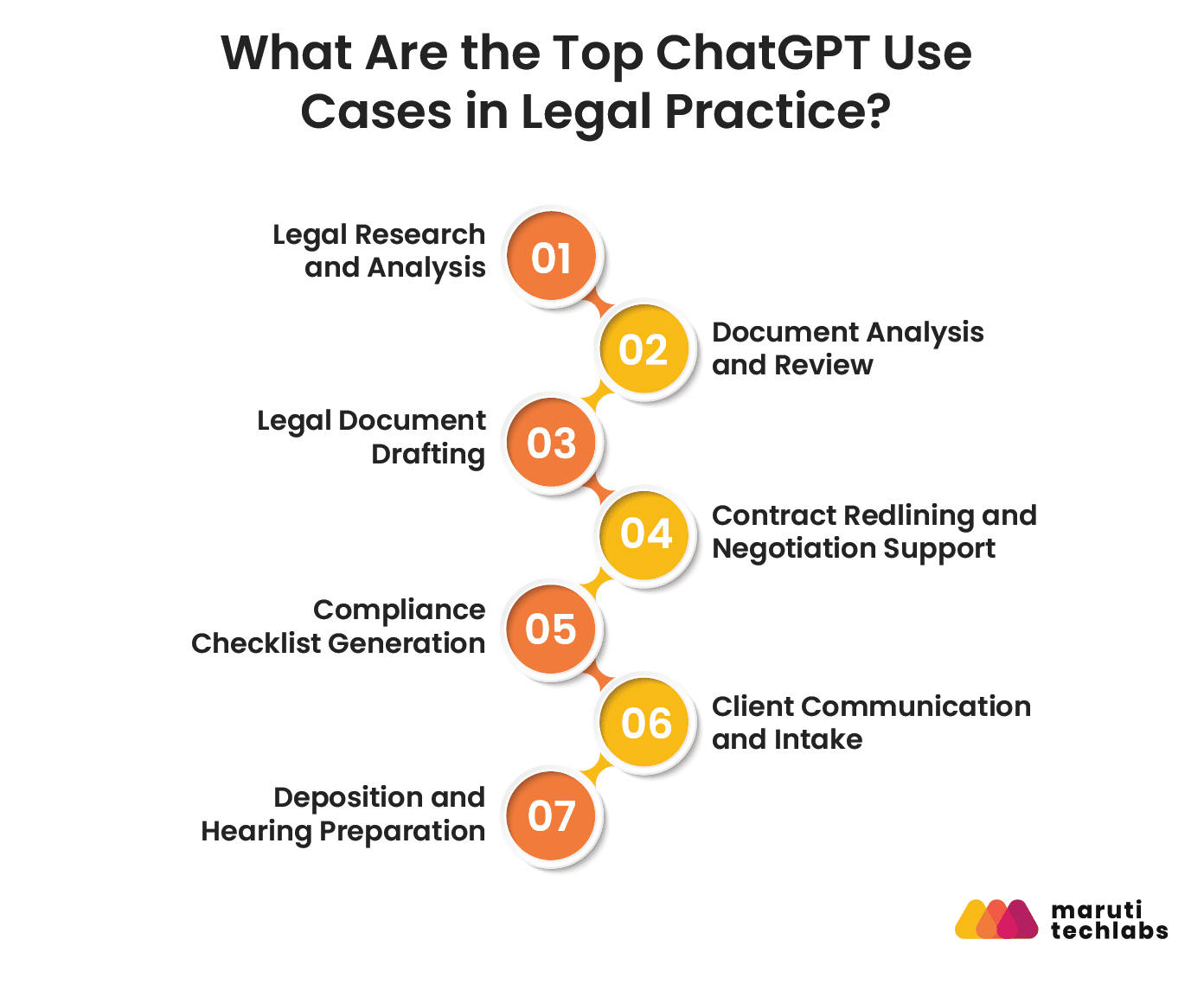
1. Legal Research and Analysis
Lawyers can use ChatGPT to organize a research question, create a framework for a research memo, find topics to look into, and summarize information provided by users.
For example, a lawyer can ask ChatGPT to organize a research problem into:
- Key legal questions
- Relevant facts
- Potential arguments
- Counterarguments
- Applicable statutes
- Cases requiring verification
Best practice: Use ChatGPT to structure the research process, then verify every legal authority through Westlaw, LexisNexis, an official court database, or another authoritative source before relying on it.
2. Document Analysis and Review
Contracts, court rulings, discovery materials, rules, and other long papers are frequently used by attorneys.
ChatGPT helps:
- Condense lengthy papers
- Take out key sentences
- Find discrepancies
- Compare different versions of the document
- Set deadlines and responsibilities.
- Draw attention to possible areas that need legal scrutiny
For large documents, process the material in logical sections and provide clear instructions on what to extract.
3. Legal Document Drafting
ChatGPT can generate first drafts of:
- Agreements
- Letters
- Memos
- Client communications
- Internal policies
- Legal checklists
- Contract clauses
The main benefit is that it saves time while creating a preliminary draft.
A lawyer should still review the document for jurisdiction-specific requirements, accuracy, tone, completeness, and enforceability.
4. Contract Redlining and Negotiation Support
ChatGPT provides a first-pass review of standard commercial agreements by identifying unusual clauses, potential risks, missing provisions, or language that may require negotiation.
A practical workflow is:
Contract → AI-assisted issue spotting → Lawyer review → Negotiation strategy → Final redline
AI should support the review, not determine whether a provision is legally acceptable.
5. Compliance Checklist Generation
Compliance work often requires turning complex requirements into structured checklists.
ChatGPT creates starting-point checklists covering areas such as:
- GDPR
- HIPAA
- CCPA
- SOX
- Data protection
- Vendor compliance
- Internal policies
Instead of seeing the output as a final declaration of legal responsibilities, treat it as a framework for attorney review.
6. Client Communication and Intake
ChatGPT can support client-facing workflows such as:
- Initial intake questions
- Frequently asked questions
- Appointment scheduling
- Case-status communications
- Document collection reminders
- Plain-language explanations
- Multilingual communication drafts
For multilingual communication, a qualified bilingual professional should review important legal communications before sending them.
7. Deposition and Hearing Preparation
ChatGPT supports preparation by helping lawyers:
- Simulate potential opposing questions
- Generate witness cross-examination questions
- Identify inconsistencies in supplied transcripts
- Summarize deposition material
- Organize hearing preparation notes
- Brainstorm potential counterarguments
If you're weighing which of these use cases justifies a dedicated tool versus staying with ChatGPT, 12 AI tools built specifically for law firms are a useful side-by-side to work from.
ChatGPT Prompts for Lawyers: 10+ Working Examples by Practice Area
ChatGPT prompts can help lawyers streamline legal research, document drafting, contract review, litigation preparation, and client communication, with practice-area-specific prompts providing structured starting points that still require attorney review and verification.
Transactional and Corporate
1. NDA Drafting
Draft a first-pass NDA for a SaaS company sharing proprietary product, customer, and technical information with a potential strategic partner. Include confidentiality, permitted use, exclusions, return or destruction of information, and reasonable remedies. Flag provisions that require jurisdiction-specific legal review.
2. M&A Term Sheet Review
Review this M&A term sheet from the buyer's perspective. Identify the five highest-risk provisions, explain why each matters, and suggest questions the legal team should raise during negotiation.
3. Due Diligence Checklist
Generate a due diligence checklist for acquiring a SaaS company. Organize the checklist into legal, corporate, employment, intellectual property, data privacy, cybersecurity, financial, and technical categories.
Litigation
4. Court Ruling Summary
Summarize this court ruling into key holdings, the court's reasoning, relevant facts, and practical implications for practitioners in [jurisdiction]. Identify every legal citation that requires verification rather than assuming the citation is correct.
5. Opposition Strategy
Assume you are opposing counsel in a breach-of-contract case. Based only on the facts provided below, generate 10 arguments that could be raised in a motion to dismiss. For each argument, explain the likely weakness and identify the facts that would need further investigation.
6. Deposition Preparation
Based on the deposition transcript provided, identify key admissions, inconsistencies, unanswered questions, and areas that opposing counsel may explore further.
Compliance
7. GDPR/CCPA Checklist
Generate a preliminary compliance checklist for a company collecting customer data in the EU and California. Separate GDPR and CCPA considerations and clearly label items that require review by qualified counsel.
8. Cross-Border Data Transfer
A financial services company is expanding into the EU. Create a preliminary checklist covering cross-border data transfers, contractual safeguards, breach notification requirements, and data subject rights. Do not assume that any requirement is current without verification.
Client Communication
9. Plain-Language Explanation
Rewrite this legal fee agreement in plain English for a non-lawyer client. Keep the explanation under 300 words, preserve the legal meaning, and flag any provision that could be misunderstood without attorney explanation.
10. Client Update
Draft a professional client update explaining that a court deadline has changed. Use a clear, reassuring tone and include the new deadline, required client action, and next steps. Do not add facts that are not provided.
Employment
11. Employment Agreement Review
Review this employment agreement and identify clauses that may require legal review concerning termination, confidentiality, intellectual property, restrictive covenants, and dispute resolution. Organize the output as a risk table.
Prompt Safety Checklist
Before sending information to ChatGPT:
- Eliminate client names and personal data.
- Remove case numbers and superfluous personal information.
- Wherever possible, use hypothetical facts.
- Unless the platform and company's policies allow it, refrain from submitting private information.
- When handling sensitive workflows, use an enterprise-grade or legal-specific platform.
- Check all significant legal outputs against reliable sources.
What Are the Best ChatGPT Alternatives for Lawyers?
The best ChatGPT alternatives for lawyers are purpose-built legal AI tools that offer specialized legal research, secure data handling, and workflow-specific capabilities.
Options such as CoCounsel, Harvey, Lex Machina, etc., suit different needs, from legal research and litigation analytics to contract drafting and practice management.
| Tool | Best For | Key Differentiator |
| Harvey | Legal research, contract analysis, due diligence | Designed specifically for professional legal workflows |
| CoCounsel | Legal research and document workflows | Thomson Reuters ecosystem and legal research integration |
| Lex Machina | Litigation analytics | Litigation-focused data and analytics |
| Spellbook | Contract drafting and redlining | AI-assisted contract work within Microsoft Word |
| Clio Duo | Firms using Clio | AI capabilities integrated into legal practice management workflows |
Which Tool Should You Choose?
- Choose ChatGPT when: You need a flexible general-purpose AI for drafting, brainstorming, summarization, or communication.
- Choose Harvey or CoCounsel when: Your priority is specialized legal research, contract analysis, or legal workflow support.
- Choose Lex Machina when: Your work revolves around data-driven case planning and litigation analytics.
- Choose Spellbook when: Contract drafting and redlining within Microsoft Word are high-volume activities.
- Choose Clio Duo when: Your firm already relies heavily on Clio and wants AI within its practice-management environment.
The right choice ultimately depends on the firm's workflows, data requirements, existing technology stack, budget, and governance model. Our guide on choosing the right legal tech provider walks through that evaluation in more detail.
What are the Benefits of ChatGPT for Legal Practice?
ChatGPT benefits legal practice by automating routine tasks, drafting standard documents, summarizing lengthy legal materials, and accelerating preliminary research. It can save time, improve cost efficiency, increase access to legal information, and allow lawyers to focus more on complex analysis, strategy, and client service.
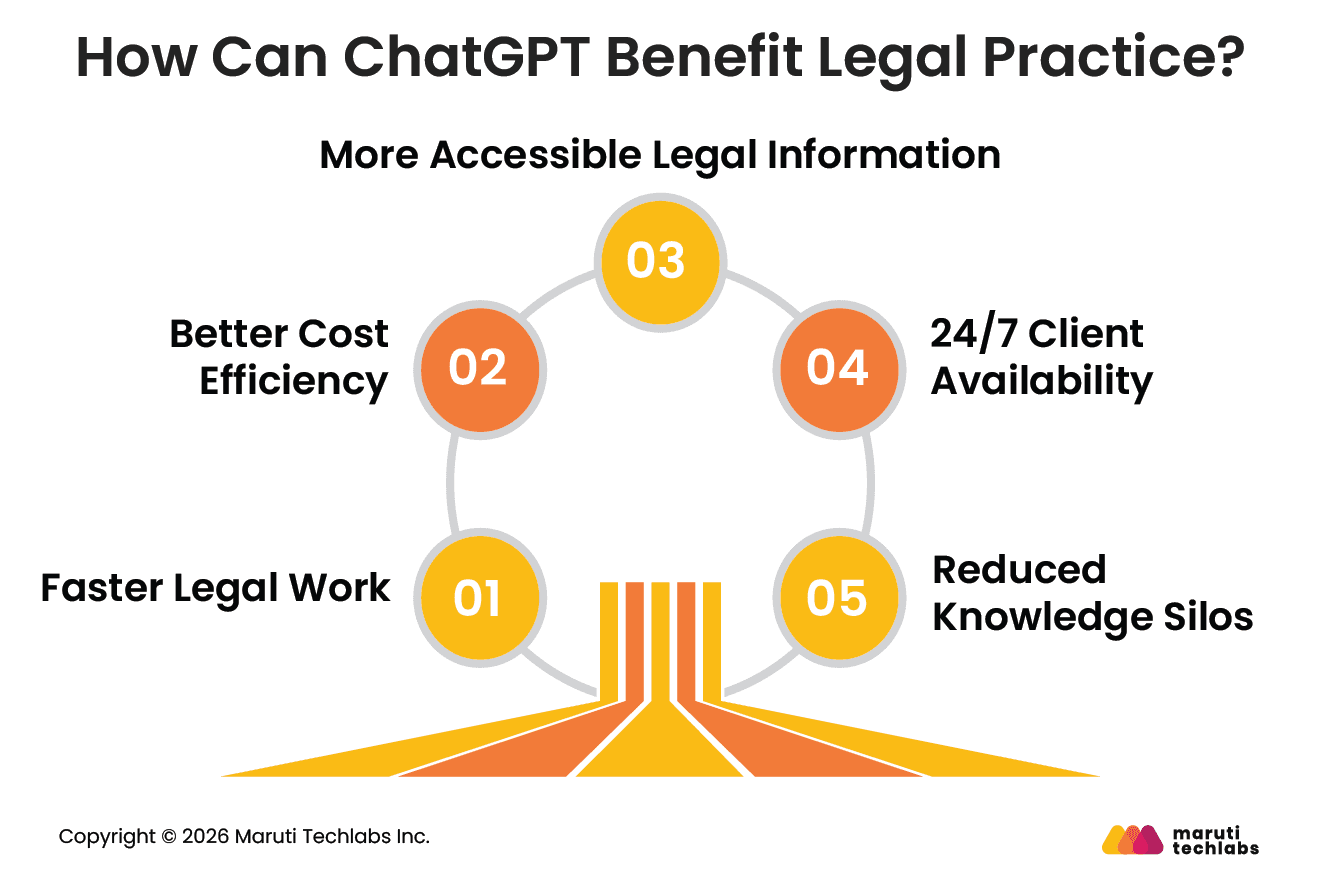
1. Faster Legal Work
ChatGPT reduces the time spent on repetitive activities such as summarization, first-draft creation, document organization, and information extraction.
Instead of starting every task from a blank page, lawyers can use AI to create a structured first version and spend more time reviewing, editing, and applying legal judgment.
2. Better Cost Efficiency
Automating repetitive work can reduce the amount of time attorneys and support staff spend on low-value administrative tasks.
This efficiency can let firms redirect capacity to client-facing work, complex analysis, and higher-value matters.
3. More Accessible Legal Information
By organizing material into easily understood formats and converting technical language into plain English, generative AI can simplify complex legal knowledge.
This can help lawyers explain concepts to clients and help clients better understand documents they receive from their legal teams.
4. 24/7 Client Availability
AI-powered client portals can support round-the-clock intake, FAQs, appointment scheduling, and basic information requests.
This does not replace attorney interaction. Instead, it allows firms to handle routine inquiries outside normal working hours while directing substantive matters to the appropriate legal professional.
5. Reduced Knowledge Silos
AI can give junior attorneys and support staff access to structured drafting and research assistance that may otherwise depend heavily on individual experience.
When combined with firm-approved knowledge sources and clear review processes, this can improve consistency across routine workflows.
What are the Challenges of Using ChatGPT in Legal Practice?
ChatGPT presents several challenges in legal practice, including outdated or inaccurate information, fabricated citations, limited legal nuance, confidentiality and data security risks, and professional responsibility concerns.
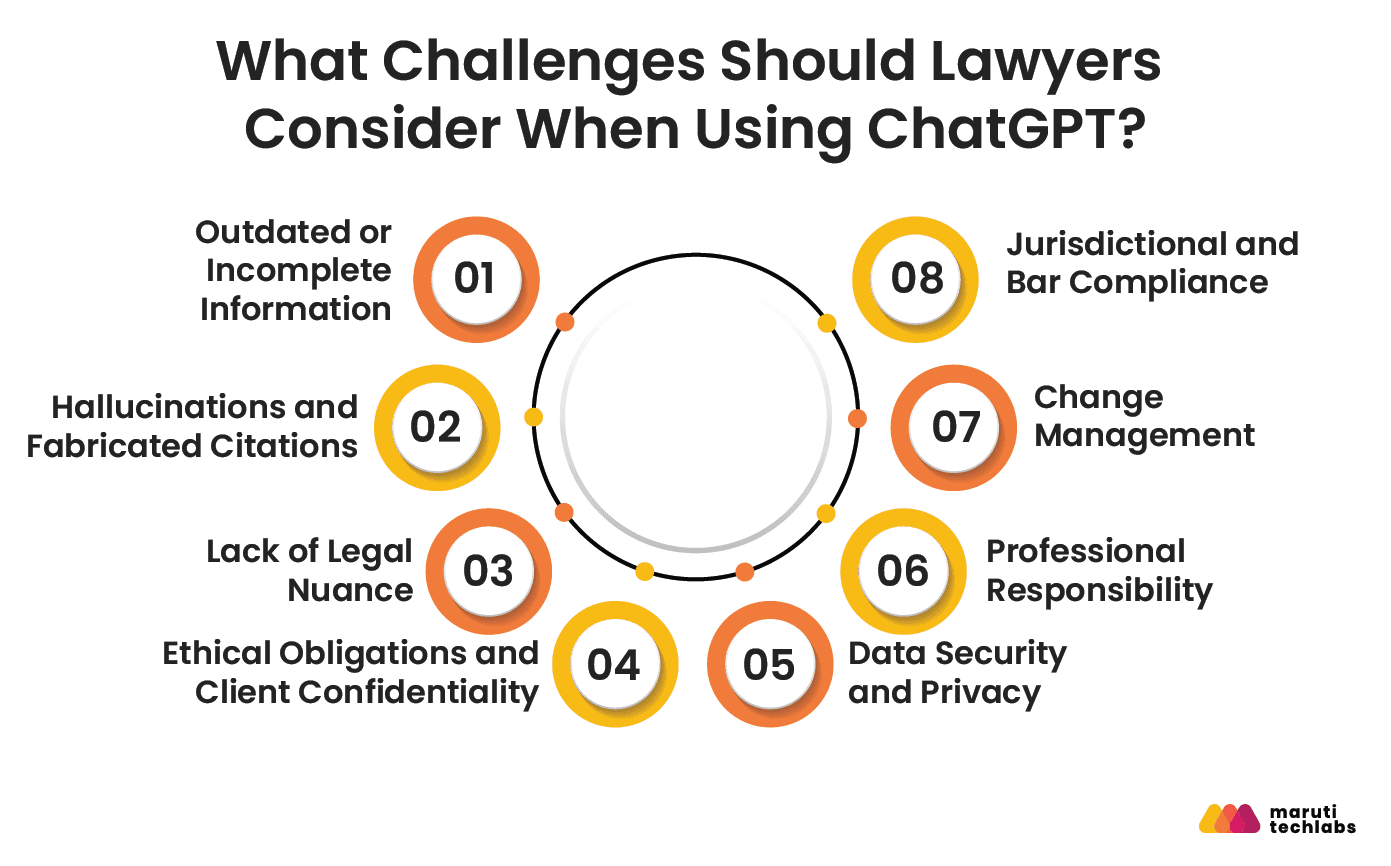
To make sure they use AI ethically and with the proper human oversight, lawyers must also take into account firm-wide policies, ethical commitments, and jurisdiction-specific regulations.
1. Outdated or Incomplete Information
A major limitation of general-purpose AI is that its underlying knowledge does not automatically provide authoritative, real-time access to every case, statute, regulation, or court filing.
For current legal research, lawyers should use authoritative legal databases and verify the currency of every legal reference.
2. Hallucinations and Fabricated Citations
AI systems can generate information that sounds convincing but is incorrect.
In legal practice, this is particularly dangerous because a fabricated case citation or incorrect statutory reference can affect a filing, legal opinion, or client recommendation.
3. Lack of Legal Nuance
Subtle factual differences, jurisdiction, procedural history, contractual language, and precedent are frequently taken into consideration while making legal conclusions.
ChatGPT may produce a reasonable-sounding response while missing an important distinction that an experienced lawyer would recognize.
4. Ethical Obligations and Client Confidentiality
Attorneys have a professional duty to safeguard client data.
Unacceptable risks may arise from entering private customer data into an AI system without being aware of its data policies.
Businesses should set clear instructions about what data can be entered into AI tools and which tools are suitable for sensitive tasks.
5. Data Security and Privacy
AI workflows introduce additional data-handling considerations.
Firms should evaluate:
- Data retention
- Encryption
- Access controls
- Vendor security
- Data residency
- Training policies
- Third-party integrations
Consider security requirements before deploying AI tools, not after sensitive information has already been processed.
6. Professional Responsibility
By using AI, the lawyer's professional responsibility is not transferred to the machine.
Lawyers are still accountable for the work they turn in, the counsel they give, and the information they share with their clients.
7. Change Management
Technology adoption can fail even when the underlying tool works well.
Lawyers may hesitate to use AI because of concerns about accuracy, job displacement, confidentiality, or unclear expectations.
A practical AI policy should explain:
- Which tools are approved
- Which tasks may use AI
- What information may be entered
- When human review is mandatory
- How AI use should be documented
- When disclosure may be required
8. Jurisdictional and Bar Compliance
AI-related professional guidance can vary across jurisdictions.
Firms operating across states or countries need a process for monitoring changes in professional conduct guidance, court requirements, and AI disclosure expectations. For a closer look at where the line between AI assistance and human judgment actually sits, see AI Lawyer vs. Human Lawyer.
How Can Lawyers Use ChatGPT Safely?
Best practices for using ChatGPT safely in legal practice require treating it as an assistant, not a final authority. Lawyers should protect confidential client information, verify every legal citation and factual claim, maintain human oversight, monitor jurisdiction-specific requirements, and establish clear firm-wide policies for responsible AI use.
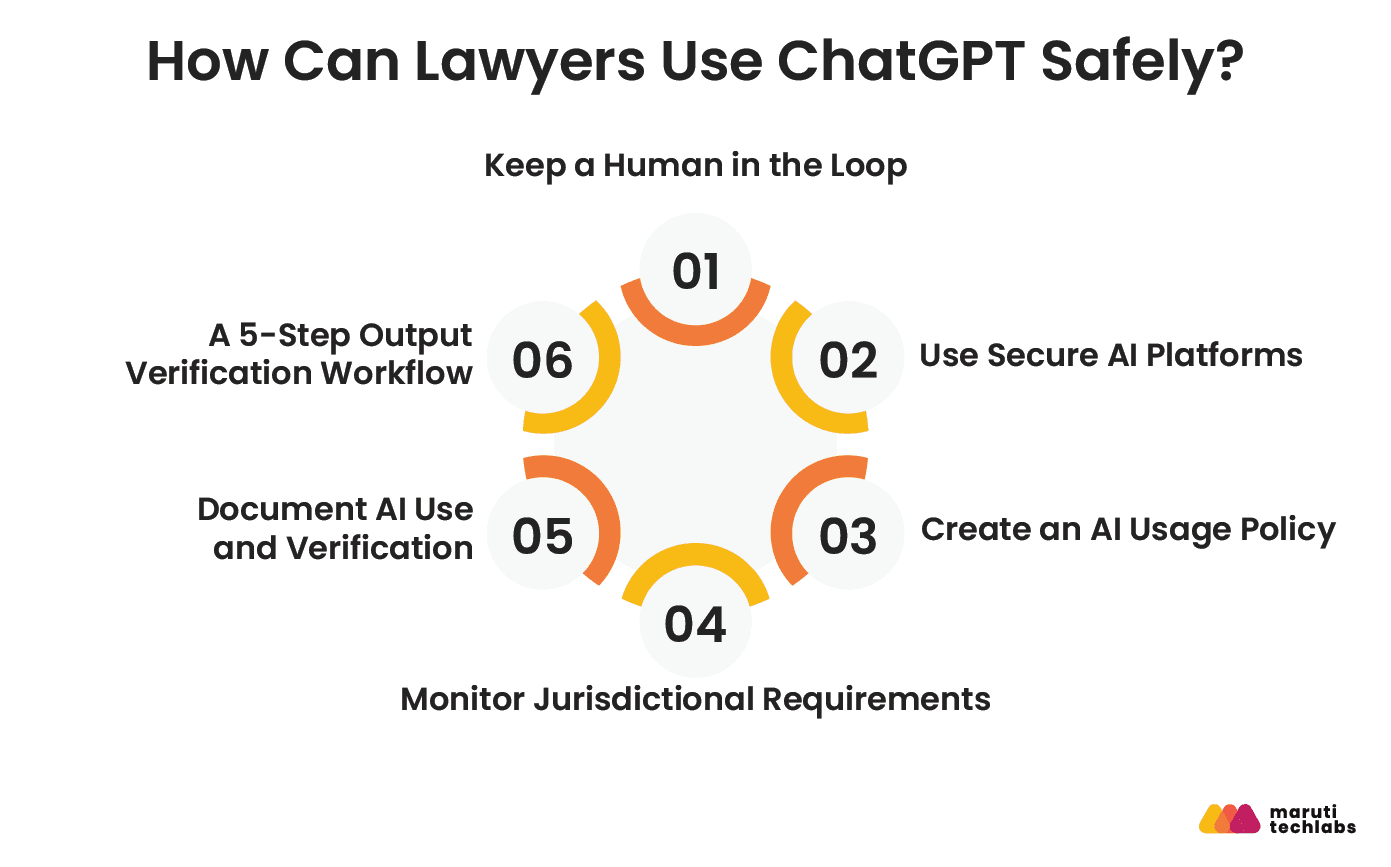
1. Keep a Human in the Loop
Every substantive AI-generated legal output should go through human review.
Use authoritative sources such as Westlaw, LexisNexis, official court databases, or applicable government sources to verify legal authorities.
2. Use Secure AI Platforms
Evaluate enterprise-grade or legal-specific AI tools for confidential workflows.
Review the platform's:
- Data-use policies
- Encryption
- Access controls
- Retention policies
- Compliance certifications
- Administrative controls
3. Create an AI Usage Policy
A firm-wide AI policy should define acceptable and unacceptable uses.
At minimum, cover:
- Confidentiality
- Approved AI tools
- Data classification
- Human review
- Citation verification
- Client disclosure
- Court disclosure
- Documentation requirements
4. Monitor Jurisdictional Requirements
AI guidance is evolving.
Legal teams should monitor applicable bar association guidance, court rules, standing orders, and professional responsibility requirements.
The ABA Center for Professional Responsibility, relevant state bars, and legal technology organizations can serve as starting points for ongoing monitoring.
5. Document AI Use and Verification
Maintain an AI use log for matters where documentation is appropriate.
Record:
- AI tool used
- General purpose of the prompt
- Output generated
- Verification performed
- Lawyer responsible for review
- Final action taken
This creates a clearer audit trail and supports internal governance.
How Do You Verify a ChatGPT Output in 5 Steps?
1. Read the entire output.
If you don't fully understand the response, never rely on an excerpt.
2. Verify every legal citation.
Verify instances, laws, rules, and other authorities with reliable sources.
3. Confirm that the law is current.
Verify whether statutes have been changed, repealed, replaced, or interpreted differently by more recent rulings.
4. Apply legal judgment.
Inquire as to whether the analysis truly matches the client's circumstances, the facts, the jurisdiction, and the procedural position.
5. Document the verification.
Keep track of who reviewed the finished project and what was inspected.
What's Next: AI Trends Shaping the Future of Legal Practice
AI is reshaping the future of legal practice through better legal reasoning and retrieval, deeper integration with authoritative legal databases, AI agents that automate multi-step workflows, and stronger governance and disclosure requirements. These trends will help lawyers work more efficiently while keeping human oversight and legal judgment at the center.
1. Better Legal Reasoning and Retrieval
The ability of AI systems to handle context, retrieve pertinent data, and operate with domain-specific content is improving.
Retrieval-augmented generation can also connect AI systems to approved knowledge sources, helping reduce reliance on static model knowledge.
2. Legal Database Integration Is Already Here
Authoritative databases and legal research platforms are progressively incorporating AI.
Westlaw Edge AI, Lexis+ AI, and CoCounsel are examples of tools that demonstrate the trajectory of the market: lawyers are increasingly seeking the conversational experience of generative AI in conjunction with reliable legal sources.
The key advantage is not simply better text generation. It is the ability to connect AI-assisted analysis with verifiable legal information.
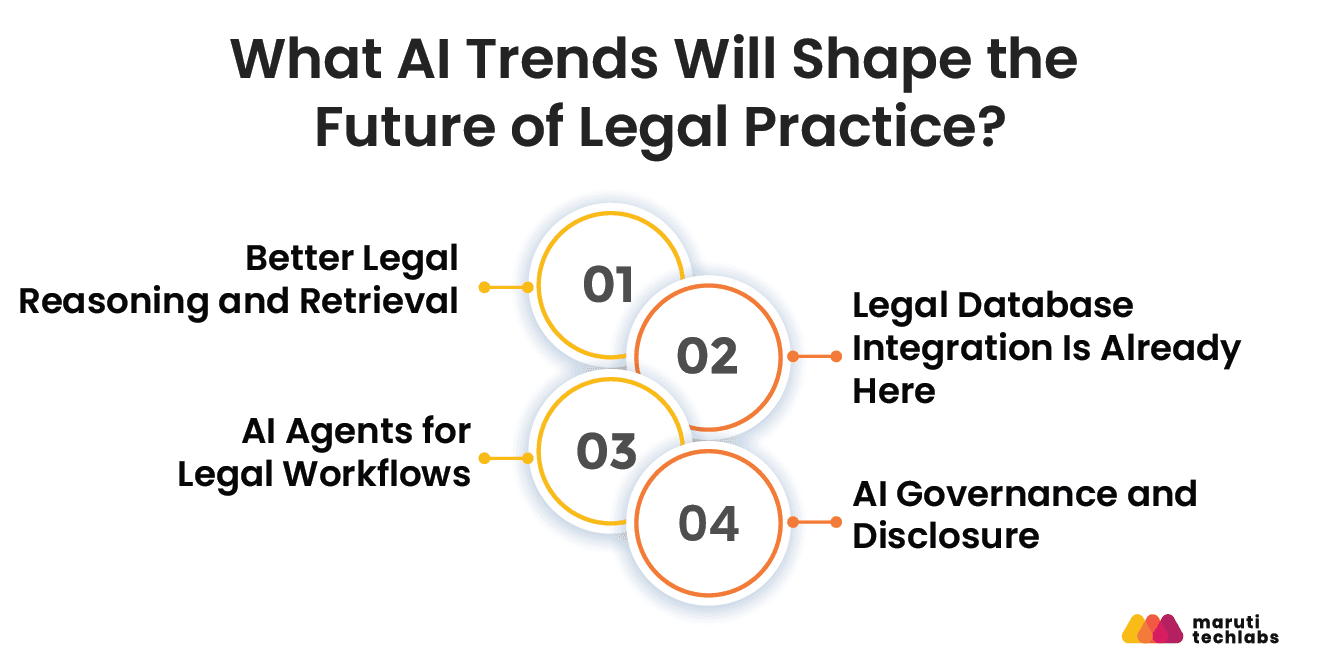
3. AI Agents for Legal Workflows
The next stage of legal AI involves multiple AI agents working across different parts of a workflow.
For example, one agent could support research, another could analyze documents, and another could organize findings for attorney review.
The lawyer remains the final decision-maker, while AI agents handle more of the repetitive coordination between tasks.
4. AI Governance and Disclosure
Firms will require more precise standards about disclosure, documentation, verification, and permitted use as AI becomes more prevalent in legal practice.
Rather than waiting for every requirement to become mandatory, firms can establish AI governance frameworks now.
Conclusion
ChatGPT is valuable for lawyers when it's used as a productivity and drafting assistant, not an autonomous legal authority. Start small: test a few non-confidential drafting or summarization workflows this week, build an internal AI usage policy this month, and evaluate a legal-specific or custom AI platform for your highest-volume workflows this quarter, running a controlled pilot before expanding adoption.
The goal was never to replace lawyers. It's to give legal professionals better tools for repetitive work while preserving the judgment legal practice actually requires, and firms that get the strategy and governance right up front are the ones seeing measurable time and cost savings, not just interesting demos.
How Maruti Techlabs Modernized Legal Workflows for an Am Law 200 Firm
A US-based, full-service business law firm ranked among the Am Law 200, with 1,000+ attorneys across multiple cities.
The firm's legal workflows were largely manual and hard to scale. The firm had strong interest in GenAI but no structured roadmap, relied heavily on a single individual for AI decisions, and had limited transparency from the existing vendor, along with an inability to efficiently process large legal documents of 300–1,000+ pages.
Maruti Techlabs acted as a strategic technology partner and built a custom AI-powered LegalTech platform combining three modules: a conversational interface for research, contract review, and drafting; fast, source-grounded search across the firm's internal documents; and task-specific agents for high-volume workflows like drafting, due diligence, and data extraction.
Impact delivered:
- Converted seven to eight hours of manual labor into minutes for research, drafting, and document review.
- More than 95% accuracy in intricate legal thinking processes
- Processing big documents smoothly without chunking them by hand
- Improved operational scalability through less reliance on individual contributions
- A thorough, ready-to-implement AI method that takes the place of fragmented experimentation
- Considerable cost savings by substituting AI-assisted workflows for hours of legal work

FAQs
1. Can Lawyers Use ChatGPT to Give Legal Advice?
Lawyers can use ChatGPT to support drafting, research, summarization, and other tasks, but AI output should not replace professional legal judgment. Using unverified AI-generated content as the basis for client advice can create professional responsibility risks.
Lawyers should review and verify outputs, apply their own legal judgment, and follow the applicable rules of professional conduct in their jurisdiction.
2. What Are the Legal Risks of Using ChatGPT in Court Filings?
The main risks include fabricated citations, inaccurate statements, incomplete legal analysis, confidentiality issues, and failure to comply with court-specific AI disclosure requirements. Lawyers should independently verify every citation and substantive claim before filing. They should also understand whether the applicable court requires disclosure of AI-assisted content.
3. How Do I Verify ChatGPT Outputs for Legal Accuracy?
Verify every case citation, statute, regulation, and legal proposition against authoritative sources such as Westlaw, LexisNexis, official court databases, or government websites. Check whether the law is current and whether the cited authority actually supports the statement. Finally, apply professional legal judgment to determine whether the analysis fits the facts.
4. Is Client Confidentiality Maintained When Using ChatGPT?
It depends on the platform, plan, configuration, and firm's policies. Attorney-client confidentiality is not automatically protected by entering client data into a general-purpose AI application. Businesses should examine data-use rules, retention, security measures, access management, and contractual protections before utilizing AI for private affairs.
5. What Jurisdictions Allow or Restrict AI Use in Legal Research?
The use of AI is changing in different ways depending on the jurisdiction. Many jurisdictions permit lawyers to use AI as a productivity tool while emphasizing competence, confidentiality, supervision, and verification.
Some courts and professional bodies have also introduced AI-related guidance or disclosure requirements. Lawyers should check the rules and guidance that apply in their jurisdiction and court.
6. Which ChatGPT Version Is Best for Lawyers?
There isn't a single version that works with every legal workflow. General-purpose ChatGPT can assist with brainstorming, summarizing, and non-confidential drafting.
Businesses that handle sensitive data should assess business- or enterprise-grade plans and the data protections that go along with them. For production legal research and citation-sensitive work, purpose-built legal AI tools may be a better fit.