How to Build Scalable Applications Using AWS API Gateway?
Key Takeaways
- AWS API Gateway helps manage APIs at scale by handling traffic, security, monitoring, and backend integrations from a single service.
- HTTP, REST, and WebSocket APIs are designed for different application needs.
- Features such as caching, throttling, and usage plans can help improve API performance while reducing unnecessary backend load.
- API Gateway works seamlessly with AWS services such as Lambda, DynamoDB, SQS, and Cloud Map, making it easier to build and manage modern cloud applications.
- A well-designed API strategy should consider scalability, security, cost, and ongoing monitoring from the start rather than addressing them later as traffic grows.
Introduction
Most applications you use every day depend on APIs to communicate with other systems. For example, a food delivery app uses APIs to process payments, track locations, and deliver updates in real time. In simple terms, APIs act as a bridge that enables different applications and services to exchange information.
However, building an application is not only about making it work; it should also be prepared to handle growth. As the number of users, requests, and data increases, the application should continue producing consistent performance. This ability is called scalability, which can be achieved either by increasing the power of existing resources (vertical scaling) or by adding more resources to handle the workload (horizontal scaling). For organizations building on AWS, scalability is often a key consideration from the start.
AWS API Gateway helps businesses build scalable applications by providing a fully managed platform to create, secure, deploy, and manage APIs. It automatically handles traffic spikes, manages API requests proficiently, and ensures stable communication between applications and backend services.

Key Features of Amazon API Gateway
The features of Amazon API Gateway include capabilities that help developers manage, secure, monitor, and optimize APIs more efficiently. Some of the principal features include:
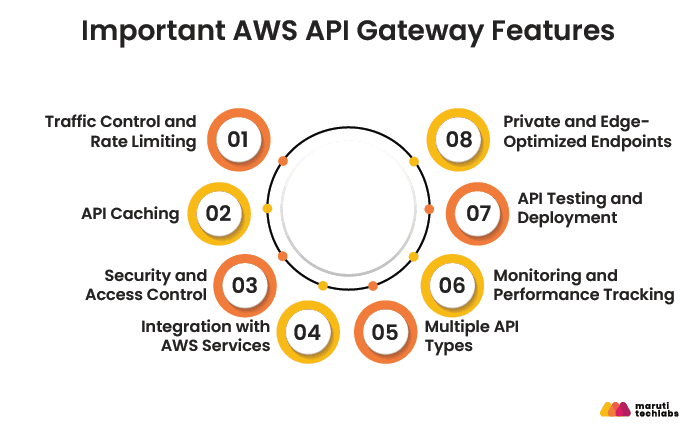
1. Traffic Control and Rate Limiting
When traffic increases unexpectedly, throttling and rate limiting ensure that your backend systems are not overwhelmed by too many API requests at once.
2. API Caching
With API caching, commonly requested data is stored for a short period, so the application does not need to repeatedly fetch the same information from backend services.
3. Security and Access Control
Security features such as AWS IAM, Amazon Cognito, custom authorizers, and AWS WAF help control API access and protect applications from common security threats.
4. Integration with AWS Services
Amazon API Gateway can be integrated with AWS Lambda, Amazon EC2, DynamoDB, and Amazon S3 to route API requests to the required backend services.
5. Multiple API Types
Amazon API Gateway offers REST, HTTP, and WebSocket APIs. Each type serves a different purpose, whether it is handling standard requests or enabling real-time communication between applications.
6. Monitoring and Performance Tracking
Teams can use Amazon CloudWatch and AWS X-Ray to understand how their APIs are performing, monitor delays in responses, and find issues that require attention.
7. API Testing and Deployment
Features such as canary deployments and mock integrations allow developers to test APIs and release updates gradually with reduced risk.
8. Private and Edge-Optimized Endpoints
Private APIs and edge-optimized endpoints provide secure internal connectivity and improved global access with lower latency.
Now that we’ve explored the key features of Amazon API Gateway, let’s look at the different types of API Gateway offerings and how they support various application requirements.
Types of Amazon API Gateways
Amazon API Gateway offers HTTP, REST, and WebSocket APIs, allowing developers to choose the right option based on their application’s needs.
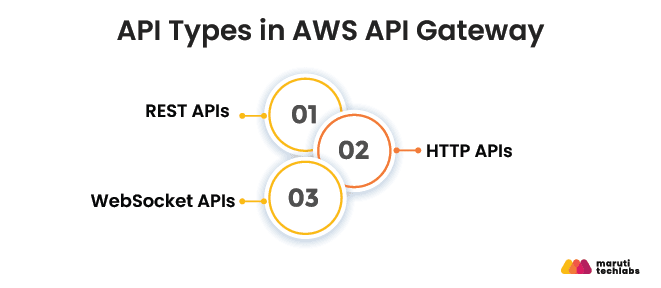
1. REST APIs
REST APIs are best suited for traditional web applications. They offer powerful tools for managing the entire API lifecycle, including features like:
- API keys for secure access.
- Request validation to maintain data integrity.
- Seamless integration with AWS services like Lambda and DynamoDB.
These APIs are ideal for complex, resource-based interactions requiring robust management.
2. HTTP APIs
HTTP APIs are lightweight, cost-effective, and optimized for modern applications like microservices and serverless architectures. Key benefits include:
- Lower latency compared to REST APIs
- Reduced costs, making them suitable for high-traffic use cases
- Simplified development for straightforward API needs
3. WebSocket APIs
WebSocket APIs are designed for real-time, two-way communication. They are perfect for applications like:
- Chat platforms
- Live dashboards
- Interactive gaming
These APIs maintain persistent connections, allowing instant data exchange between clients and servers.
Understanding these API types helps you choose the solution for your specific application needs. Let’s now explore how to build scalable APIs using AWS API Gateway.
How to Build Scalable APIs Using AWS API Gateway?
Building an API that handles thousands of requests is not only about adding more infrastructure. The API architecture should be designed to manage traffic optimally, reduce unnecessary calls to backend systems, and keep response times consistent. Since AWS API Gateway manages the underlying infrastructure automatically, developers can focus on choosing the right API design, integrations, and performance settings.
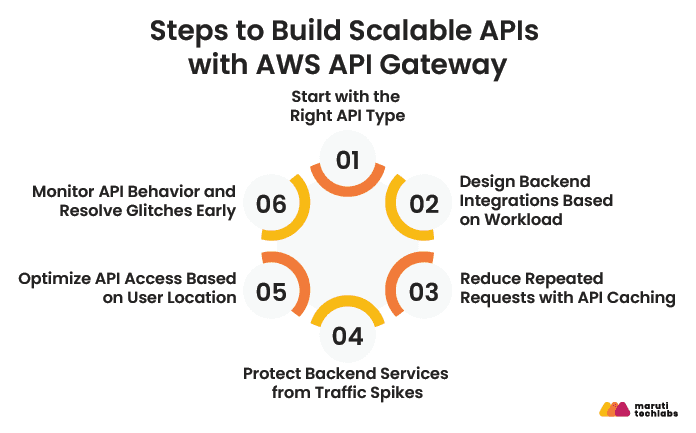
1. Start with the Right API Type
There is no single API type that works for every application. A simple service handling thousands of requests may only need HTTP APIs, whereas apps requiring stricter controls can use REST APIs. If your application needs live updates, WebSocket APIs are a better option.
2. Design Backend Integrations Based on Workload
Backend integrations must match the way your application works. You can connect API Gateway with Lambda for serverless applications, use VPC Links to access private services, or send requests to Amazon SQS when certain tasks need to be handled in the background.
3. Reduce Repeated Requests with API Caching
For data that does not change frequently, repeatedly sending requests to the backend only adds unnecessary work. API caching stores a temporary copy of the response so the API can return data quickly while reducing the load on backend systems.
4. Protect Backend Services from Traffic Spikes
API traffic is rarely predictable. A marketing campaign, product launch, or seasonal sale can cause a sharp increase in requests. Throttling and rate limits allow you to set boundaries on how much traffic your backend receives.
5. Optimize API Access Based on User Location
Regional endpoints send requests directly to API Gateway in a selected AWS Region. Edge-optimized endpoints first pass requests through CloudFront edge locations, which is useful when API traffic comes from different parts of the world.
6. Monitor API Behavior and Resolve Glitches Early
API behavior can change over time as traffic patterns shift. CloudWatch logs and X-Ray traces provide a clearer view of how requests move through the system and help pinpoint problems when they occur.
Important API Gateway Configuration Areas
| Configuration Area | What to Decide | AWS API Gateway Option |
| API type | Type of API communication required | HTTP APIs, REST APIs, WebSocket APIs |
| Backend integration | Where API requests should be forwarded | Lambda Proxy Integration, VPC Links, AWS Service Proxy |
| Caching | Whether repeated API responses should be stored | API Caching |
| Traffic limits | Number of requests allowed within a time window | Throttling, Usage Plans, API Keys |
| Endpoint type | Regional access or global access through CloudFront | Regional Endpoints, Edge-Optimized Endpoints |
| Monitoring | Logs, request traces, and error tracking | Amazon CloudWatch, AWS X-Ray |
The way an API is configured depends on how it is expected to handle requests. Some applications may require tighter request limits, while others may focus more on reducing backend calls or supporting real-time communication. Choosing the right API Gateway settings comes down to the way the application is built and used.
Now, let’s explore how AWS API Gateway integrates with other AWS services to enhance functionality further.
Integration with AWS Services
AWS API Gateway works with multiple AWS services, allowing APIs to handle business logic, store and process data, manage asynchronous tasks, and secure API access. Depending on the use case, API Gateway can either connect directly with AWS services or route requests through compute services like AWS Lambda when additional processing is needed.
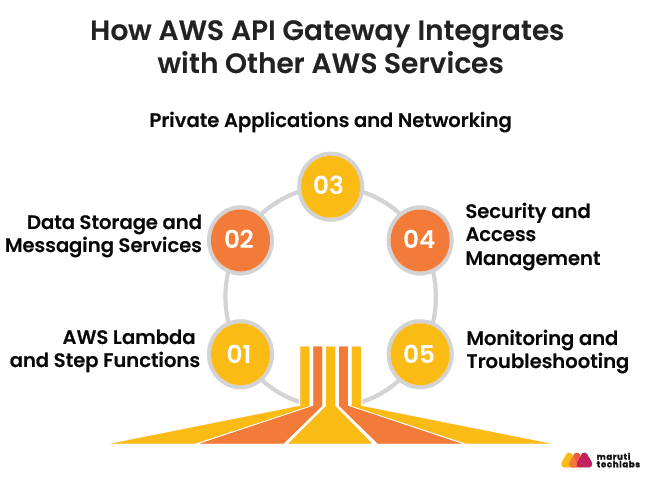
1. AWS Lambda and Step Functions
When an API request requires custom processing, API Gateway can pass the request to AWS Lambda for execution. For longer processes that involve several stages or services, AWS Step Functions can manage the workflow and track each step.
2. Data Storage and Messaging Services
API Gateway can send requests directly to services such as DynamoDB, SQS, and SNS without routing them through an additional compute layer. This is useful for writing or retrieving data, placing requests in queues for later processing, or sharing events between services. It can also send streaming data to Kinesis for further analysis.
3. Private Applications and Networking
For applications running inside a private VPC, API Gateway can communicate with internal services through VPC Links and load balancers without exposing backend systems to the public internet. This is commonly used with applications running on Amazon ECS, Amazon EKS, or Amazon EC2.
4. Security and Access Management
API Gateway can work with IAM, Cognito, and AWS WAF to apply access rules, authenticate users, and filter unwanted requests.
5. Monitoring and Troubleshooting
Problems such as failed requests or slower responses may appear after an API goes live. CloudWatch logs and X-Ray traces help analyze what happened during a request and identify where the issue occurred.
Once the API is up and running, the next step is improving performance and managing traffic more efficiently.
API Optimization and Best Practices
Small configuration changes can make a noticeable difference to API performance. The following practices focus on traffic handling, backend integrations, caching, and monitoring.
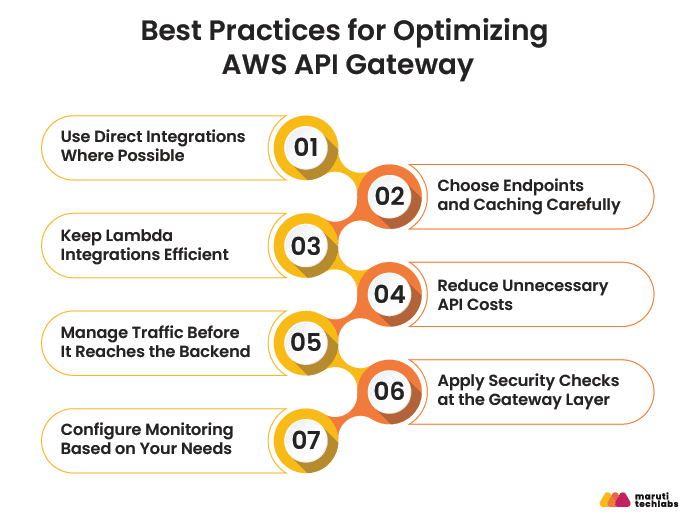
1. Use Direct Integrations Where Possible
AWS API Gateway provides several features that help you manage API requests, control traffic, secure endpoints, and reduce unnecessary backend calls. The following practices can help you configure these features more effectively.
2. Choose Endpoints and Caching Carefully
Regional endpoints are used when API traffic mainly comes from a particular region. For applications used in different parts of the world, edge-optimized endpoints use CloudFront to handle requests closer to users. If the same information is being requested again and again, API Gateway caching or Amazon ElastiCache can help avoid unnecessary processing.
3. Keep Lambda Integrations Efficient
For Lambda-based APIs, keep function packages small and avoid adding unnecessary dependencies. Provisioned concurrency can be used for APIs where response delays are not acceptable.
4. Reduce Unnecessary API Costs
For simpler API workloads, HTTP APIs can be a better choice than REST APIs because they have lower pricing and fewer processing layers. You can also reduce data transfer costs by enabling compression and validating invalid requests at the API Gateway level before they reach backend services.
5. Manage Traffic Before It Reaches the Backend
Unexpected spikes in API requests can consume backend resources quickly. Throttling and usage plans help control how much traffic reaches your applications and allow different limits for different API consumers.
6. Apply Security Checks at the Gateway Layer
Authentication and request filtering can be handled before requests reach backend services. Services such as Amazon Cognito, JWT authorizers, and AWS WAF can validate users and block unwanted traffic early in the request flow.
7. Configure Monitoring Based on Your Needs
CloudWatch logging should be configured based on what you actually need to track. Detailed execution logs are helpful while debugging issues, whereas access logs are usually enough for regular production monitoring and can help keep logging costs under control.
Performance and traffic handling are important, but they are only part of the setup. APIs also need the right security measures to control access and protect data. Let’s explore how to control and secure API access.
API Security and Access Control
AWS API Gateway offers multiple security features that help manage who can access an API and what actions they are allowed to perform. Depending on the application, different authentication and authorization methods can be used to control access and protect sensitive resources.
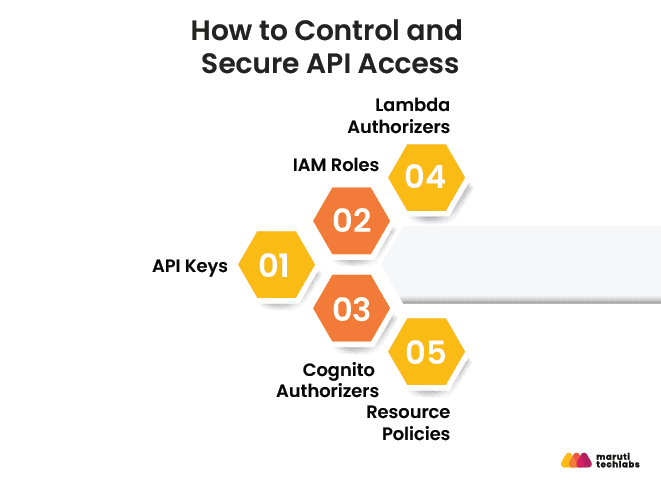
1. API Keys
API keys are often used when an organization wants to track API usage or apply request limits to different applications. They help identify who is calling the API, but they do not verify the identity of individual users.
2. IAM Roles
IAM roles are a common choice for service-to-service communication within AWS. Instead of sharing credentials, applications and AWS services can use role-based permissions to access APIs securely.
3. Cognito Authorizers
For web and mobile applications with user sign-in functionality, API Gateway can integrate directly with Amazon Cognito. Incoming authentication tokens are validated before requests are allowed to access protected API endpoints.
4. Lambda Authorizers
Some applications require authentication rules that go beyond standard token validation. Lambda authorizers allow a custom Lambda function to verify credentials, tokens, or information from external identity providers before a request reaches the API.
5. Resource Policies
Resource policies provide additional control over who can access an API. They can be used to restrict access to specific AWS accounts, VPCs, IP ranges, or organizational networks.
API Gateway Security Options
| Security Option | Used For | What It Does |
| API Keys | Partner APIs, internal APIs, and usage tracking | Identifies the application sending the request and supports usage plans and request limits |
| IAM Roles | Communication between AWS services and applications | Controls API access through IAM permissions without sharing credentials |
| Cognito Authorizers | Applications with user login and registration | Verifies user sign-in tokens before allowing access to protected endpoints |
| Lambda Authorizers | Applications with custom authentication requirements | Runs custom authentication checks using a Lambda function |
| Resource Policies | Private APIs or restricted environments | Limits API access based on AWS accounts, VPCs, or network rules |
Additional Security Considerations
Along with authentication, APIs are often protected through request validation, rate limiting, HTTPS, and continuous monitoring.
Beyond security and access control, service discovery also plays an important role in modern applications. AWS Cloud Map helps simplify this process.
AWS Cloud Map for HTTP API Scaling
AWS Cloud Map simplifies API scaling by enabling real-time resource discovery and seamless integration with load balancers, ensuring your APIs remain responsive and efficient.
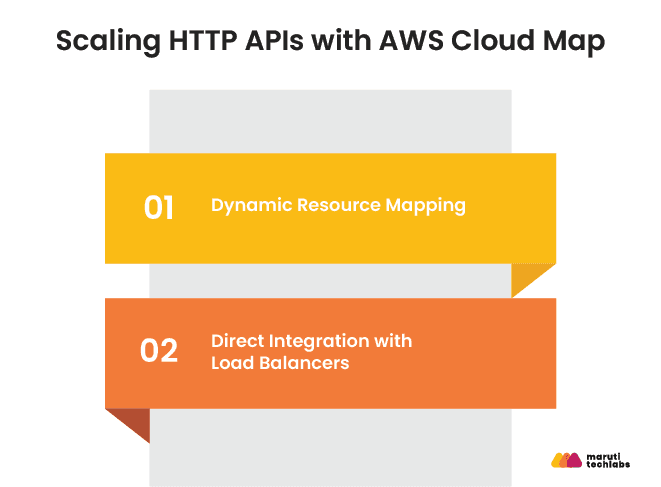
1. Dynamic Resource Mapping
AWS Cloud Map regularly monitors the geolocation of cloud resources like servers and microservices. HTTP APIs address the infrastructure aspects of microservices, such as scaling up during heavy traffic and scaling down during low traffic. For example, AWS Cloud Map changes the streaming service to ensure additional resources are included to accommodate rising viewer traffic.
2. Direct Integration with Load Balancers
API Gateway can be connected to ALBs and NLBs when requests need to be distributed across multiple backend services. This setup is often used in applications running on Amazon ECS, EKS, or EC2, where traffic may need to be shared across several instances as demand changes.
AWS Cloud Map helps services locate and communicate with each other efficiently. Next, let's look at how API Gateway compares with ALB and CloudFront, and when to use each service.
AWS API Gateway vs ALB vs CloudFront: When to Use Which?
API Gateway, ALB, and CloudFront may appear similar at first, but each is built for a different purpose. Knowing when to use each one can help avoid unnecessary complexity and cost.
| Service | Best Used For |
| AWS API Gateway | Managing APIs, serverless applications, authentication, request validation, and usage controls |
| Application Load Balancer (ALB) | Routing traffic to applications running on EC2, ECS, or EKS |
| Amazon CloudFront | Delivering content through edge locations and improving performance for global users |
Choose API Gateway when you need features such as API authentication, rate limiting, request validation, or integration with AWS Lambda.
Choose ALB when your application runs on containers or virtual machines and requires traffic distribution across multiple backend instances.
Choose CloudFront when serving users across different regions and you want faster content delivery through AWS edge locations.
In many architectures, these services are used together. CloudFront sits at the edge, while API Gateway or ALB handles requests before routing them to backend services.
The right choice depends on your application requirements, but cost also plays an important role. Next, let's explore how AWS API Gateway pricing works.
Common AWS API Gateway Errors and How to Fix Them
Even with the right configuration, API Gateway errors can occur because of invalid requests, permission issues, backend failures, or traffic limits. Most issues can be investigated through CloudWatch logs, which provide details about failed requests and integration errors.
| Error | What It Usually Means | Common Fix |
| 400 Bad Request | Request data, headers, or parameters are not in the expected format | Verify request payloads, headers, and endpoint configuration |
| 401 Unauthorized | Authentication details are missing or invalid | Check authorization tokens and authentication settings |
| 403 Forbidden | The request does not have permission to access the API | Review IAM permissions, API keys, or usage plans |
| 404 Not Found | The requested route or method does not exist | Verify the URL path, HTTP method, and API stage |
| 429 Too Many Requests | Request limits have been exceeded | Review throttling settings, quotas, or usage plans |
| 500 Internal Server Error | API Gateway or the backend encountered an error | Check CloudWatch logs and backend configurations |
| 502 Bad Gateway | The backend returned an invalid response | Review Lambda responses or backend service output |
| 504 Gateway Timeout | The backend took too long to respond | Reduce processing time or move long-running tasks to asynchronous workflows |
CloudWatch logs and execution metrics are often the quickest way to identify the source of API Gateway errors and determine whether the issue originates from the request, API configuration, or backend service.
Conclusion
AWS API Gateway helps organizations build and manage APIs without worrying about the underlying infrastructure. Factors such as API type, backend integrations, caching, traffic limits, and security settings can all influence how the API performs as usage increases.
Throughout this guide, we've looked at key areas such as scalability, service integrations, optimization, security, pricing, and common troubleshooting scenarios. We also explored how services like AWS Cloud Map, ALB, and CloudFront fit into modern API architectures.
The right configuration will vary from one application to another, but understanding these building blocks can help you design APIs that are easier to manage, secure, and scale over time.
FAQs
1. How does AWS API Gateway handle rate limiting and throttling?
AWS API Gateway allows you to control how much traffic reaches your APIs. Request limits can be applied to the entire API or to specific clients using API keys and usage plans. If too many requests arrive within a short period, API Gateway temporarily rejects the excess requests and returns a 429 status code.
2. What are the default AWS API Gateway limits and how do I increase them?
AWS API Gateway has built-in limits for things such as request rates, payload sizes, and API configurations. For most applications, these limits are not an issue. If your API starts handling significantly more traffic or larger workloads, AWS allows many of these limits to be increased through a quota request.
3. How do I reduce AWS API Gateway costs at scale?
One of the easiest ways to reduce costs is to use HTTP APIs when advanced REST API features are not required. Caching can also help by reducing repeated backend requests. It's also worth reviewing data transfer usage, logging settings, and unused API resources, as these can add to overall costs over time.
4. When should I use API Gateway vs Application Load Balancer (ALB)?
API Gateway is typically used when APIs need features such as authentication, request validation, usage limits, or integration with AWS Lambda. ALB is more commonly used to route traffic to applications running on EC2 instances, containers, or Kubernetes clusters. The right option usually depends on how the application is built and where it runs.
5. How do I version my APIs in AWS API Gateway?
API versioning is often handled by adding the version number to the URL, such as /v1/orders or /v2/orders. This makes it possible to introduce changes without disrupting applications that still rely on older versions. API Gateway stages are also commonly used to keep development, testing, and production environments separate.
How Maruti Techlabs Helped a Business Modernize Its Infrastructure on AWS
In one of our AWS migration engagements, a business was facing challenges with an on-premise setup that was difficult to scale and maintain. By moving to AWS-managed services and implementing an infrastructure designed for growth, the organization was able to improve scalability, reduce maintenance efforts, eliminate downtime during peak traffic periods, and create a more flexible environment for future expansion.
As an AWS Advanced Tier Partner, Maruti Techlabs helps businesses build and modernize applications on AWS while improving scalability, security, and operational efficiency.
Learn more about our Cloud Application Development services to build cloud-native applications tailored to your business needs.
Explore our DevOps Services to streamline infrastructure management, automate deployments, and improve delivery speed across cloud environments.