IAM vs PAM: Which One Does Your Enterprise Actually Need?
A simple guide to IAM vs PAM, their differences, use cases, and how enterprises should choose the right access approach.
Cloud
IAM vs PAM: Which One Does Your Enterprise Actually Need?
A simple guide to IAM vs PAM, their differences, use cases, and how enterprises should choose the right access approach.
Table of contents
Table of contents
At a Glance
Introduction
What Is Identity and Access Management (IAM)?
What Is Privileged Access Management (PAM)?
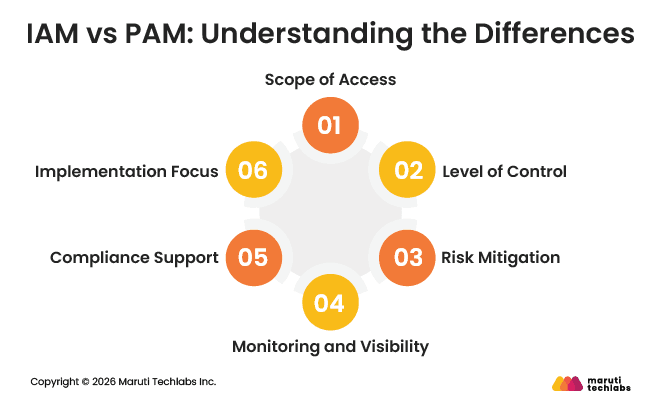
IAM vs PAM: Understanding the Differences
IAM vs PAM : Comparison Table
Do Enterprises Need IAM, PAM, or Both?
IAM vs PAM: Strengths and Limitations
How IAM and PAM Fit Into Modern Cloud, DevOps, and Hybrid Architectures
Conclusion
FAQs
At a Glance
IAM manages everyday access for everyone, while PAM protects high-risk access used by a small number of privileged users
Most organizations should start with IAM and add PAM as systems, teams, and access risks grow
IAM improves productivity by simplifying onboarding, offboarding, and role changes across applications
PAM reduces the impact of breaches by tightly controlling and monitoring privileged accounts
Using IAM and PAM together creates a stronger, more balanced access strategy for modern cloud and hybrid environments
Introduction
Different roles in an organization require access to different systems to perform their work. A sales executive may need a CRM, a developer may need cloud resources, and an IT administrator may need full control over critical systems. The challenge is to ensure everyone has the right level of access without granting more than necessary.
When access is poorly managed, the risks add up quickly. According to the IBM 2025 report, the global average cost of a data breach is USD 4.44 million. In many cases, breaches start with stolen credentials or users having more access than they should.
This is where IAM and PAM come into the picture. Identity and Access Management, or IAM, controls access for all users across applications and systems. Privileged Access Management (PAM) focuses solely on securing high-risk, elevated access used by administrators and privileged users.
The confusion usually comes down to a simple question. Do organizations need IAM, PAM, or both? IAM typically serves as the foundation for identity management, while PAM adds an extra layer of protection for the most sensitive access. Understanding how they differ helps enterprises make better security decisions.
This blog covers what IAM and PAM are, how they differ, and whether enterprises need one, the other, or both in modern cloud, DevOps, and hybrid environments.
What Is Identity and Access Management (IAM)?
Identity and Access Management, or IAM, controls who can access your organization’s systems and what they are allowed to do once inside. It serves as the front door to your digital environment and ensures the right people have access without exposing sensitive systems.
IAM is often explained as answering one simple question across the business: who can do what. It manages access to cloud applications, internal tools, workstations, and mobile devices. The process starts by confirming a user’s identity using passwords, biometrics, or passkeys. After that, IAM decides which systems and datathe user can access.
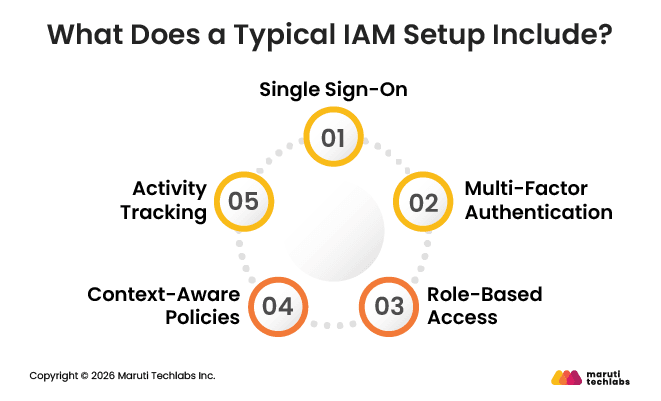
A typical IAM setup usually includes:
Single Sign-On, which allows users to access multiple applications with one secure login
Multi-Factor Authentication adds an extra verification step beyond passwords
Access rules based on roles, teams, or user attributes instead of manual approvals
Context-aware policies that adjust access based on factors like device, location, or risk
Activity tracking that records who accessed which systems and when
IAM works best for managing everyday user access at scale, keeping logins simple for employees while enforcing consistent access control across the organization.
What Is Privileged Access Management (PAM)?
Privileged Access Management (PAM) focuses on securing accounts with elevated privileges compared to regular user accounts. These accounts can change system settings, manage servers, access sensitive data, or control critical infrastructure. Because of this elevated access, they need tighter controls.
Privileged access is not limited to people. Machines, applications, scripts, and automated processes can also have elevated permissions. For example, a backup job may need full access to databases and system settings to run correctly. If these non-human accounts are not secured, they can become easy entry points for attackers.
Privileged accounts are high-value targets because a single compromised account can grant attackers deep control while remaining unnoticed. Hijacking valid accounts is one of the most common attack methods today. Risk can also come from inside the organization, such as employees unknowingly sharing sensitive access through unapproved tools.
PAM helps reduce these risks by locking down privileged access, protecting credentials, and ensuring only the minimum access required is ever granted.
IAM vs PAM: Understanding the Differences
IAM and PAM are often mentioned together, but they solve very different access problems. While both aim to protect systems and data, they operate at different levels and address different types of risk.
Understanding these differences helps organizations decide where each one fits into their security strategy and why relying on just one is rarely enough.
In simple terms, PAM differs from IAM because it focuses only on high-risk access. While IAM manages access for everyone in the organization, PAM steps in when access goes beyond normal day-to-day usage and reaches sensitive or critical systems.
The sections below explain how they differ across the areas that matter most.
1. Scope of Access
IAM has a broad scope. It manages access for all users, including employees, contractors, and partners, across applications, devices, and systems. Its goal is to ensure people can access the tools they need to do their jobs without friction.
PAM has a much narrower scope. It focuses only on privileged accounts with elevated permissions, such as administrators who manage servers, databases, or security configurations. These accounts require extra protection because of the damage they could cause if misused.
2. Level of Control
IAM provides foundational access control. It verifies identities, applies access policies, and grants permissions based on roles or attributes. It also handles onboarding and offboarding, ensuring access is added or removed as users join or leave.
PAM applies deeper and more precise control. It restricts privileged access, often by time, task, or approval. This level of control is essential when access can directly impact critical systems.
3. Risk Mitigation
IAM helps reduce the risk of unauthorized access, especially from external threats. Ensuring only verified users can log in limits exposure caused by weak or stolen credentials.
PAM addresses higher-risk threats, including insider misuse and compromised admin accounts. Even if attackers gain access, PAM makes it harder for them to escalate privileges or move freely across systems.
4. Monitoring and Visibility
IAM gives organizations a clear view of who has access to which systems and applications. It helps security teams regularly review permissions and remove unnecessary access before it becomes risky.
PAM goes a step further by monitoring what privileged users actually do after logging in. It records sessions, tracks sensitive actions, and flags suspicious behavior in real time.
5. Compliance Support
IAM supports compliance by enforcing consistent access policies across the organization. It ensures that only the right people can access specific systems based on their roles.
PAM strengthens compliance by maintaining detailed logs of privileged activities. These records are useful during audits and help demonstrate control over sensitive systems.
6. Implementation Focus
IAM is usually implemented across the organization to manage everyday user identities and access. It becomes the foundation for secure login and access management.
PAM is implemented to secure high-risk accounts such as administrators and system-level users. It focuses specifically on protecting critical infrastructure and sensitive data.
IAM vs PAM : Comparison Table
The table below summarizes how IAM and PAM differ across key areas.
Aspect
IAM (Identity and Access Management)
PAM (Privileged Access Management)
Scope of Access
Manages access for all users across systems and applications.
Focuses only on privileged accounts with elevated permissions.
Level of Control
Provides basic access control through identity verification and role-based permissions.
Applies stricter control over high-level access, often limited by time, task, or approval.
Risk Mitigation
Prevents unauthorized access from external threats and weak credentials.
Protects against insider threats and misuse of admin-level access.
Monitoring & Visibility
Shows who has access to systems and applications.
Tracks and records actions performed by privileged users.
Compliance Support
Enforces organization-wide access policies.
Maintains detailed logs of privileged activities for audits.
Implementation Focus
Used organization-wide for everyday identity and access management.
Implemented to secure critical systems and high-risk accounts.
Do Enterprises Need IAM, PAM, or Both?
Most enterprises eventually need both IAM and PAM, but not always at the same time. The real decision is about when to start and what to prioritize first. This depends on how people access systems today, how much privileged access exists, and how mature your IT environment is.
For many organizations, access challenges start small and grow over time. What works with a handful of users and systems often breaks as teams scale, cloud usage expands, and compliance expectations increase.
When IAM Becomes Essential for Your Business
If your teams log in to apps, systems, or cloud tools every day to get their work done, IAM is no longer optional. It becomes essential. IAM handles everyday tasks like giving new hires access on day one, removing access when someone leaves, and updating permissions as roles evolve. It also makes it easier to manage access for remote teams, contractors, and vendors without depending on slow, manual processes.
IAM improves both security and efficiency. It reduces the risk of password-based attacks, prevents former employees from retaining access, and gives visibility into who can access which systems.
Over time, it eliminates slow manual provisioning, reduces IT support tickets, and ensures employees get access when they need it. If access creation takes days, audits are painful, or no one clearly knows who has access to sensitive data, IAM should be the first priority.
When PAM Becomes Critical
PAM becomes necessary when your organization has users or accounts with elevated access that could cause serious damage if compromised. This includes administrators managing servers, databases, production systems, or security tools, as well as vendors who need temporary admin access.
Privileged accounts are high-value targets because a single compromise can expose systems, data, and infrastructure. PAM helps control these risks by monitoring administrative activity, limiting access use, and keeping detailed records of privileged actions. It is also often required for regulatory compliance in industries like finance, healthcare, and public companies.
If admin passwords are being shared, privileged activities aren’t monitored, or access can’t be revoked instantly, it’s a clear sign that PAM has become a critical security requirement.
How to Decide What You Need
Most enterprises do not choose between IAM and PAM. Instead, they decide when to use each one and in what order to use them. The right approach depends on how access works in your organization today, how many privileged users you have, and how mature your security practices are.
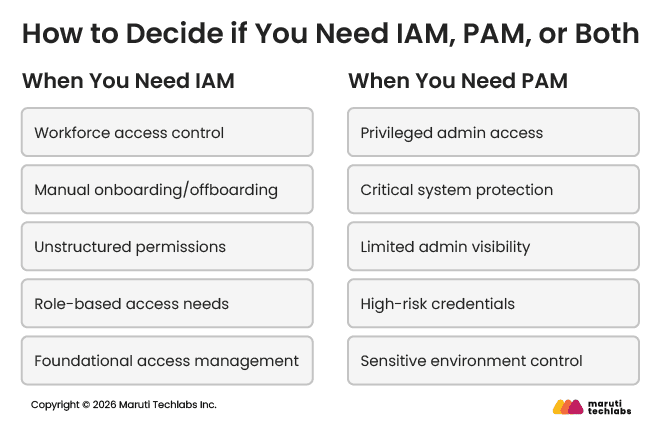
Use the pointers below as a simple decision guide:
If people need access to applications, systems, or cloud tools to do their jobs, IAM is essential
If administrators or power users have elevated access to servers, databases, or production systems, PAM becomes necessary
If access management is mostly manual or inconsistent, start with IAM to create a strong foundation
If you already have structured user access but limited visibility into admin activity, add PAM next
Smaller or growing teams typically begin with IAM to automate onboarding and offboarding
Mature IT environments benefit from using IAM and PAM together for complete access control
In most cases, IAM comes first, and PAM follows as access risks increase. Together, they provide a balanced approach that supports everyday productivity while protecting the most sensitive parts of your infrastructure.
IAM vs PAM: Strengths and Limitations
Both IAM and PAM offer clear benefits, but they also have limitations. Looking at the advantages and drawbacks of each helps set the right expectations before making a decision.
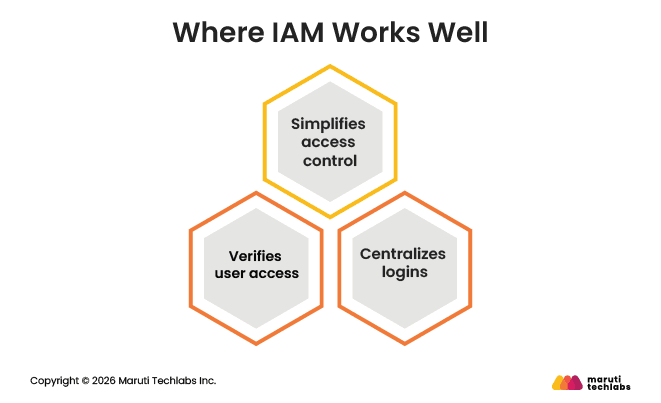
Where IAM Works Well
IAM is designed to simplify access management across the organization and support everyday operations.
Makes it easier to grant and revoke access as people join, leave, or change roles
Improves user experience through centralized logins and fewer passwords
Strengthens security by ensuring only verified users can access systems
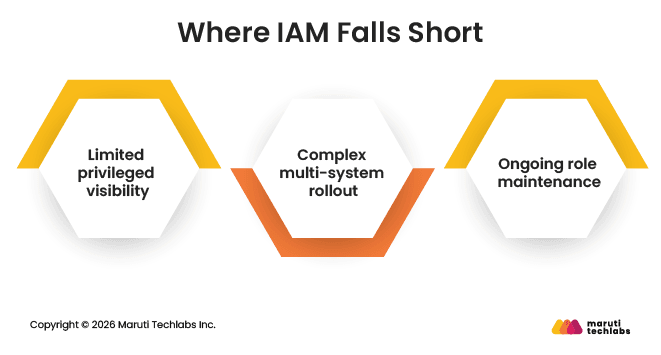
Where IAM Falls Short
While IAM is essential, it is not built to handle every access-related risk.
Limited visibility into how privileged accounts are used
Can be complex to roll out across many applications and systems
Requires ongoing maintenance to keep roles and access rules up to date
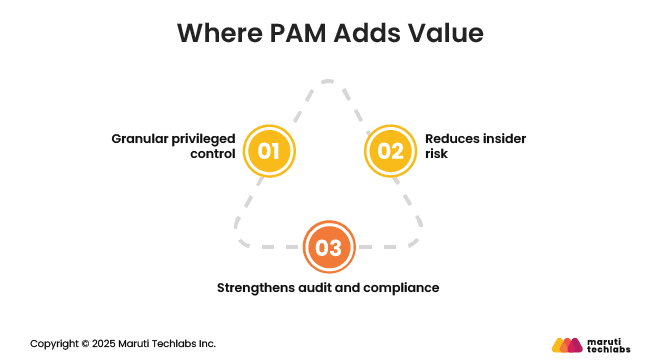
Where PAM Adds Value
PAM focuses on protecting high-risk access that can directly impact critical systems.
Provides fine-grained control over privileged accounts and actions
Reduces the risk of insider misuse and admin account compromise
Helps meet compliance needs with detailed audit trails and activity records
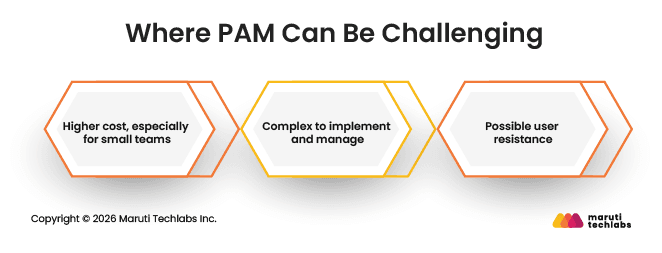
Where PAM Can Be Challenging
PAM delivers strong security, but it comes with added effort and cost.
Typically more expensive than IAM, especially for smaller teams
Can be complex to implement and manage without specialized expertise
May face user resistance due to extra controls and monitoring
How IAM and PAM Fit Into Modern Cloud, DevOps, and Hybrid Architectures
Modern IT environments span cloud platforms, DevOps pipelines, and on-prem systems. IAM and PAM work together to secure access across this complexity, each addressing a different level of risk without slowing teams down.
1. In Cloud Environments
IAM controls how users and services access cloud platforms, applications, and shared resources. It ensures people only get the access they need to do their jobs. PAM adds protection when cloud access becomes powerful, such as managing production workloads, cloud consoles, or sensitive configurations. Together, they reduce the risk of over-permissioned cloud access.
2. In DevOps Workflows
IAM supports developers by managing access to code repositories, CI/CD tools, and monitoring systems. PAM becomes important as work moves closer to production. It controls who can deploy live changes, modify infrastructure, or access secrets, helping teams move fast without exposing critical systems.
3. In Hybrid Environments
IAM provides a consistent way to manage identities across cloud and on-prem systems. PAM ensures privileged access is protected the same way everywhere, avoiding gaps between environments. This consistency is critical as organizations run workloads across multiple platforms.
4. As Systems Scale
IAM scales user access across growing teams and expanding application portfolios. PAM scales by limiting and monitoring high-risk access as infrastructure becomes more complex. Together, they keep access manageable even as environments grow.
5. In Reducing Systemic Risk
IAM reduces risk by removing unnecessary access and enforcing consistent policies. PAM limits the impact of breaches by tightly controlling and monitoring privileged access. Combined, they help shrink attack surfaces and reduce the overall blast radius across the organization.
Conclusion
IAM and PAM are often treated as competing solutions, but they address different access needs. IAM focuses on managing everyday access for all users, ensuring people can log in securely and receive the right permissions as they join, leave, or change roles. PAM focuses on protecting high-risk, privileged access that can directly impact critical systems and sensitive data.
For most enterprises, the real question is not whether to use IAM or PAM, but how to use them together. IAM usually comes first as the foundation for access control. PAM is added as infrastructure grows, privileged access increases, or compliance requirements become stricter. Used together, they help reduce risk while keeping access manageable.
At Maruti Techlabs, we have recently expanded our offerings to include IAM services designed for modern cloud and hybrid environments. If you are exploring IAM for the first time or looking to strengthen your access strategy, connect with us through our Contact Us page to start the conversation.
FAQs
1. What are the benefits of IAM over PAM?
IAM manages access for everyone in an organization, not just administrators. It simplifies onboarding, offboarding, and role changes, improves login experience, and provides consistent access control across applications. IAM is essential for daily operations and forms the foundation of enterprise access security.
2. How does IAM integrate with PAM?
IAM handles who can log in and what general access they have. PAM builds on this by controlling elevated access. Together, IAM verifies identity and assigns roles, while PAM adds extra controls when users need privileged access to critical systems.
3. Which is more secure, IAM or PAM?
Neither is more secure on its own. IAM secures everyday access across the organization, while PAM protects high-risk privileged access. IAM reduces broad-access risks, and PAM limits damage caused by powerful accounts. Used together, they provide stronger and more balanced security.
4. What industries use IAM and PAM?
IAM is used across almost all industries, including technology, retail, manufacturing, and education. PAM is widely adopted in regulated sectors such as finance, healthcare, government, and enterprises with complex IT infrastructure and strict security or compliance requirements.
About the author
Mitul Makadia
Mitul Makadia is the Founder and CEO of Maruti Techlabs, a custom software and AI engineering company he built from the ground up in 2009. Over 20+ years, he has led product development, business strategy, and engineering teams across startups to Fortune 500 clients. He writes on Agile, product development, software practices, low-code platforms, and user experience.
Stuck with a Tech Hurdle?
We fix, build, and optimize. The first consultation is on us!