Why Zero Trust Is Essential for Today’s Cloud Security
A practical look at Zero Trust and why it fits today’s cloud, SaaS, and remote-first environments.
Cloud
Why Zero Trust Is Essential for Today’s Cloud Security
A practical look at Zero Trust and why it fits today’s cloud, SaaS, and remote-first environments.
Table of contents
Table of contents
Key Takeaways
Introduction
Understanding Zero Trust Architecture
Why Does Perimeter-Based Security Fail Today?
Core Building Blocks of a Zero Trust Design
Benefits of Zero Trust in the Cloud
Steps to Apply Zero Trust in Your Cloud Environment
Practical Guidelines for Zero Trust in Cloud Environments
Conclusion
FAQs
Key Takeaways
In cloud environments, being “inside the network” does not mean being secure.
Security should focus on who is accessing a system, not where they are logging in from.
Limiting access reduces damage when accounts or systems are compromised.
Security checks need to continue after login, not stop at the first gate.
Zero Trust works best as an ongoing approach that grows with your cloud setup.
Introduction
For years, security was built around a simple idea: protect the network perimeter and trust everything inside it. Once employees logged in through SSO, they often had broad access. This worked when apps, data, and users were in one place. With cloud, SaaS, and remote work, that trust no longer holds, and one stolen login can expose far more than intended.
Traditional firewalls and antivirus tools are not enough in this kind of environment, especially when the threat comes from within. This is why Zero Trust is no longer just a security buzzword. It’s a design requirement.
Zero Trust works on a simple principle: never trust by default, always verify. Users get access only to what they need to do their job, nothing more. Every request is continuously checked, monitored, and re-evaluated. This limits damage from both external attacks and insider threats.
Zero Trust also changes how data is protected. Instead of relying on large, centralized storage that attracts attackers, it promotes better isolation, segmentation, and control.
In this blog, we’ll explain what Zero Trust Architecture is, why perimeter-based security fails in modern environments, its core components, and how to design and implement Zero Trust for today’s cloud and application ecosystems.
Understanding Zero Trust Architecture
Zero Trust Architecture is a modern security approach that removes the idea of automatic trust. Instead of assuming users or systems are safe once they are inside the network, it treats every access request as untrusted by default. Each user, device, and application must prove it should have access, every time.
Traditional security focused on protecting the network edge. Once someone crossed that boundary, they were trusted. In cloud, SaaS, and remote work environments, that boundary no longer exists. Systems are distributed, users connect from anywhere, and applications change constantly. Zero Trust is built for this reality.
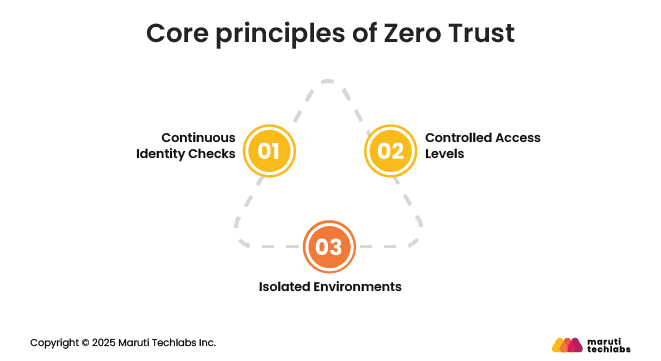
At the core of Zero Trust are a few simple design principles:
Continuous identity checks: Every access request is verified using identity, device status, and context. Trust is not granted once and forgotten. It is checked repeatedly.
Controlled access levels: Users and services receive only the permissions they need to perform their tasks. This reduces exposure and limits damage if an account is compromised.
Isolated environments: Applications and resources are broken into smaller, separate segments. This makes it harder for attackers to move across systems, even if they gain access to a single system.
These principles make Zero Trust especially important for cloud environments, where shared infrastructure, rapid scaling, and distributed applications increase security risks.
Why Does Perimeter-Based Security Fail Today?
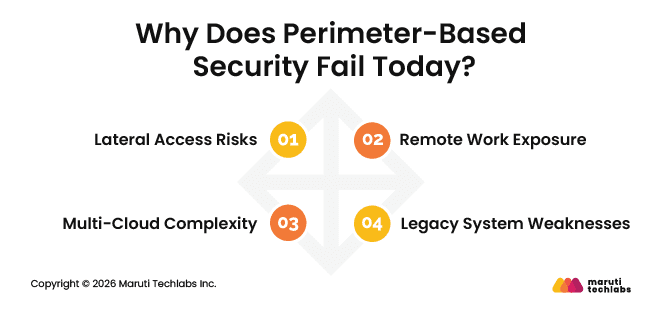
Perimeter security assumes there is a clear network boundary and that everything inside it can be trusted. In modern environments, that boundary barely exists. Applications run across clouds, users log in from anywhere, and data constantly moves between services. This makes perimeter-focused security unreliable and risky.
Here are the key reasons it falls short.
1. Lateral Access Risks
Once attackers get inside the network, traditional security often trusts their movement. Without strong identity checks and continuous validation, attackers can move laterally across systems and access sensitive data.
2. Remote Work Exposure
Employees now access systems from home networks, personal devices, and public connections. VPNs help with connectivity but still grant broad internal access, increasing risk if a device is compromised.
3. Multi-Cloud Complexity
Applications running across multiple cloud providers make it hard to enforce consistent security rules. Perimeter controls cannot keep up when workloads and data move between platforms.
4. Legacy System Weaknesses
Older systems were not built with modern security in mind. Shared accounts, wide permissions, and limited logging make it easier for attackers to spread once they gain access.
These challenges make it clear that perimeter-based security is no longer enough for modern cloud and application environments.
Core Building Blocks of a Zero Trust Design
Zero Trust is not a single tool or product. It is a set of security practices that work together to reduce risk across users, devices, applications, and data. Instead of trusting network location, Zero Trust focuses on who is requesting access, what they are accessing, and under what conditions.
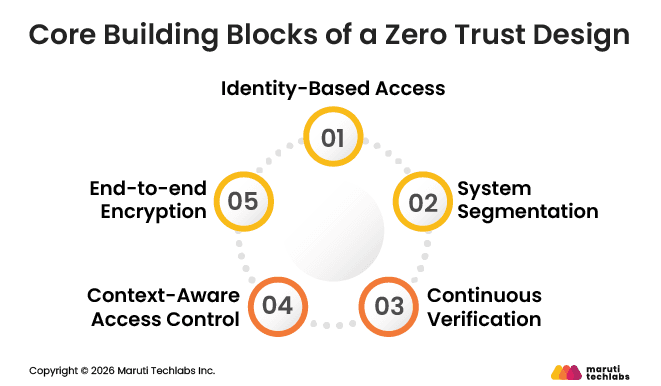
Below are the key building blocks that make this approach work in real-world cloud and application environments.
1. Identity-Based Access
Zero Trust starts with identity. Access is granted based on the user, not the source of the request. SSO and multi-factor authentication help confirm identity. Users only get access to what they need, and activity is monitored even after they log in.
2. System Segmentation
Instead of securing one large network, Zero Trust separates applications and services into smaller segments. Access between these segments is limited. This reduces how far an attacker can move if one system is compromised.
3. Continuous Verification
Security checks do not stop after login. Users and devices are reviewed during active sessions. Changes in behavior or device health can trigger alerts and reduce risk early.
4. Context-Aware Access Control
Access decisions also consider context, such as location, device type, and usage patterns. When risk increases, additional checks can be applied to protect sensitive systems.
5. End-to-end Encryption
Data is encrypted both in storage and during transfer between systems. This ensures information remains protected even if traffic is intercepted.
Together, these elements form a practical foundation for implementing Zero Trust in modern cloud environments.
Benefits of Zero Trust in the Cloud
Cloud environments are open, fast-moving, and highly connected. While this makes them flexible, it also increases security risk. Zero Trust helps reduce that risk by limiting access, improving visibility, and reducing the impact of security incidents.
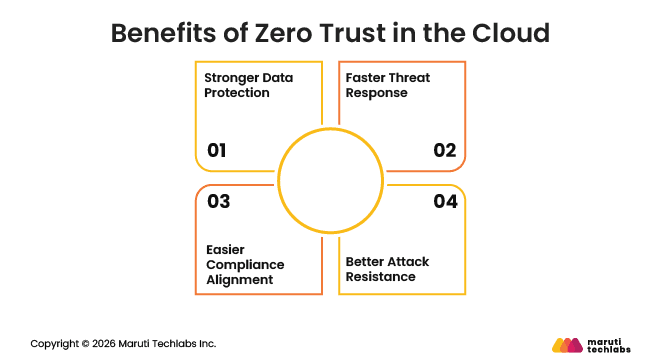
Below are some key advantages of using Zero Trust in the cloud.
1. Stronger Data Protection
Zero Trust reduces the risk of unauthorized access to data. Access is tied to verified identities and limited to what users actually need. Even if an account is compromised, sensitive data stays protected because access is tightly controlled.
2. Faster Threat Response
Zero Trust relies on continuous monitoring rather than one-time checks. Suspicious activity can be identified early, enabling security teams to respond faster. This reduces the time attackers have to cause damage and limits the spread of an incident.
3. Easier Compliance Alignment
Many security and privacy standards already follow ideas similar to Zero Trust. Limiting access, tracking activity, and protecting sensitive data all support common compliance needs. This makes it easier to meet regulatory expectations without adding separate security layers.
4. Better Attack Resistance
Modern threats often start small and spread quietly across systems. Zero Trust limits how far attackers can move by isolating systems and enforcing strict access rules. This helps reduce the impact of ransomware, insider threats, and data theft.
Overall, Zero Trust gives cloud teams better control, visibility, and protection without slowing down everyday work.
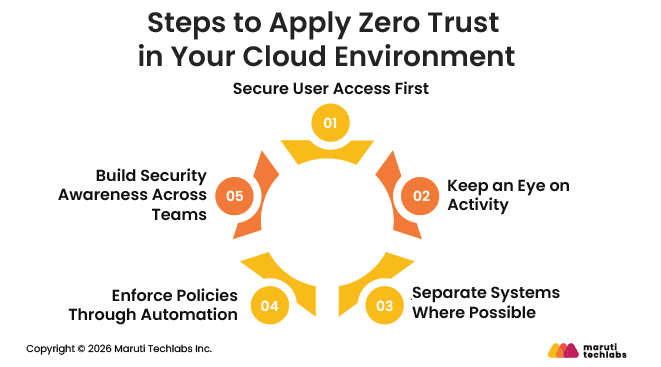
Steps to Apply Zero Trust in Your Cloud Environment
Implementing Zero Trust does not happen all at once. It is an ongoing effort that improves over time. The goal is to reduce unnecessary access, improve visibility, and limit risk as your cloud environment grows.
1. Secure User Access First
Start by locking down how users log in. Use multi-factor authentication, enforce strong password policies, and grant access based on job roles. People should only be able to reach what they actually need.
2. Keep an Eye on Activity
In the cloud, visibility matters. Track who is accessing what and how systems are being used. Monitoring helps spot unusual behavior early, before it turns into a serious issue.
3. Separate Systems Where Possible
Avoid keeping everything in one open environment. Split applications and workloads into smaller sections and control how they connect. This helps contain problems and prevents them from spreading.
4. Enforce Policies Through Automation
Manual security controls are hard to maintain at scale. Use Infrastructure as Code and automated policies to consistently apply security rules. This reduces human error and ensures security settings remain aligned as systems change.
5. Build Security Awareness Across Teams
Zero Trust is not only a technical effort. Teams need to understand their role in maintaining system security. Regular training and clear ownership help build accountability and reduce risky behavior.
Together, these steps help organizations adopt Zero Trust in a structured and sustainable way without disrupting everyday cloud operations.
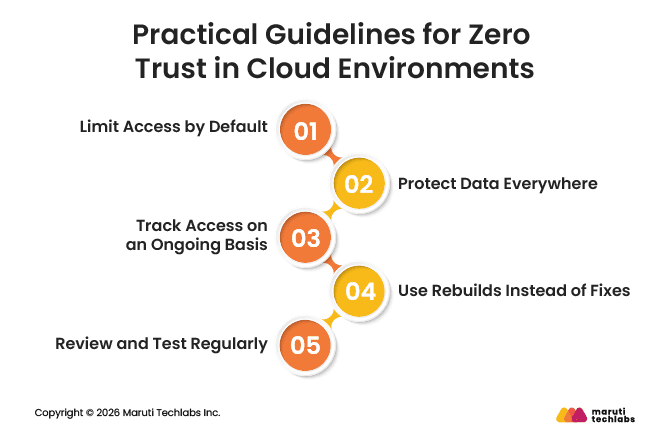
Practical Guidelines for Zero Trust in Cloud Environments
Once Zero Trust is in place, a few everyday practices help keep it effective. These are not complex rules, but habits that reduce risk and keep cloud security manageable over time.
1. Limit Access by Default
Always start with the lowest level of access. Users, applications, and services should only get permissions they truly need. Extra access can always be added later, but unnecessary access increases risk.
2. Protect Data Everywhere
Data should be protected at all times. This includes data stored in systems, data moving between services, and sensitive workloads running in the cloud. Encryption helps keep information safe even if systems are compromised.
3. Track Access on an Ongoing Basis
Access should not be trusted once and ignored. Logs and monitoring tools help track who accessed what and when. This makes it easier to spot unusual activity and meet security requirements.
4. Use Rebuilds Instead of Fixes
Instead of patching live systems, rebuild them from trusted and secure images. This reduces configuration drift and lowers the chance of hidden security issues staying in the environment.
5. Review and Test Regularly
Zero Trust policies need regular checks. Audits and testing help confirm that controls are working as expected and stay aligned with changing systems and risks.
Following these practices helps teams maintain strong security without adding unnecessary complexity to cloud operations.
Conclusion
Zero Trust is not something you implement once and move on from. It is an ongoing shift in how security is designed and maintained. As cloud environments grow and change, security controls must evolve with them. This means regularly reviewing access, improving visibility, and adjusting policies as systems and users change.
Modern attacks no longer rely only on breaking through the network edge. Stolen credentials, misconfigured access, and insider risks are now common entry points. Zero Trust addresses this reality by focusing on identity, limiting access, and continuously validating behavior. When combined with automation, these practices help teams reduce risk without slowing down day-to-day work.
The key takeaway is simple: security needs to match how modern systems actually operate. Cloud-first, distributed, and fast-moving environments cannot rely on trust assumptions. They require clear visibility, strong identity controls, and automated enforcement built into the design.
If you are looking to strengthen your cloud security strategy, Maruti Techlabs’Cloud Security Services can help you design and implement a Zero Trust approach that fits your environment. To explore how this can work for your organization, visit our Contact Us page and connect with our cloud security experts.
FAQs
1. What is Zero Trust Architecture?
Zero Trust Architecture is a security approach that does not trust users or systems by default. Every access request is verified based on identity, context, and need. Access is limited, continuously checked, and adjusted to reduce security risks.
2. What are the benefits of Zero Trust adoption?
Zero Trust improves data protection, reduces the impact of attacks, limits unnecessary access, and enhances visibility across systems. It also helps detect threats earlier and supports compliance in cloud and remote work environments.
3. What are the 7 pillars of Zero Trust Architecture?
The seven pillars commonly include user identity, device security, network segmentation, application security, data protection, visibility and analytics, and automation. Together, they help control access, reduce risk, and limit the spread of attacks.
4. How to design Zero Trust Architecture?
Design Zero Trust by securing identities first, limiting access by role, segmenting systems, monitoring activity continuously, and automating security policies. The focus should be on visibility, control, and adapting security to how systems actually work.
5. What are the four basic components of a Zero Trust model?
The four core components are identity verification, least-privilege access, system segmentation, and continuous monitoring. These work together to ensure access is controlled, risks are limited, and suspicious activity is detected early.
Lalit Bhatt works across cloud infrastructure, DevOps, and project delivery, bringing 18+ years of experience across cloud migration, AWS architecture, infrastructure improvements, and team mentoring, depending on what clients need.
Stuck with a Tech Hurdle?
We fix, build, and optimize. The first consultation is on us!