

How to Choose the Best Medicare CRM for Your Insurance Agency
Key Takeaways
- A Medicare CRM helps insurance agents manage leads, policies, renewals, and client communication from one platform.
- Purpose-built Medicare CRMs simplify HIPAA compliance and automate Medicare-specific workflows like AEP/OEP and Scope of Appointment (SOA) tracking.
- The right CRM improves productivity, customer retention, and sales by reducing manual work and simplifying operations.
- Choose a CRM based on your agency's size, compliance needs, integrations, and growth plans.
- If standard CRM platforms can't support your workflows, a custom Medicare CRM may be the better option.
Introduction
Medicare insurance agents enter 2026 facing a tighter regulatory environment, more competitive lead markets, and enrollees who expect the same responsiveness they get from every other digital service they use.
A general-purpose CRM, or worse, a spreadsheet, can't keep pace with plan-specific enrollment periods, Scope of Appointment documentation, and the carrier compliance rules that govern how Medicare business is actually written.
According to Grand View Research, the worldwide healthcare CRM market is expected to grow from $21.5 billion in 2025 to over $22 billion in 2026. Due to this pressure, agencies are increasingly having to decide between working with healthcare software development services to create systems that automate compliance, retention, and reporting by design or sticking with manual, error-prone operations.
This guide covers what a Medicare CRM actually is, the operational risks of going without one, what the Health Insurance Portability and Accountability Act (HIPAA) and the Centers for Medicare & Medicaid Services (CMS) specifically require, how to evaluate platforms for your agency size, and which solutions lead the market in 2026.

What Is a Medicare CRM? How It Differs from a Generic CRM
A Medicare CRM is software built specifically around the Medicare sales and service cycle. Beyond storing contact details, it tracks Scope of Appointment (SOA) documentation, manages Annual Enrollment Period (AEP) and Open Enrollment Period (OEP) pipelines, logs client communications in a CMS-compliant format, and keeps policy, carrier, and commission data organized in one place.
While a basic Salesforce instance is capable of storing customer details, it was not created with Medicare's regulatory calendar or documentation requirements. Agents using generic tools typically end up bolting on spreadsheets, e-signature tools, and manual reminders to cover the gaps, which reintroduces the very fragmentation a CRM is supposed to solve.
Medicare CRM vs. Generic Insurance CRM
Feature | Generic CRM | Medicare CRM |
HIPAA-ready data handling | Rare, often an add-on | Built in by design |
AEP/OEP pipeline automation | Not supported natively | Native workflow stages |
Scope of Appointment (SOA) tracking | Not supported | Built-in documentation |
Commission & renewal tracking by carrier | Manual or limited | Native to the platform |
CMS marketing compliance guardrails | Not supported | Built-in consent/DNC tracking |
General pipeline, email, and SMS tools | Yes | Yes |
What Challenges Do Medicare Agents Face Without a CRM?
Without a purpose-built Medicare CRM, insurance agents often struggle with scattered client data, manual workflows, compliance risks, and missed sales opportunities.
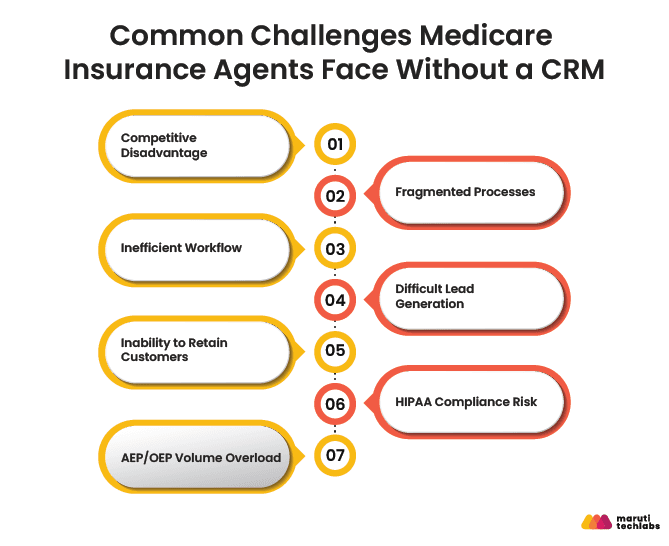
Here's where the gaps show up most:
1. Competitive Disadvantage
The Medicare market is crowded, and agents compete for the same leads. A slow response to an inquiry is often all it takes for a prospect to move to another agent. Manual processes and scattered data make it hard to engage leads quickly. A CRM closes that gap by centralizing communication so no opportunity slips through.
2. Fragmented Processes
It is challenging to manage client history or follow up at the appropriate time when client data, renewals, and insurance details are dispersed among spreadsheets and disparate platforms. A centralized CRM keeps everything in one place, improving both efficiency and service quality.
3. Inefficient Workflow
From applications to renewals to compliance tracking, agents juggle multiple tasks daily. Manual handling increases the risk of errors and slows operations. Agents can focus on selling policies rather than handling paperwork thanks to automated workflows that reduce manual labor.
4. Difficult Lead Generation
Lead generation is already challenging due to strict marketing laws. Without a CRM, tracking and nurturing leads through the multiple touchpoints most prospects need becomes unmanageable, and pipeline visibility disappears.
5. Inability to Retain Customers
Policyholders need help with plan changes, renewals, and coverage questions year-round. Without consistent, tracked follow-up, clients drift toward competitors who stay more engaged. Automated reminders and personalized communication directly improve retention.
6. HIPAA Compliance Risk
This is the operational fear that keeps most Medicare agency owners up at night. Without audit logs, encrypted storage, and role-based access controls, agents risk violations, and CMS fines for HIPAA breaches can reach $50,000 per violation. This risk is directly tied to the compliance requirements covered in the next section.
7. AEP/OEP Volume Overload
During the Annual Enrollment Period (October 15 – December 7), agent caseloads can spike 3-5x over baseline. Without automation, follow-ups fall through the cracks, and conversion rates drop exactly when agencies need them most.
What Are the Key Benefits of a Medicare CRM?
A Medicare CRM transforms daily operations by centralizing client information, automating repetitive tasks, and supporting compliance throughout the policy lifecycle.
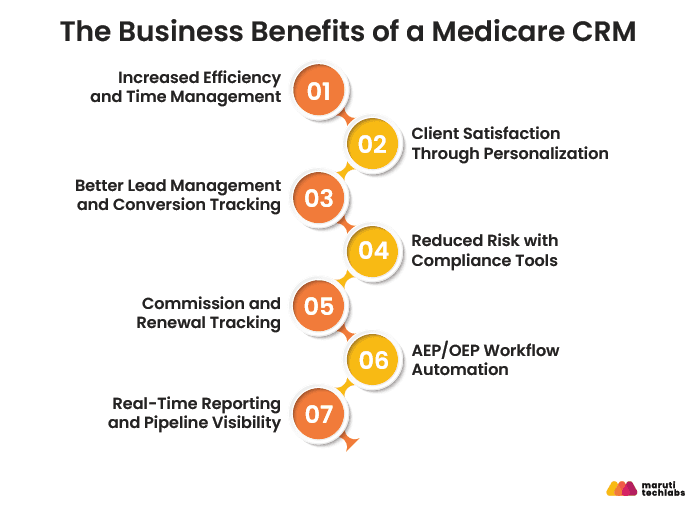
From managing leads and renewals to tracking commissions and simplifying AEP/OEP workflows, it helps agents improve productivity, strengthen client relationships, and grow their business more efficiently.
1. Increased Efficiency and Time Management
Selling time is wasted when client information is handled manually. By eliminating paperwork and repetitive tasks, it enables agents to register clients, update information, and document interactions from a phone or laptop. This allows agents to concentrate on building client relationships and expanding the book of business.
2. Client Satisfaction Through Personalization
Clients notice when service feels personal. A CRM stores plan details, past conversations, and preferences so agents can pull up context instantly during follow-ups, making support feel thoughtful rather than transactional and making clients more likely to stay.
3. Better Lead Management and Conversion Tracking
Structure is necessary to convert prospects. With automated follow-up sequences and reminders, the CRM guides leads through each step of the funnel, ensuring that no opportunity is lost and increasing conversion rates.
4. Reduced Risk with Compliance Tools
There is actual financial and legal risk associated with noncompliance. By securely preserving customer data and monitoring interactions against industry standards, a CRM lowers audit risk and manual compliance effort, assisting agents in maintaining compliance.
5. Commission and Renewal Tracking
One of the most popular features requested by agents overseeing several carriers is the reduction of revenue loss resulting from missed renewals through automated commission calculations, renewal-date tracking, and lapse warnings.
6. AEP/OEP Workflow Automation
During the Annual Enrollment Period, automation handles lead intake, appointment scheduling, SOA forms, and follow-up sequences at once. Agencies that automate these steps consistently report meaningfully higher AEP conversion rates than teams still relying on manual follow-up.
7. Real-Time Reporting and Pipeline Visibility
Dashboards showing conversion rates by plan type, lead-source ROI, and individual agent performance give owners and Field Marketing Organizations (FMOs) the visibility to coach the team and reallocate marketing spend in real time, rather than after the enrollment period ends.
HIPAA Compliance and CMS Regulations: What Your Medicare CRM Must Handle
A Medicare CRM serves as a secure, centralized platform for managing protected health information (PHI) while supporting HIPAA security requirements and CMS sales and marketing regulations.
Features such as encryption, role-based access, audit logs, consent tracking, and Scope of Appointment (SOA) management help agencies maintain compliance without disrupting their sales processes.
HIPAA Requirements for a Medicare CRM
- Encrypting data while it is in transit and at rest
- Role-based access restrictions that limit who can access or modify enrollee information
- Audit records that document who accessed what and when
- A signed Business Associate Agreement (BAA) with the CRM vendor
CMS Marketing Guidelines Your CRM Should Support
- Telephone Consumer Protection Act (TCPA)-compliant outreach, including consent tracking and do-not-call (DNC) flags
- Scope of Appointment (SOA) documentation for every sales meeting
- The 48-hour rule, which requires SOA to be collected at least 48 hours before an in-person or telephonic sales meeting (with limited exceptions)
Checklist: Is Your Medicare CRM HIPAA-Compliant?
- Does the seller have a signed BAA available?
- Does the platform keep an exhaustive audit trail that can be exported?
- Is data encrypted while it's in transit and at rest?
- Are access controls role-based rather than all-or-nothing?
- Does the vendor have a written policy for reporting breaches?
A platform that can't check all five boxes shouldn't be handling Medicare enrollee data, regardless of how strong its sales features look.
How Do You Maximize ROI From a Medicare CRM Implementation?
To maximize the return on your Medicare CRM investment, standardize your sales and service workflows before implementation, migrate clean customer data, provide role-based training, and track key performance indicators (KPIs). Compliance should be built into your CRM implementation from day one. Following agile IT practices for Medicare compliance helps agencies adapt to changing regulations while minimizing operational disruption.
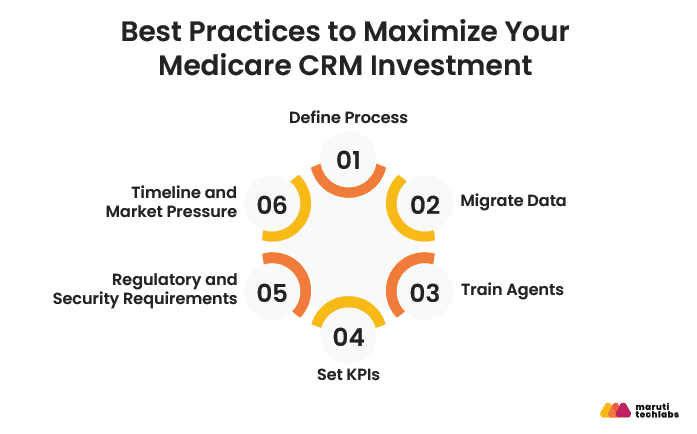
These best practices improve user adoption, enhance operational efficiency, and deliver measurable business outcomes.
1. Define Process
Before implementation, map every stage of the sales and service workflow: how leads enter, when follow-ups occur, and what triggers a renewal. Standardizing this ahead of time keeps agents consistent and sets the foundation for accurate reporting.
2. Migrate Data
Data migration is easy to underestimate. Clean, validate, and structure existing client records, policy details, and communication history before import, and involve key users to verify accuracy. Clean data is what makes analytics-driven decisions possible later.
3. Train Agents
Adoption defines whether a CRM succeeds. Hands-on workshops, role-based training, and quick-reference guides help agents understand both how and why to use each feature, which translates directly into stronger client engagement.
4. Set KPIs
Define measurable goals tied to business outcomes: conversion rate, policy renewals, response time, or client satisfaction. Track them on CRM dashboards, review regularly, and tie incentives to the metrics that matter most.
How to Choose the Right Medicare CRM: Key Evaluation Criteria
Choosing the right Medicare CRM requires evaluating more than just features and pricing. The ideal platform should support HIPAA compliance, Medicare-specific workflows, lead automation, automatic integrations, and scalability, enabling your agency to improve efficiency while adapting to future growth.
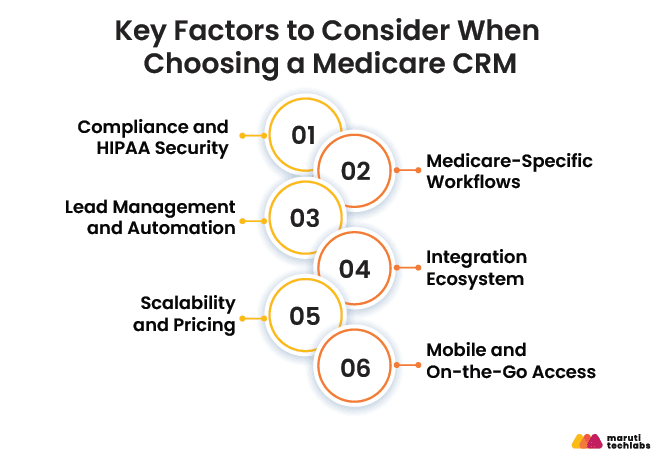
1. Compliance and HIPAA Security
Secure storage, audit logs, and a signed BAA aren't optional; they're the baseline. Revisit the HIPAA checklist above before evaluating anything else.
2. Medicare-Specific Workflows
SOA tracking, AEP/OEP pipeline stages, and plan-enrollment integration should be native to the platform, not something your team builds around it.
3. Lead Management and Automation
Look for automated lead capture, distribution rules for teams, and configurable follow-up sequences that keep prospects moving without manual nudging.
4. Integration Ecosystem
Check compatibility with the quoting tools your agency already relies on — such as Sunfire or Connecture, along with dialers and e-signature tools like DocuSign. A CRM that can't integrate creates a second system of record, not fewer of them.
5. Scalability and Pricing
Solo-agent pricing and agency-tier pricing differ significantly. Read contracts carefully for per-seat minimums, annual commitments, and what happens to pricing as the team grows.
6. Mobile and On-the-Go Access
Field agents need full functionality on mobile, not a scaled-down view. If updating a record or pulling up a client's plan history requires a desktop, the CRM will get bypassed in the field.
Decision matrix: Which criteria matter most depends on agency size
Agency Size | Top Priority | Secondary Priority |
Solo Agent | Affordability & mobile access | Simple lead capture & renewal alerts |
Small Agency (2-10 agents) | Lead distribution & multi-agent dashboards | HIPAA compliance & training ease |
Enterprise / FMO | Compliance at scale & integrations | Deep customization & analytics |
Medicare CRM by Agency Type: Which Platform Fits Your Business?
The right medicare CRM platform depends heavily on agency size and complexity. Here's a practical starting point for narrowing the field:
Agency Type | Recommended CRM | Key Reason |
Solo Independent Agent | MedicarePro / Zoho CRM | Affordable, mobile-first, easy setup |
Small Agency (2–10 agents) | CrmOne / Zoho CRM | Lead distribution, multi-agent dashboards |
Mid-size Agency | Salesforce Health Cloud / Inovaare | Customization, carrier integrations |
Enterprise / FMO | Salesforce Health Cloud | Deep automation, analytics, compliance at scale |
Custom Needs | Custom CRM Build | When off-the-shelf doesn't fit compliance or workflow requirements |
Which Medicare CRM Platform Is Right for Your Agency?
Choosing the right Medicare CRM starts with understanding your agency's priorities, whether that's Medicare-specific functionality, compliance, automation, or scalability. Specialized platforms are designed for insurance workflows, while general CRMs provide broader customization and integration capabilities. Here's how the leading solutions compare.
| CRM | Best For | Starting Price | HIPAA-Ready | Medicare-Specific |
| Salesforce Health Cloud | Enterprise agencies needing deep customization | $325/user/mo | Yes | Configurable |
| MedicarePro CRM | Solo agents wanting simplicity & compliance | $45/agent/mo | Yes | Yes, purpose-built |
| AgencyZoom | IMOs/FMOs already using it for P&C | $149/mo | Limited | Partial |
| CrmOne | Small agencies wanting an all-in-one too | $99/mo | Yes | Yes |
| Zoho CRM | Budget-conscious agencies needing flexibility | $14/user/mo | Configurable | No, requires setup |
1. Salesforce Health Cloud
Salesforce Health Cloud brings advanced data management and automation to Medicare agents, integrating client records, appointments, and policies in one place. It automates document handling, organizes patient interactions, and provides deep insights through its Data Cloud for Health.
2. MedicarePro CRM
MedicarePro CRM is built explicitly for Medicare professionals, focused on security, simplicity, and efficiency. It follows HIPAA guidelines, gives agents a simple at-a-glance dashboard, and includes built-in analytics. A key differentiator is responsive customer support.
3. AgencyZoom
AgencyZoom is a Vertafore product best known as a sales automation platform for property & casualty agencies, with strong lead pipelines, commission tracking, and workflow automation. It's increasingly used by IMOs and FMOs, but its Medicare-specific tooling, SOA tracking, and AEP pipeline stages are less mature than platforms built for Medicare from the ground up.
4. CrmOne
CrmOne is designed for Medicare insurance agents, automating policy management, client interactions, and compliance tracking. It simplifies claims processing, stores documents, records provider conversations, and runs marketing campaigns, with reporting to track performance.
5. Zoho CRM
Zoho CRM is a flexible general-purpose platform that adapts well to different workflows, with adjustable fields, automation rules, and modules. It automates follow-ups and reporting, saving time on manual work.
When Should You Build a Custom Medicare CRM?
Off-the-shelf platforms cover most agencies well. But agencies with unique workflows, layered compliance obligations, or multi-carrier complexity routinely outgrow what SaaS tools can flex to support.
Signs You've Outgrown Your Current CRM
- Agents build manual workarounds for steps the CRM doesn't support
- Data must be exported and rebuilt elsewhere in order to be reported.
- Internal audits consistently reveal compliance shortcomings.
- The CRM can't integrate with proprietary or carrier-specific quoting tools.
What a Custom Medicare CRM Can Do That SaaS Can't
- Carrier-specific data models built around exactly how your agency structures plans and commissions.
- Exclusive commission structures, such as overrides and hierarchical splits
- White-label agent portals for FMOs in charge of downline agents
- CMS audit reporting built to your agency's exact documentation requirements
What Trends Will Shape Medicare CRM in 2026 and Beyond?
In 2026 and beyond, Medicare CRM platforms are transitioning from simple contact management systems to intelligent engagement platforms. Advances in AI, evolving Centers for Medicare & Medicaid Services (CMS) regulations, healthcare interoperability standards, and increasing demand for personalized customer experiences are driving the next generation of Medicare CRM capabilities.
1. AI-Driven Recommendations
AI-enabled CRMs personalize outreach and increase revenue by analyzing client profiles, claim history, and preferences to highlight relevant plan upgrades.
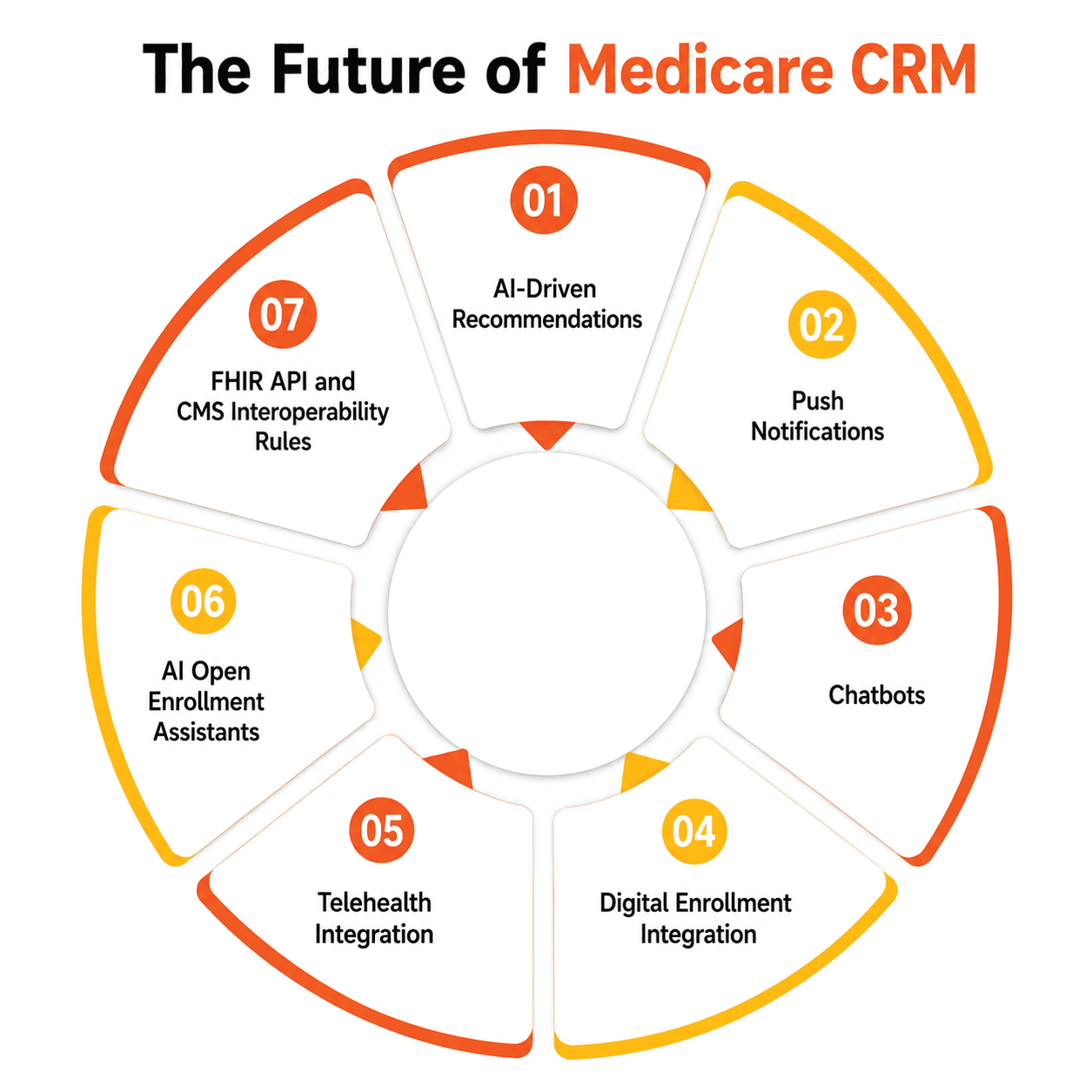
2. Push Notifications
Mobile push notifications instantly keep leads, renewals, and compliance alerts up to date across devices since agents are always on the go.
3. Chatbots
Intelligent chatbots in healthcare handle first-level queries, schedule appointments, and capture lead data in real time, freeing agents to focus on closing high-value Medicare prospects.
4. Digital Enrollment Integration
Automatic integration with digital enrollment systems eliminates duplicate data entry, letting agents verify eligibility and track applications with less turnaround time.
5. Telehealth Integration
When telehealth systems and CRMs are connected, unified client profiles are generated, enabling more relevant coverage recommendations based on real-world health interactions.
6. AI Open Enrollment Assistants
By 2026, AI agents that independently manage AEP lead qualification, schedule appointments, and send SOA forms are expected to become commonplace. These agents are currently in beta at a number of significant FMOs.
7. FHIR API and CMS Interoperability Rules
CMS interoperability mandates increasingly require Fast Healthcare Interoperability Resources (FHIR)- based data exchange. CRMs that support this standard natively will have a real compliance edge over those that don't.
Conclusion
For Medicare insurance agents, managing client data, tracking policies, and staying compliant is a lot to carry without the right tools. A well-designed CRM centralizes information, automates routine work, and strengthens client relationships, freeing agents to focus on people instead of paperwork.
Faster campaigns, faster systems, and significantly faster policy processing result from a properly configured CRM. The objective is the same whether a bespoke build or an off-the-shelf platform is the best course of action: a CRM that stays up with your agency's actual operations.
FAQs
1. Can a general CRM be used for Medicare agents?
Yes, a general CRM such as Zoho CRM or HubSpot can technically be used. But it lacks Medicare-specific capabilities such as plan tracking, commission workflows, and built-in compliance automation, which requires extra configuration and reduces overall efficiency.
2. How does a Medicare CRM help with compliance?
A Medicare-focused CRM provides secure storage with encryption and audit logs, tracks client interactions including SOA documentation, ensures policy updates are applied consistently, and generates compliance-ready reports — reducing the risk of regulatory violations.
3. What features are most important for small Medicare agencies?
Small agencies benefit most from lead and client management with built-in renewal tracking, simple workflow automation for follow-ups, mobile access for agents in the field, secure data handling, and reporting dashboards that don't require a dedicated analyst to maintain.
4. What is the best CRM for Medicare insurance agents?
It depends on agency size.
- The most economical Medicare-specific choice for lone agents is MedicarePro.
- Salesforce Health Cloud is ideal for business organizations that require extensive flexibility.
- Platforms like AgencyZoom are gaining ground with IMOs and FMOs.
- Agencies with unique workflows might consider a custom build.
5. How long does it take to implement a Medicare CRM?
Off-the-shelf Medicare CRMs like MedicarePro or CrmOne can typically be configured in 1–2 weeks. Salesforce Health Cloud implementations usually take 6–12 weeks with proper data migration. Custom Medicare CRM builds generally range from 8–20 weeks depending on complexity and integration requirements.
How Maruti Techlabs Modernized the CRM of a Leading Medicare Insurance Aggregator
Legacy CRM systems often struggle to keep pace with the growing demands of Medicare insurance agencies. One of our clients, a leading U.S.-based Medicare insurance aggregator, experienced performance bottlenecks as customer volumes increased. Slow workflow execution, limited automation, and inefficient CRM processes delayed marketing campaigns and reduced operational efficiency.
Maruti Techlabs redesigned workflows, automated tedious tasks, and added a scalable workflow orchestration layer to the client's CRM in order to address these issues. We also introduced real-time notifications, streamlined data processing, and enabled parallel workflow execution to increase overall system performance.
Business Impact:
Our CRM optimization initiative delivered measurable business outcomes:
- 87.5% reduction in SMS campaign execution time.
- Customer acquisition and retention campaigns reduced from 8 hours to 1 hour.
- 50% faster CRM page load times.
- Parallel workflow execution replaced sequential processing, improving scalability and responsiveness.
- Faster access to real-time customer data, enabling quicker marketing and customer service decisions.