

50% Faster Medicare Policy Data Processing
Automating policy data collection and CRM updates helped a Medicare insurance broker reduce processing time and improve data accuracy.
At a Glance
The client needed to automate repetitive policy data collection and CRM updates to reduce manual effort, errors, and processing delays.
Industry
Insurance
Function
Policy Data Management
Solution
RPA & Process Automation
Engagement
Software Development & DevOps
The Client
The client is a leading Medicare insurance broker in the United States, offering affordable health insurance along with Dental, Vision, and long-term life insurance plans.
The Challenges
Manual Policy Data Management Slowed Daily Operations
Manual policy data collection and CRM uploads created delays, errors, and unnecessary work for insurance agents.
Manual Data Updates
Agents had to refresh each record, export updated files, and manually upload customer data to the CRM every day.
Lengthy CRM Processing
Manually uploading customer records took 10–12 hours, creating delays and increasing the likelihood of missed or incomplete uploads.
Repetitive Agent Work
Agents spent significant time refreshing records and managing files instead of focusing on customer outreach and selling insurance policies.
Frequent Website Errors
Refreshing large numbers of agent records could trigger 429 rate-limit errors, page-loading failures, and other technical issues.
Inconsistent Customer Data
Manual processing and technical interruptions could leave outdated information in the CRM, affecting customer-facing portals and business operations.
Automate Repetitive Workflows
Reduce manual effort, accelerate data processing, and improve accuracy with automation tailored to your business processes.
The Solution
Automated Policy Data Collection and CRM Updates
Maruti Techlabs automated the end-to-end workflow, from refreshing agent records and extracting policy data to processing files and uploading customer records into Vtiger CRM.
A Selenium script logged in through the admin account and automatically refreshed agent records that did not show the latest payment status.
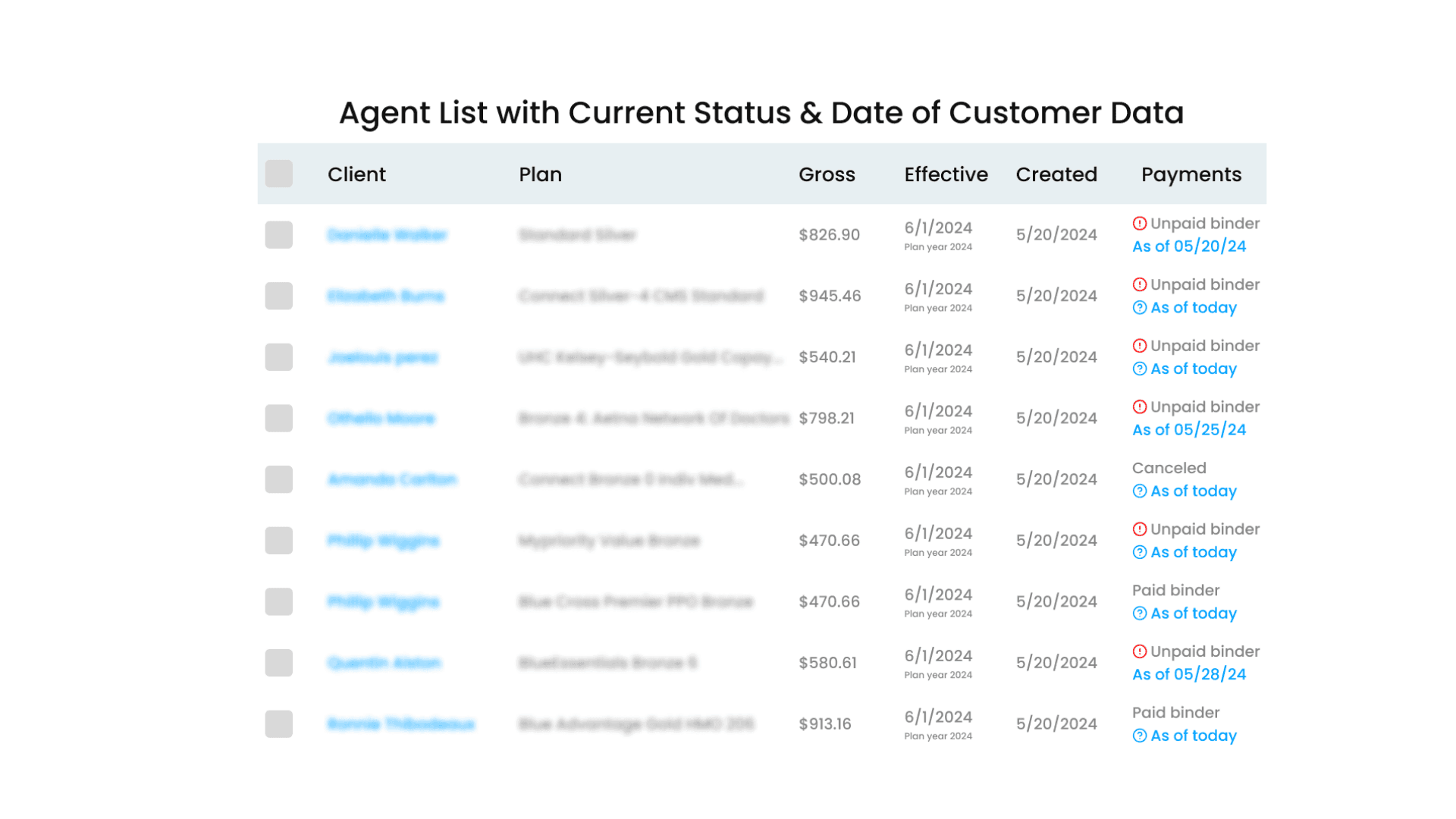
A Selenium script logged in through the admin account and automatically refreshed agent records that did not show the latest payment status.
The Journey
Legacy to Automation
Business Outcomes
Less Manual Work, Faster Data Processing
Faster CRM Updates
CRM record updates were completed 50% faster.
Higher Agent Productivity
Automating clerical tasks allowed agents to focus more on customer outreach and policy sales.
Better Data Accuracy
Automated processing reduced manual errors and the risk of duplicate records.
Real-Time Policy Status
Updated policy information became readily available within the CRM.
Reduced Business Loss
Timely access to customer data helped prevent losses caused by delayed or missed updates.
Lower Processing Costs
AWS Batch reduced infrastructure costs by running scripts only when required.
Conclusion
The automation improved policy data management while freeing agents from repetitive administrative work.
Tech Stack

Automate Repetitive Business Processes
Reduce manual work, improve data accuracy, and streamline operational workflows with tailored automation solutions.



Download Your Free Case Study Today.
Frequently Asked Questions
AWS Batch enabled independent scripts to run when needed rather than maintaining continuously running infrastructure. Resources could be released after execution, helping control compute costs.
The automation included handling considerations for issues such as 429 rate-limit responses and page-loading failures. Future enhancements also included a memory function to resume execution after interruptions.
We extracted records into CSV files before processing and uploading them to Vtiger. Automation reduced manual handling, helping minimize errors and duplicate records.
Selenium enabled the solution to interact with the existing web-based policy management interface, including logging in through administrative credentials and refreshing agent records.
AWS Batch allowed scripts to run independently and simultaneously, making the execution model better suited to larger volumes without relying on a single sequential script.