

Regression Testing: Strategies and Tools for Faster Testing
Key Takeaways
- Regression testing confirms code changes haven't broken existing features. It's the internal quality gate before UAT and release.
- Playwright and Cypress lead new web regression projects in 2026. Any 2026 tool stack should start there, not with legacy record-and-playback tools.
- Your strategy depends on product nature and scale. Most teams choose risk-based, priority-based, or hybrid testing.
- CI/CD integration is now standard: fast checks on every pull request, a fuller suite on merge, and full regression before release.
- Visual regression tools like Percy and Playwright's built-in screenshot comparison catch UI bugs that functional tests miss entirely.
Introduction
Your team ships a new feature on schedule. An hour later, checkout stops working in a flow nobody touched. Instead of building the next feature, engineers spend the day tracing a side effect while the business absorbs the downtime and the support tickets.
Whenever code changes, even a small edit can create unexpected consequences elsewhere in the application. Regression testing is built to catch that. QA and software testing services exist to make this check systematic rather than reactive, verifying that nothing already working gets quietly broken by what's new.
This guide covers regression testing strategies, types, and tools, including Playwright, Cypress, and Selenium. It also shows how to run regression tests inside CI/CD pipelines so your suite scales with your codebase instead of slowing releases down.

Discuss your codebase, testing needs, and release cadence to build a strategy that fits your development process.
What Is Regression Testing?
Regression testing is the process of re-running existing tests after code changes to verify that previously working features have not been broken. It ensures software stability whenever new code is added, bugs are fixed, or configuration changes are made.
For example, an e-commerce app adds a discount code feature. Regression testing verifies that the checkout flow, cart totals, and payment gateway all still work correctly, even though none of them were touched by the new code.
Teams usually run regression tests before merging to the main branch and again before release. Unlike tests that target a single change, regression testing checks the product's existing behavior as a whole.
When Should You Apply Regression Testing?
Apply regression testing any time a code change could ripple into parts of the application that weren't directly touched. In practice, that means:
- New functionality is added to an existing feature
- Bugs are fixed in the code
- Performance optimizations are made to the source code
- Fix patches are applied
- Configuration changes occur, for example, migrating from one database version to another, or switching cloud regions
- Third-party dependencies are updated: npm packages, SDKs, or APIs moving to new versions can silently break compatibility, which is exactly what regression tests are built to catch
How Is Regression Testing Different from Smoke, Sanity, and Retesting?
Regression testing checks if recent code changes break existing software features, whereas other testing types target different phases or aspects of software quality. They're often confused because they all run around the same point in a release, but each answers a different question.
| Test Type | Focus | When | Who Runs It | Duration |
| Smoke Testing | Quick pass/fail check on core workflows (10 to 15 tests) | Before full testing begins | QA/Dev | Minutes |
| Sanity Testing | Narrow check of one specific fix or feature | After a small change | QA | Minutes |
| Regression Testing | Broad sweep confirming existing features still work | After any code change | QA/Automation | Hours |
| Retesting | Confirms a specific bug fix actually works | After a bug fix | QA | Minutes to hours |
| User Acceptance Testing (UAT | External validation against business requirements | Before release, after regression passes | Business users/stakeholders | Days |
| Functional Testing | Tests new features against requirements | On new feature delivery | QA | Varies |
The distinctions that matter most:
- Regression vs. Smoke Testing: Smoke testing gates entry to regression. If smoke fails, there's no point running the full regression suite.
- Regression vs. Sanity Testing: Sanity is a narrow, fast check of one fix; regression is a broad sweep of the whole application.
- Regression vs. Retesting: Retesting confirms a specific bug is fixed; regression confirms that fix didn't break anything else. Both often run together after a bug fix.
- Regression vs. UAT: Regression is internal QA; UAT is external validation by real users. Regression runs before UAT, not instead of it.
- Regression vs. Functional Testing: Functional testing checks new behavior against requirements; regression checks that old behavior hasn't changed.
Why Is Regression Testing Important?
Regression testing matters because it catches breakage before it reaches production, and the cost difference is not small. Fixing a bug after release costs 4 to 5 times more than catching it during regression testing, according to research from IBM's Systems Sciences Institute on defect cost escalation across the software development lifecycle.
Five kinds of change create regression risk:
- New functionality: Regression testing surfaces incompatibilities that developers weren't looking for.
- Integration: Confirms the software still performs correctly after integrating with another product or service.
- Functionality revision: Confirms that adding or removing a feature hasn't harmed the rest of the application.
- Bug fixing: Fixes frequently introduce new bugs; regression testing catches the side effects of the fix itself.
- Compliance and security: Regression testing confirms that security patches and compliance updates don't accidentally break protected endpoints or authentication flows.
Functional tests alone only check whether new features behave correctly. They say nothing about compatibility with existing functionality. Without regression testing, finding a defect's root cause becomes slow and speculative, especially in software that changes often.
What Are the Best Regression Testing Strategies?
A regression testing strategy ensures new code changes don't break existing features, and the right one depends on two factors: product nature and product scale.
- Product nature: A landing page mostly needs UI and usability regression checks. A full professional portal needs test cases spanning security, compatibility, and performance.
- Product scale: A small product may only need a single round of manual regression testing. Medium and large-scale products typically need a combination of manual and automated regression testing.
Based on these two factors, most teams settle into one of three named strategies:
- Risk-Based Testing: Prioritizes test cases covering high-risk, frequently used features. This typically reduces the size of the active test suite by 40 to 60% without meaningfully increasing risk.
- Priority-Based Testing: P0 (critical) cases run on every build, P1 on every release candidate, and P2 before major releases.
- Hybrid Strategy: Combines risk-based automated coverage for high-priority cases with manual, exploratory testing for lower-priority or harder-to-automate areas.
Teams without in-house QA leadership often work with an IT consulting and CTO services partner to define the strategy and automation roadmap.
What Are the Different Regression Testing Approaches and Types?
Regression testing has two main approaches, full and partial, and six recognizable types built on top of them. Which approach and type you use depends on how much of the codebase a change could plausibly touch.
Full vs. Partial Regression
Full regression testing runs every test scenario across the entire product. It's typically reserved for final release stages or major changes that touch the software's root code. A team upgrading a major framework or moving to a new OS release has to re-verify every feature built under the old version.
Partial regression testing only tests the changed areas and the areas surrounding them that they could affect. It uses a risk-based approach to choose the relevant test cases. It's faster and better suited to iterative, agile delivery, though full regression is still typically run once before final deployment.
Types of Regression Testing
Beyond the full/partial distinction, regression tests fall into six recognizable types.
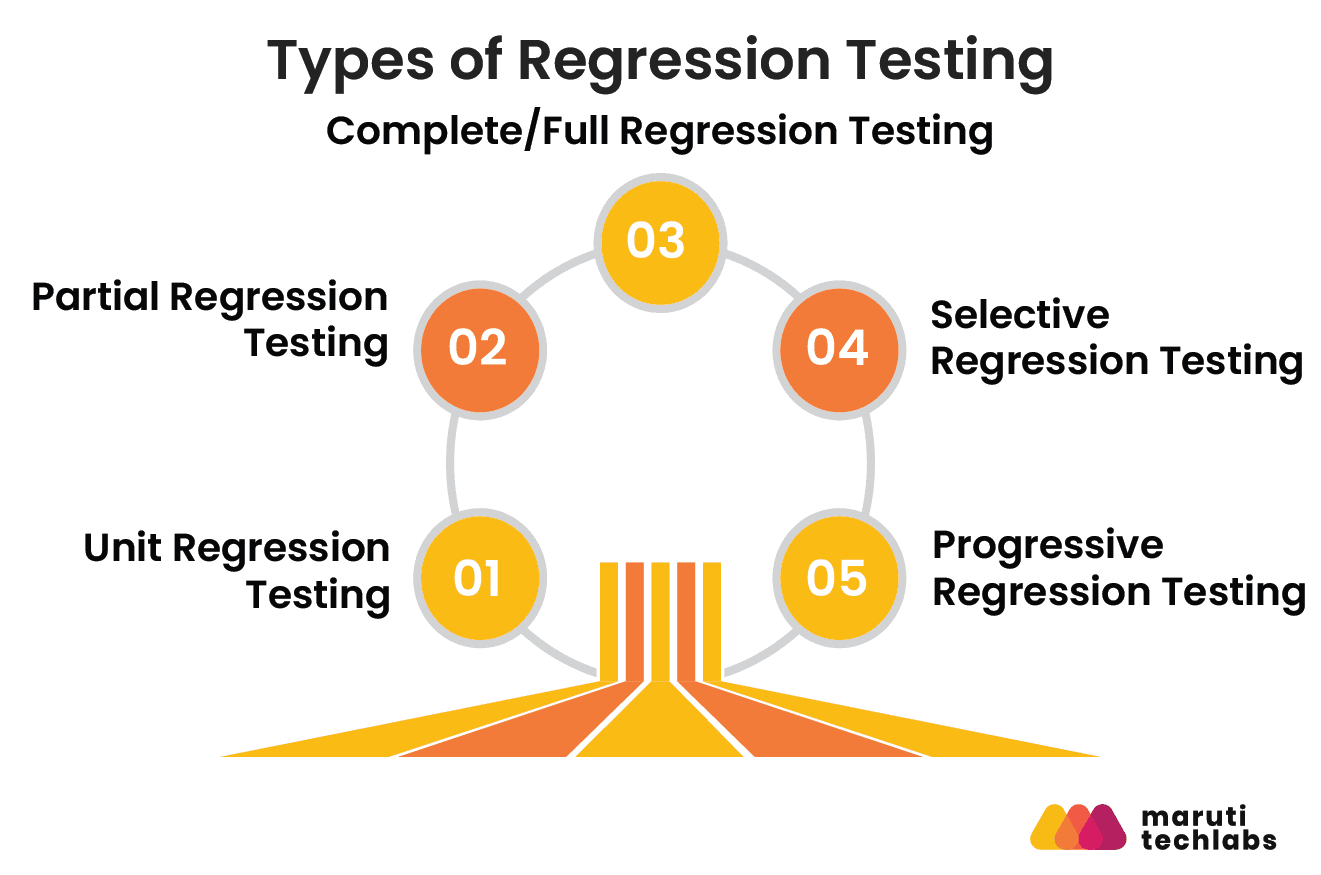
- Unit Regression Testing: Testing individual functions or units after a change. Fastest, usually developer-run.
- Partial Regression Testing: Covered above, targeted at modified and adjacent areas.
- Complete/Full Regression Testing: Covered above, the entire test suite, pre-release.
- Selective Regression Testing: A subset chosen through impact analysis, manual or tool-driven, balancing speed against coverage.
- Progressive Regression Testing: New test cases run alongside existing ones as new functionality is added.
- Corrective Regression Testing: Reuses existing test cases as-is when the product specification hasn't changed.
How Do You Integrate Regression Testing into CI/CD Pipelines?
Integrating regression testing into a CI/CD pipeline ensures that code changes, such as new features, bug fixes, or dependency updates, do not affect existing functionality. It turns testing from a manual, periodic task into an automated and consistent part of the development process.
A common trigger model looks like:
- PR opened: unit + smoke tests (2 to 5 minutes)
- Merge to develop: regression suite subset (15 to 30 minutes)
- Release branch: full regression suite (1 to 3 hours)
Recommended CI/CD tools:
- GitHub Actions: free for public repos, widely adopted
- Jenkins: open-source, self-hosted, highly configurable
- GitLab CI: built-in for GitLab-hosted repos
- CircleCI: fast parallelization for large suites
Playwright in CI/CD ships a native reporter (npx playwright test --reporter=github) built for GitHub Actions and runs headless by default. CI setup is minimal: install browsers with `npx playwright install --with-deps`, then run your tests.
Cypress in CI/CD uses Cypress Cloud (formerly Cypress Dashboard), a paid service, to parallelize execution across machines.
Best practice: fail fast. Run your fastest, highest-risk tests first in the pipeline, and gate the full regression suite for nightly runs or pre-release builds rather than every commit. For a deeper look at where regression fits alongside the rest of your checks, see our guide to QA in CI/CD pipelines.
What Is Visual Regression Testing and When Do You Need It?
Visual regression testing captures screenshots of UI components or pages and compares them against approved baselines. Any pixel-level deviation flags a potential regression. It catches what functional tests miss: misaligned buttons, font changes, broken spacing, and unintended color shifts.
It's most valuable for design systems, component libraries, and any application with frequent UI changes.
- Percy (by BrowserStack): Takes screenshots in CI/CD, diffs them against a baseline, and surfaces results directly in GitHub PR reviews. Supports Cypress, Playwright, and Selenium, with a free tier available.
- Chromatic: Built for Storybook; runs visual regression at the component level, catching UI drift before it reaches integration testing.
- Playwright (built-in): await expect(page).toHaveScreenshot() gives you native visual snapshot comparison with zero additional tooling.
How Do You Build a Regression Testing Strategy for Agile Teams?
A regression strategy for agile teams works best when regression sign-off is built into your Definition of Done. A user story isn't complete until you assess its impact on existing regression tests and update the suite accordingly.
Five habits make this work:
1. Smoke and sanity tests first
Run a fast subset of core-workflow tests (login, startup) before the full regression suite, so you don't waste hours regression-testing a build that can't even load.
2. Find error-prone areas
Track test cases that fail repeatedly after minor changes and keep them in the active regression suite.
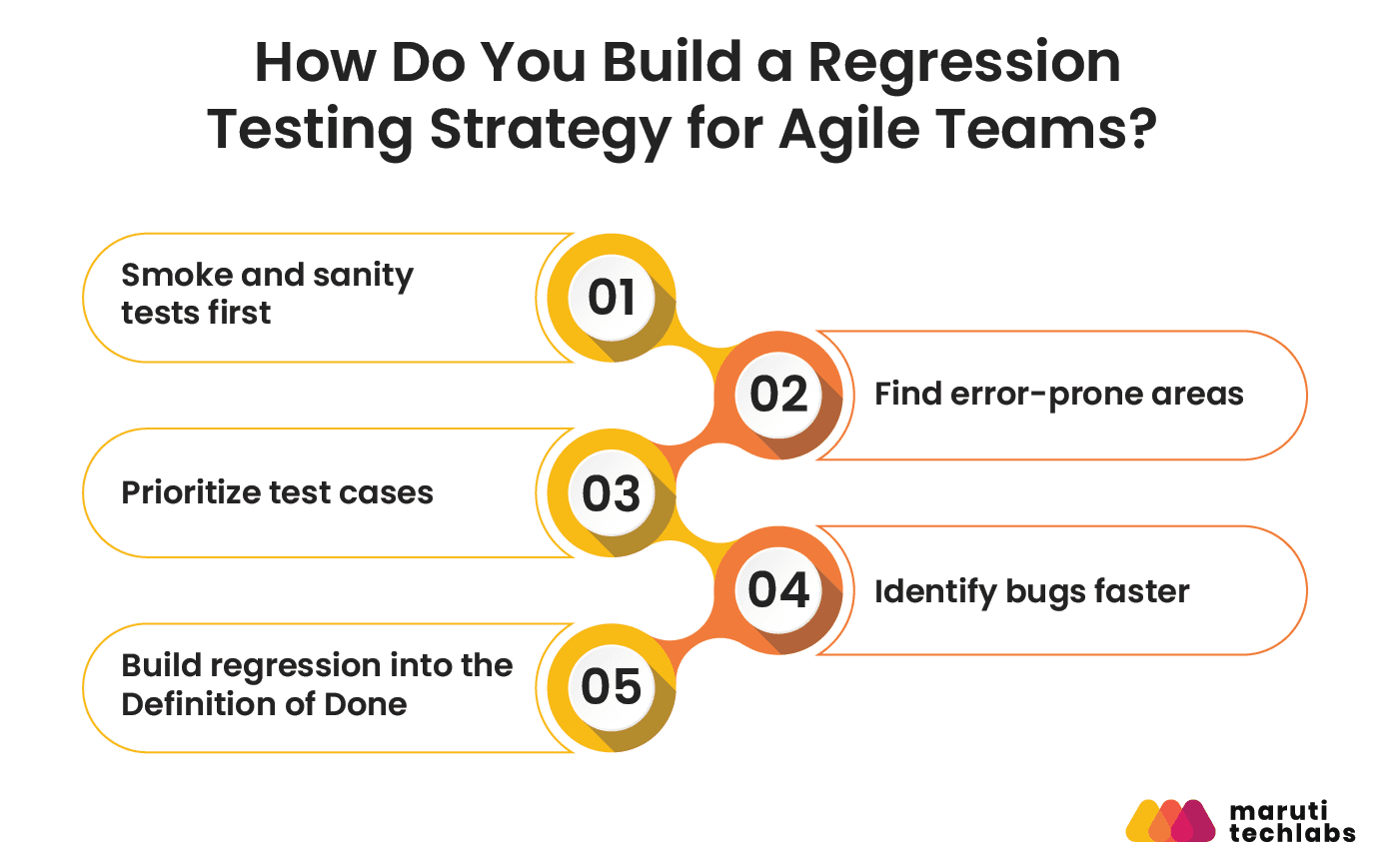
3. Prioritize test cases
Rank by business criticality and usage frequency so the suite stays fast without losing coverage on what matters.
4. Identify bugs faster
Connect your test runner to error tracking (e.g., Sentry) and test reporting (e.g., Allure or Playwright's HTML report), so each failure shows the feature, stack trace, and screenshot.
5. Build regression into the Definition of Done
A story ships only after its regression impact is assessed and the suite is updated.
A typical 2-week sprint cadence: Days 1 to 8 for development; Day 9 for smoke tests plus prioritized regression; Day 10 for full regression on the release candidate, then again post-merge.
What Are the Common Regression Testing Challenges?
The biggest regression testing challenges are frequent requirement changes, growing suite size, flaky tests, and test data management, and each has a fairly predictable fix. The friction points below show up on nearly every team eventually:
1. Frequent changes
Volatile requirements from management or customers put pressure on any test automation strategy.
2. Record-and-playback tools in agile teams
Traditional record-and-playback tools require functionality to be finished before they can run, which doesn't fit agile's continuous-change environment.
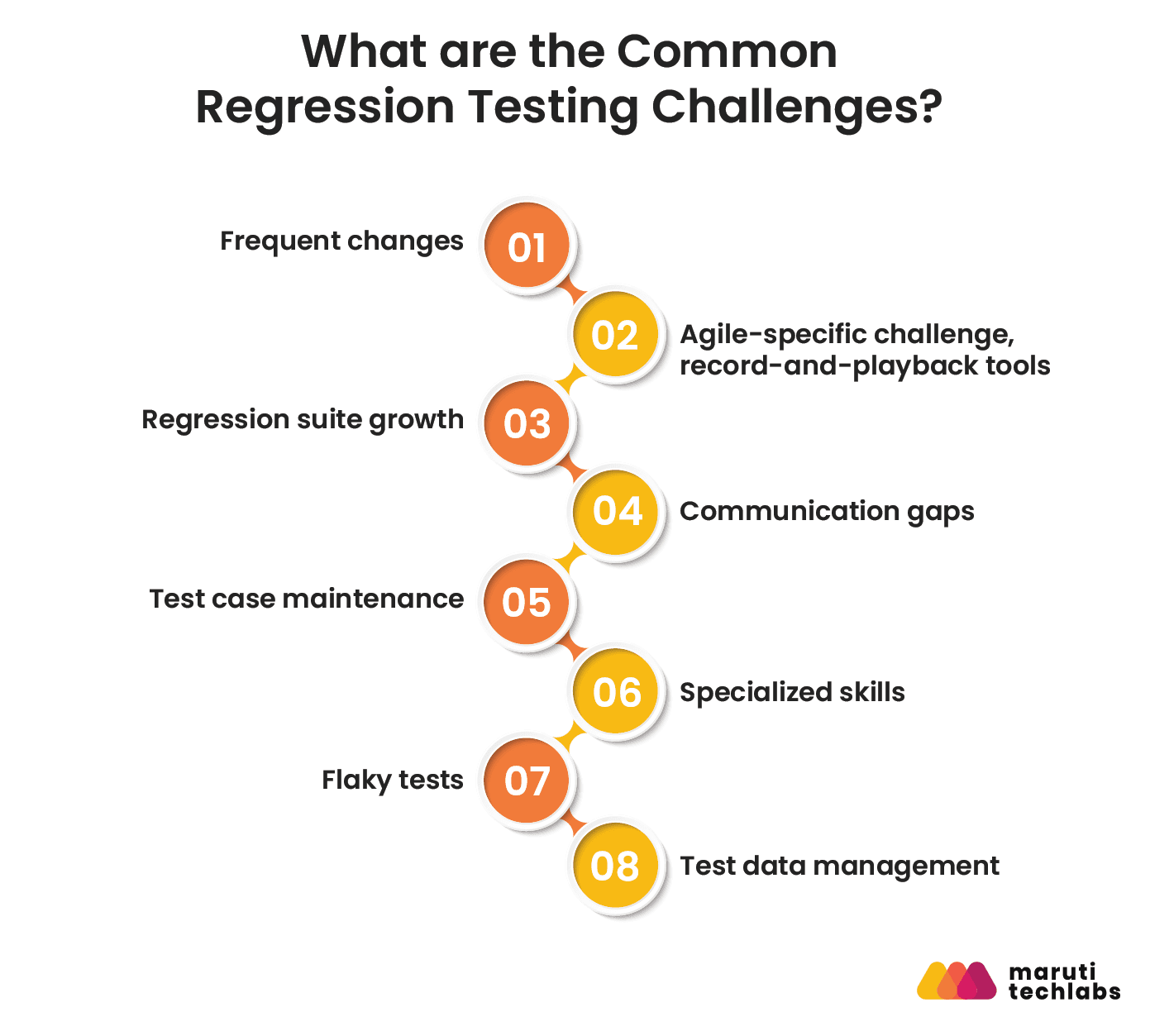
3. Regression suite growth
Large projects accumulate regression tests quickly; without regular review, the suite becomes unmanageable and slow.
4. Communication gaps
Automation engineers, business analysts, developers, and customers all need visibility into what's changed and what no longer needs coverage.
5. Test case maintenance
More automated coverage means more ongoing maintenance, not less.
6. Specialized skills
Integration and performance testing often need dedicated specialists on the team.
7. Flaky tests
Tests that pass and fail non-deterministically erode trust in the suite fast. They need to be quarantined and fixed, not ignored.
8. Test data management
Regression tests against databases, APIs, or financial systems need predictable, refreshable test data. Without a data strategy, tests pass in dev and fail in staging.
For more ways to keep a growing suite healthy, see our roundup of software testing improvement ideas.
Manual vs. Automated Regression Testing: How to Balance Both
Manual testing tends to work best early in development and for exploratory scenarios; automated testing works best on large, stable projects with repetitive coverage needs.
A useful way to frame the split: automated regression testing finds your known unknowns, the things you already thought to test for. It doesn't find your unknown unknowns, the things no one scripted for, which is where manual, exploratory testing still adds real value.
A practical manual regression process:
- Analyze the problem: Identify frequently used, easily broken, or high-risk areas of the application.
- Divide the testing surface: Break the list into individual test cases and exploratory prompts inside a test management tool such as TestRail or Jira + Xray.
- Report errors consistently: Every bug report should include the functionality name, environment, reproduction steps, expected output, actual output, and priority.
- Confirm coverage: Make sure the team marks completed work and reviews for gaps.
- Save and reuse test cases: Decide what to reuse as-is, what to rewrite, and what to retire from the suite.
No test case needs to be 100% manual or 100% automated. Most benefit from partial automation of the repetitive steps (like login) while leaving judgment-based checks to a human.
How Do You Build a Regression Test Automation Strategy?
Building a regression test automation strategy requires a structured approach to prevent code changes from affecting existing functionality. A well-planned strategy improves test coverage, speeds up releases, and reduces test maintenance.
- Scope: Decide which test cases get automated vs. kept manual, with timelines for each sprint.
- Approach: Define when tests are created, who maintains them, which automation framework and tools to use, and each team member’s responsibilities. The Automation Lead manages the strategy, while the Test Case Reviewer reviews automated tests.
- Risk analysis: For each risk, define what happens if it materializes, how likely it is, and what it costs to mitigate.
- Environment and data: Containerized test environments (Docker) ensure identical, reproducible test conditions across dev, staging, and CI, eliminating environment-specific failures that waste debugging time.
- Execution plan: Turn scope and timeline into a day-to-day plan, and verify every new automated test multiple times before it joins the suite.
- Release control: Decide how much of the release decision is automated vs. left to a lead tester's judgment, and fold application logs into that decision.
- Failure analysis: Define ownership up front: environment errors to DevOps, application errors to development, script errors to the test team.
- Review and feedback: Build in a short, recurring feedback loop with the team so the strategy adapts as the codebase and priorities change.
How to Choose the Right Regression Testing Tool?
Choose a regression testing tool based on how well it fits your application type, your team's scripting skill level, and your CI/CD setup, not just its feature list. Before comparing specific tools, evaluate them against these criteria:
- Test cases are easy to create
- Test cases are easy to maintain
- Complex scenarios can be automated
- The tool maps tests to requirements, so coverage gaps show up early.
- The tool supports your application type (web, mobile, desktop)
- Test case and suite structure is easy to understand and maintain
- The tool integrates with reporting tools or has strong built-in reporting
- CI/CD integration: the tool should have native GitHub Actions, Jenkins, or CircleCI support without requiring custom scripting
- Team skill level: codeless tools (Katalon, Testsigma) suit teams without scripting expertise; Playwright/Cypress suit developer-heavy teams; Selenium suits Java/Python-heavy backend teams
- Application type: Playwright/Cypress for web, Appium for mobile native, Ranorex/TestComplete for desktop
What Are the Top Regression Testing Tools in 2026?
The top regression testing tools in 2026 are Playwright and Cypress for web, Selenium for broad language support, Appium for mobile, and Katalon Studio or Testsigma for no-code teams. Record-and-playback tools that dominated a decade ago have largely given way to code-first frameworks.
| Tool | Best For | Language | Open Source | CI/CD Native | Mobile |
Cross-browser web regression | JS/TS, Python, Java, .NET | Yes | Yes | Emulation only | |
JavaScript-heavy web apps | JavaScript/TypeScript | Yes (Cloud is paid) | Yes | No | |
Broad language/browser support | Multiple | Yes | Yes | Via Appium | |
Codeless/low-code teams | Scripted + codeless | No (free tier) | Yes | Yes | |
Scriptless, NLP-based testing | Plain English | No (free tier) | Yes | Yes | |
Desktop GUI regression | Multiple | No | Yes | Yes | |
Desktop/mobile regression | C#, VB.NET | No | Yes | Yes | |
Mobile native regression | Multiple | Yes | Yes | Yes |
Playwright vs. Cypress: Which Is Better for Regression Testing?
Both are strong choices for web regression testing. The right one depends on your browsers, languages, and budget.
- Browser coverage: Playwright runs on Chromium, Firefox, and WebKit (Safari's engine) out of the box. Cypress covers Chrome-family browsers and Firefox, with WebKit support still experimental.
- Languages: Playwright supports JavaScript/TypeScript, Python, Java, and .NET. Cypress is JavaScript/TypeScript only.
- Parallel runs: Playwright includes free, built-in parallelism and sharding. Cypress parallelization across machines runs through Cypress Cloud, a paid service.
- Complex flows: Playwright handles multiple tabs, windows, and origins natively. Cypress has improved here but remains more limited.
- Debugging: Cypress's interactive runner with time-travel snapshots is excellent for front-end developers. Playwright counters with its Trace Viewer.
Choose Playwright for cross-browser coverage, multi-language teams, or large suites that need cheap parallel runs. Choose Cypress for JavaScript-heavy front-end teams that value its developer experience.
Conclusion
Regression testing works best as a continuous practice, built into every sprint, deployment, and pipeline stage. Modern regression testing means combining Playwright or Cypress for fast automated web testing, Appium for mobile coverage, and visual regression tools like Percy for UI validation, each triggered at the right stage of your pipeline.
Getting this right all the time, across web, mobile, and API layers, usually isn't about finding the one tool. It's more about having a team that treats test maintenance and CI/CD integration as core engineering work, not an afterthought. That's the gap dedicated QA and testing services are built to close.
Untangling Technical Debt Without Breaking What Already Worked
Buzzz Media, a SaaS platform for media and ad agencies, had stalled with a previous development team. The codebase carried unresolved technical debt and inconsistencies, ad campaign management across channels was manual and error-prone, and every new change risked breaking workflows that agencies already depended on.
Maruti Techlabs ran a two-week discovery workshop to map the existing tech stack, workflows, and code architecture before touching any features. From there, the team resolved the code inconsistencies and technical debt first, normalized the database for maintainability, and only then built and integrated new features against a 90-day roadmap, validating existing functionality at each step rather than layering new code on an unstable base.
The Results:
- Shipped the product's first stable version in 12 weeks
- Reduced user drop-off rates by 50% through better workflows and usability
- Improved long-term maintainability with reusable code and database optimization
- Gave the client a stable, demonstrable product ahead of its Series A raise.
See how QA integrates into full-cycle product delivery to improve quality throughout development.
FAQs
1. What are the stages of software testing that regression testing fits into?
Regression testing runs at several stages. Developers run unit-level regression checks during development, CI runs integration-level regression before merge, and the full suite runs on release candidates before UAT. It runs again after every patch or dependency update.
2. How often should you run a full regression suite versus a partial one?
Run partial regression on every meaningful pull request or merge, since it covers only the areas a change could plausibly affect. Full regression is typically reserved for release candidates and major version changes, run nightly or pre-release rather than on every commit, since a full suite can take hours.
3. Can regression testing ever be fully automated?
Not entirely, and that's by design. Automated regression testing is excellent at catching known failure patterns, the "known unknowns," but it can't anticipate scenarios nobody scripted for. Most mature QA practices keep a small manual or exploratory testing layer alongside automation specifically to catch what the scripts don't.
4. How large should a regression test suite be before it needs pruning?
There's no fixed size limit. Prune when runtime keeps rising or the same tests fail without a real defect behind them. Retire obsolete cases and merge overlapping ones before adding more.
5. Does every code change require a regression test run?
No. Changes with no behavioral impact, such as documentation updates, comments, or pure styling tweaks with no logic change, generally don't need a regression run. Anything that touches application logic, dependencies, configuration, or shared components should trigger at least a partial regression pass.


