7 Principles to Drive Security in DevOps Processes
Key Takeaways
- DevSecOps brings security into everyday development instead of treating it as a final step before release.
- Early security checks using practices like Shift Left and automation help teams catch vulnerabilities sooner and reduce fixing effort later.
- CI/CD pipelines become more reliable when security testing, compliance checks, and monitoring are built into the workflow.
- Tools and metrics play an important role in tracking vulnerabilities, improving response time, and maintaining secure delivery cycles.
- A shared responsibility model between development, security, and operations teams leads to faster releases with fewer risks.
Introduction
Modern development teams are expected to release software faster without compromising application security. This growing need for automation, continuous delivery, and faster deployment cycles is one of the biggest reasons behind the rise of DevOps adoption. According to Yahoo, the global DevOps market is projected to grow from USD 13.29 billion this year to USD 108.26 billion by 2035, at a CAGR of 21.01% during the forecast period. The increasing use of CI/CD pipelines, cloud-native applications, containerization, and infrastructure automation continues to support this growth.
As software delivery becomes faster, security also needs to move at the same pace. DevSecOps brings development, security, and operations together to integrate security testing, vulnerability scanning, compliance monitoring, and risk management throughout the software development lifecycle (SDLC). It helps teams identify vulnerabilities early and reduce security risks without slowing down releases.
In this blog, you will learn about DevSecOps, its benefits, DevSecOps vs DevOps, popular DevSecOps tools, implementation steps, success metrics, and the key principles behind building secure development workflows.

Understanding DevOps Security (DevSecOps)
DevSecOps, short for Development, Security, and Operations, is an approach that integrates security into every phase of the SDLC. Instead of treating security as a final checkpoint before deployment, DevSecOps makes security a continuous process shared across development, operations, and security teams. It uses practices like automated security testing, vulnerability scanning, compliance checks, and continuous monitoring to identify and resolve security risks early in development.
| According to AWS, DevSecOps is the practice of integrating security testing throughout the software development process. It combines tools, workflows, and collaboration between developers, operations teams, and security specialists to build software that is secure, scalable, and efficient. More importantly, it creates a culture where security becomes a shared responsibility across teams. |
DevSecOps combines development, security, and operations into a shared workflow. Development teams build and test applications, security teams identify vulnerabilities, and operations teams manage deployment, monitoring, and infrastructure stability. Bringing these teams together helps organizations release secure applications faster without disrupting modern development workflows.
Top 5 Benefits of DevSecOps
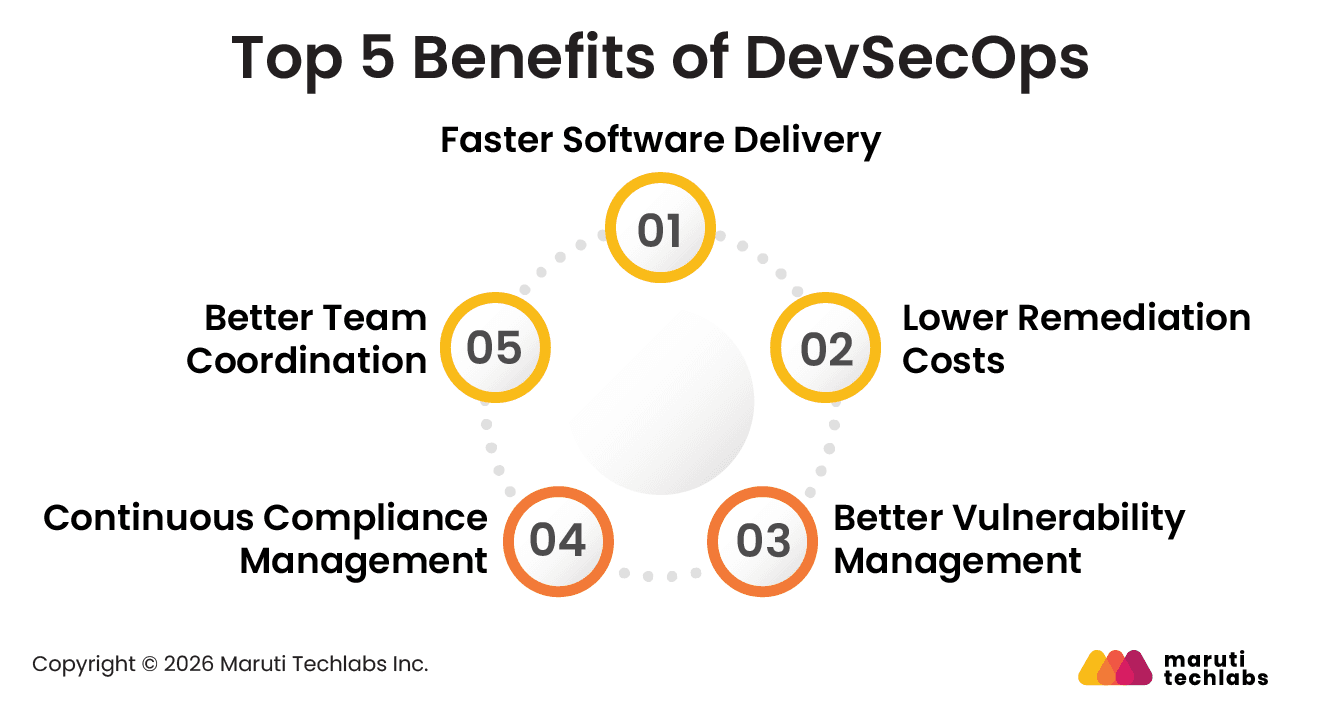
DevSecOps helps teams include security throughout the software development process instead of checking it only before release. Security testing, vulnerability monitoring, and automated checks become part of daily development workflows, helping teams find issues earlier and release software more securely.
1. Faster Software Delivery
One of the biggest advantages of DevSecOps is that it removes security bottlenecks from the release pipeline. Automated security testing tools, such as static application security testing (SAST), dependency scanning, and code analysis, run directly in CI/CD pipelines, allowing teams to detect vulnerabilities during development rather than delaying releases.
Real-world Example: Etsy integrated automated security scanning into its CI/CD workflows to help developers release code faster while continuously checking for serious vulnerabilities.
2. Lower Remediation Costs
It is easier to fix security issues while the application is still being developed. If vulnerabilities are found after release, teams often end up spending extra time on code fixes, retesting, rollback activities, and production support.
Real-world Example: Netflix uses automated testing and dependency monitoring tools to identify security and configuration issues before they reach production environments.
3. Better Vulnerability Management
With DevSecOps, teams can identify security issues much earlier during development instead of dealing with them after release. Teams use container scanning and threat modeling along with runtime monitoring and automated security testing to reduce the chances of vulnerable applications reaching production.
Real-world example: Organizations using container security platforms such as Prisma Cloud and Aqua Security can automatically block vulnerable container images from being deployed into Kubernetes environments.
4. Continuous Compliance Management
DevSecOps also simplifies compliance management by automating policy enforcement and security checks throughout the pipeline. Security policies related to standards such as GDPR, HIPAA, and PCI-DSS can be integrated directly into infrastructure and deployment workflows.
Real-world Example: Capital One adopted an automated cloud-based DevSecOps environment where compliance and security rules were continuously enforced across their infrastructure.
5. Better Team Coordination
DevSecOps improves how development, operations, and security teams work together by making security part of everyday development. Teams share responsibilities across the CI/CD pipeline instead of working in separate silos which helps reduce delays and makes releases smoother.
Real-world Example: The UK's Driver and Vehicle Licensing Agency (DVLA) adopted DevSecOps practices to improve collaboration between development and operations teams. Their approach also encouraged developers to follow secure coding practices from the early stages of application development.
7 Key DevSecOps Principles
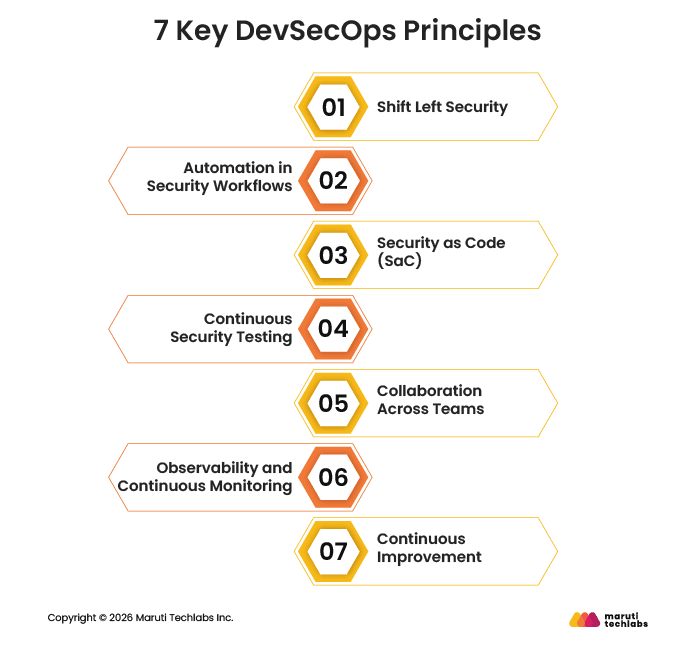
DevSecOps brings security into every stage of the SDLC instead of treating it as something to handle only before release. These principles help development, operations, and security teams build secure applications while maintaining faster development and deployment cycles.
1. Shift Left Security
Shift Left Security is the practice of checking for security issues earlier in the SDLC instead of leaving everything for the deployment stage. Teams add security reviews during application design to detect vulnerabilities in source code while development and code commits are still in progress.
Tools used in Shift Left Security: Semgrep, SonarQube
Outcome: Early detection of vulnerabilities and reduced cost of fixing issues.
2. Automation in Security Workflows
Automation is widely used in DevSecOps because manual security reviews can delay CI/CD workflows and software releases. Teams automate tasks such as Software Composition Analysis (SCA) and dependency checks along with secret scanning and vulnerability detection so that security issues can be identified while development is still in progress.
Tools used in Automation: TruffleHog, GitGuardian
Outcome: Faster security checks and smoother CI/CD execution.
3. Security as Code (SaC)
Security as Code means handling security policies and configurations through code instead of managing them manually. Teams use Infrastructure as Code (IaC) practices to automate security rules along with access controls and compliance settings across cloud and infrastructure environments.
Tools used in Security as Code: Terrascan, Open Policy Agent
Outcome: Consistent policy enforcement and fewer manual configuration errors.
4. Continuous Security Testing
DevSecOps encourages teams to test security throughout development instead of waiting until the final release stage. Teams use Dynamic Application Security Testing (DAST) along with automated penetration testing and runtime validation tools for identifying vulnerabilities before applications are deployed to production.
Tools used in Continuous Security Testing: Trivy, OWASP ZAP
Outcome: Early detection of security issues across builds and deployments.
5. Collaboration Across Teams
DevSecOps works best when development, operations, and security teams work together throughout the SDLC. Many organizations also introduce Security Champions within development teams to encourage secure coding practices and improve security awareness during daily development activities.
Tools used in Collaboration: Jira, Slack
Outcome: Better communication and stronger shared responsibility for security.
6. Observability and Continuous Monitoring
Continuous monitoring helps teams track application performance, infrastructure activity, and security events in real time. Logging tools, tracing systems, and monitoring dashboards make it easier to detect unusual behavior, traffic spikes, or possible security threats early.
Tools used in Observability: Splunk, Kubescape
Outcome: Faster detection of threats and better system visibility.
7. Continuous Improvement
DevSecOps is an ongoing process rather than a one-time setup. Teams continuously improve security practices over time by reviewing incidents and updating threat models while analyzing security metrics. Metrics like Mean Time to Remediate (MTTR) help teams track how quickly vulnerabilities are fixed.
Tools used in Continuous Improvement: OpsMx
Outcome: Continuous strengthening of security posture over time.
DevSecOps vs DevOps: Differences Explained
DevOps focuses on improving collaboration between development and IT operations to deliver software faster and more reliably using automation and CI/CD pipelines. DevSecOps builds on this approach by adding security practices into the entire SDLC, so security is handled continuously instead of being added at the end.
Both models improve software delivery, but they differ in focus, workflow, and how security is handled across the pipeline.
DevOps vs DevSecOps Comparison
| Feature | DevOps | DevSecOps |
| Main Focus | Faster software delivery and smoother operations | Secure software delivery with continuous protection |
| Security Handling | Security is usually applied after development or before release | Security is built into every stage of development from planning to deployment |
| Approach | Emphasis on speed, automation, and collaboration between dev and ops teams | Emphasis on speed, automation, and integrating security into CI/CD pipelines |
| Responsibility Model | Development and operations teams share delivery responsibilities | Development, operations, and security teams share end-to-end responsibility |
| CI/CD Integration | CI/CD pipelines focus on build, test, and deployment automation | CI/CD pipelines also include automated security scanning and validation |
| Outcome | Faster and more efficient software releases | Faster releases with stronger security and reduced risk |
DevSecOps does not replace DevOps. It extends it by making security an active part of the development process instead of a final checkpoint.
Top DevSecOps Tools in 2026
Modern DevSecOps tools are evolving toward smarter automation, better integration with CI/CD pipelines, and AI-assisted vulnerability detection and fixes. The main goal is to help teams find and fix security issues early without slowing down software delivery.
Below are commonly used tools grouped based on where they fit in the development and security workflow.
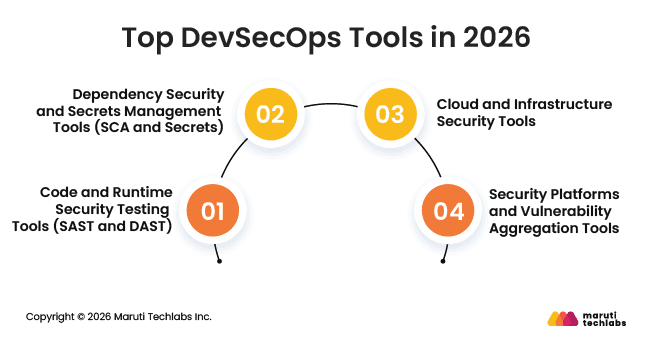
1. Code and Runtime Security Testing Tools (SAST and DAST)
These tools help identify vulnerabilities in application code and running applications.
- Semgrep: A lightweight SAST tool that helps developers detect security issues directly in source code during development and pull requests.
- SonarQube: A widely used platform for continuous code quality checks and security analysis across projects.
- Checkmarx: An enterprise application security tool that provides deep code scanning and remediation guidance.
- OWASP ZAP: An open-source DAST tool used for testing security issues in running web applications.
2. Dependency Security and Secrets Management Tools (SCA and Secrets)
These tools focus on securing open-source dependencies and protecting sensitive credentials.
- Snyk: Detects vulnerabilities in open-source libraries, containers, and code while also suggesting fixes.
- HashiCorp Vault: A secrets management tool used to securely store and control access to credentials, API keys, and certificates.
3. Cloud and Infrastructure Security Tools
These tools help secure cloud environments and infrastructure configurations.
- Wiz: A cloud security platform that provides visibility across cloud workloads and identifies risks in cloud-native environments.
- Checkov: A policy-as-code tool that scans Infrastructure as Code (IaC) files such as Terraform, Kubernetes, and CloudFormation for security and compliance issues.
4. Security Platforms and Vulnerability Aggregation Tools
These platforms help teams bring security findings from multiple tools into one place for easier tracking and response.
- DefectDojo: An open-source vulnerability management platform that consolidates findings from multiple security tools into actionable reports.
- GitHub Advanced Security: Provides built-in security features such as code scanning, dependency scanning, and secret detection directly within GitHub repositories.
Overall, these tools help teams integrate security into CI/CD pipelines while maintaining speed, automation, and consistency across development workflows.
How to Implement DevSecOps in Real Projects
Implementing DevSecOps in real projects involves embedding security directly into your CI/CD pipelines and everyday developer workflows. Instead of treating security as a separate step, it becomes part of how code is designed, written, tested, and deployed.
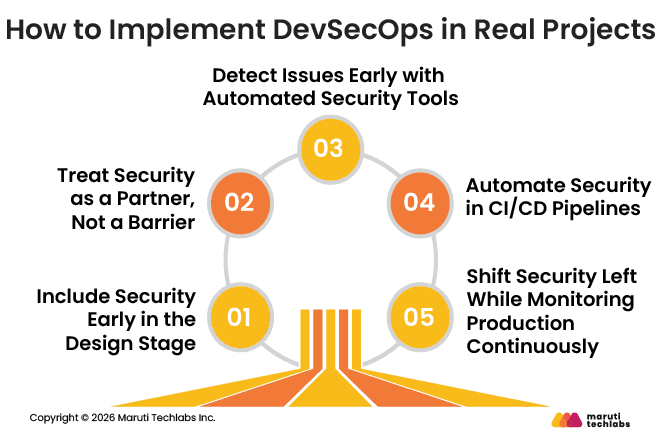
1. Include Security Early in the Design Stage
Security teams should be involved right from the application design phase. Early design reviews help identify risks before any code is written, which prevents costly fixes later in development.
Security teams should also be easy to engage with and work closely with engineering teams instead of operating in isolation. The goal is to reduce friction so design reviews become a regular part of the workflow rather than a one-time gate.
When security is included early, teams can spot potential vulnerabilities in architecture and suggest safer design choices before implementation begins.
2. Treat Security as a Partner, Not a Barrier
A common challenge in DevSecOps adoption is the perception that security slows things down. Instead, security teams should act as collaborators who guide developers on building secure systems.
When security teams provide clear guidance, reference architectures, and practical recommendations, developers are more likely to follow secure practices instead of bypassing controls. This creates a shared responsibility model where security supports delivery instead of blocking it.
3. Detect Issues Early with Automated Security Tools
Security issues should be detected as soon as code is committed. Automated tools help catch vulnerabilities early before they reach production.
Teams typically use tools for static analysis, dependency scanning, and supply chain monitoring to identify risks in code and third-party libraries. This is especially important as modern applications rely heavily on open-source components, which can introduce hidden vulnerabilities.
It is also important to scan source code for secrets such as API keys and credentials. Pre-commit hooks and repository scanning tools help developers detect and fix these issues before code is pushed.
Static Application Security Testing (SAST) tools are also widely used to analyze source code for vulnerabilities like SQL injection, command injection, and cross-site scripting (XSS) without executing the application.
4. Automate Security in CI/CD Pipelines
CI/CD pipelines play a central role in DevSecOps and should include automated security checks at every stage.
Security testing, validation, and monitoring can all be integrated into pipelines so that issues are detected automatically during builds and deployments. This reduces manual effort and helps teams deliver faster without compromising security.
In mature DevSecOps environments, automation can even support auto-remediation for common issues, allowing teams to focus on more complex security problems. Automation also makes security outcomes measurable, which helps teams track improvements and demonstrate the value of DevSecOps practices over time.
5. Shift Security Left While Monitoring Production Continuously
Shifting security left means identifying and fixing issues early in development, but it does not remove the need for production monitoring.
Even after deployment, applications need continuous monitoring because new risks can appear due to configuration changes, new dependencies, or updates in production systems.
DevSecOps teams ensure that applications are properly integrated with monitoring and logging systems from the start. This helps detect unusual behavior and security issues in real time.
A strong DevSecOps approach also includes automated checks that identify misconfigurations in live environments so teams can respond quickly and maintain system security over time.
DevSecOps Metrics: How to Measure Success
Measuring DevSecOps success is about balancing fast software delivery with strong security. Organizations look at delivery, security, and reliability together to understand how well the system is performing.
Most teams use the DORA metrics framework along with security focused KPIs to track how well DevSecOps practices are working in real environments.
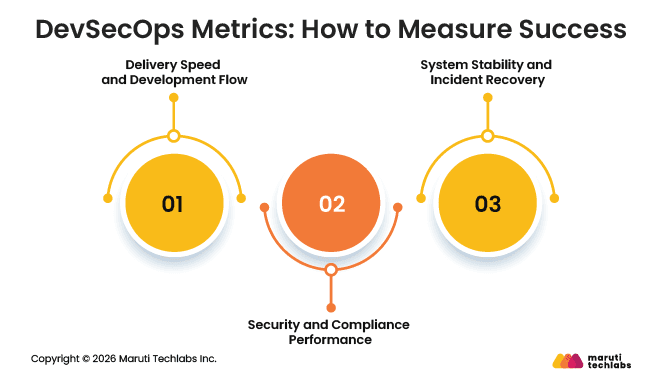
1. Delivery Speed and Development Flow
These metrics help understand how quickly teams can build and release software without delays.
- Deployment Frequency: How often new code is successfully released to production.
- Lead Time for Changes: The time taken for a code change to move from commit to production.
These metrics show how efficient the delivery pipeline is while security checks are in place.
2. Security and Compliance Performance
These metrics measure how effectively security is built into the development process.
- Time to Remediate Vulnerabilities: How quickly security issues are fixed after they are detected.
- Security Testing Coverage: The percentage of applications, APIs, and services continuously scanned for vulnerabilities using SAST, DAST, or SCA tools.
- Compliance Pass Rate: The number of deployments that successfully meet security and regulatory requirements before going live.
These indicators help teams understand how strong and consistent their security practices are.
3. System Stability and Incident Recovery
These metrics focus on how well systems perform when something goes wrong.
- Mean Time to Recovery (MTTR): The average time needed to restore services after an outage or security incident.
- Change Failure Rate: The percentage of deployments that cause failures in production and require rollback or fixes
.
These metrics reflect how resilient the system is under real-world conditions.
How to Apply These Metrics in Practice
To make DevSecOps metrics useful, teams should start by identifying their biggest challenges such as vulnerable dependencies or exposed secrets in code. From there, they can adopt frameworks like DORA and extend them with security focused metrics instead of creating everything from scratch.
It is also important to automate metric collection using CI/CD and security tools so teams can track performance continuously without manual reporting. This makes it easier to improve both speed and security over time.
Challenges & Risks Associated With Neglecting DevSecOps
Ignoring DevSecOps often means treating security as something to handle only before deployment instead of integrating it throughout the development lifecycle. As applications become more complex and release cycles become faster, this approach can create serious security, operational, and compliance risks for businesses.
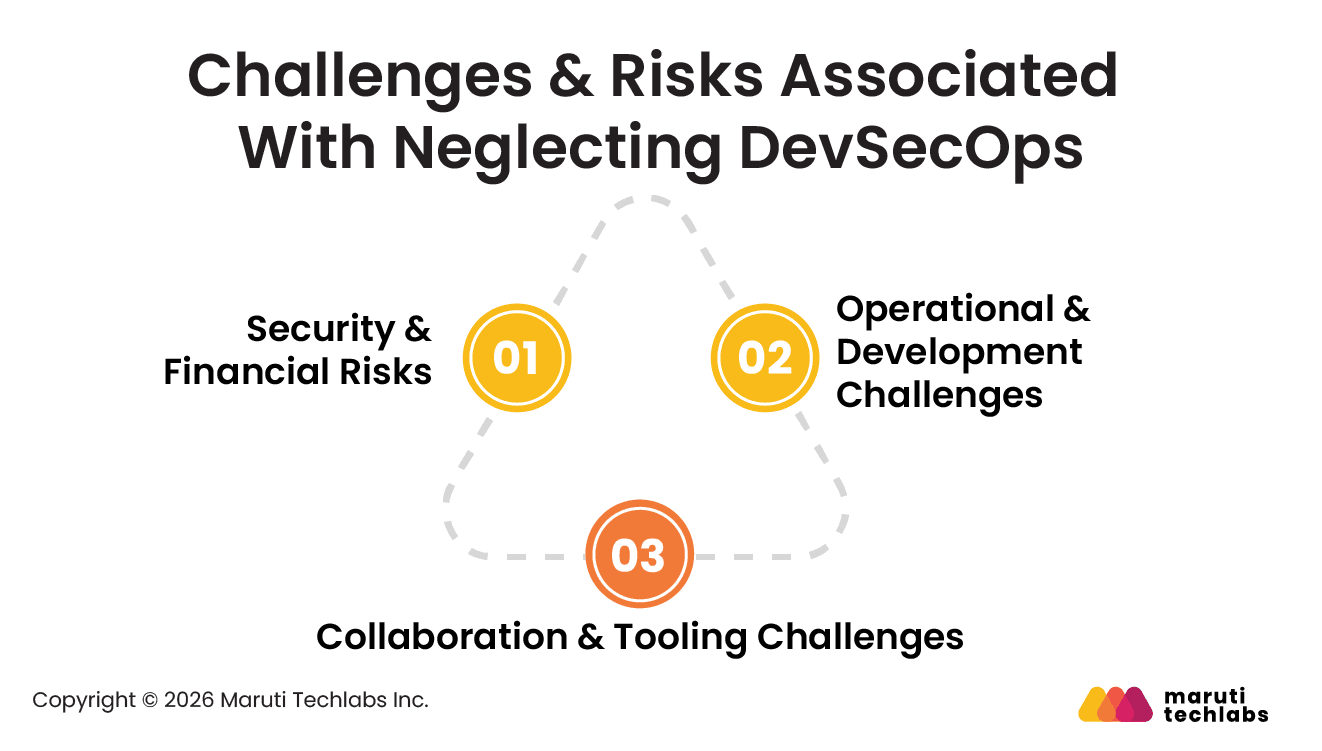
1. Security & Financial Risks
- Data Breaches and Security Exploits
If security is ignored during development, small vulnerabilities and configuration mistakes can easily reach production. Attackers often take advantage of these gaps, which may lead to data leaks, application downtime, and loss of customer trust.
- Higher Remediation Costs
Security issues are much easier to fix during development than after deployment. Once an application is live, teams may need additional debugging, code changes, testing, and rollback processes, which increase both cost and effort.
- Compliance and Regulatory Issues
Businesses without proper security and monitoring practices may face difficulties meeting compliance and audit requirements. This can create legal risks and increase the chances of regulatory penalties.
2. Operational & Development Challenges
- Deployment Delays
When security reviews are pushed to the final release stage, teams often deal with unexpected vulnerabilities and last-minute fixes. This slows down deployments and affects CI/CD efficiency.
- Developer Fatigue
Too many unnecessary security alerts and false positives can overwhelm development teams. Over time, developers may start overlooking warnings, making real threats harder to identify.
3. Collaboration & Tooling Challenges
- Lack of Team Alignment
DevSecOps works best when development, operations, and security teams collaborate from the beginning. Without that shared approach, teams often work separately, which can create communication gaps and inconsistent security practices.
- Complex Security Toolchains
Using multiple disconnected DevOps and security tools without proper integration can make security management difficult. It also increases the chances of missing vulnerabilities and configuration issues across the pipeline.
Conclusion
DevSecOps makes security part of the way software is built and brings practices like Shift Left, automation, continuous testing, observability, and continuous improvement into daily development work. This ensures security stays active throughout the SDLC. Developers, operations, and security teams work together and share responsibility for keeping applications safe.
This approach helps catch issues early when they are easier to fix. It also reduces last minute rework, cuts down fixing effort, and gives better visibility through continuous monitoring. With basic metrics in place, teams can see what is working and what needs attention without slowing delivery. In the end, DevSecOps helps teams ship software that is faster, more stable, and more secure.
Leveraging DevSecOps Principles: A Real Project Impact
In one of our DevOps engagements, the client was facing issues with slow feature testing, inconsistent deployments, and limited system stability due to a partially containerized setup and lack of a dedicated testing environment. These gaps made development slower and increased the risk during releases.
To improve this, DevSecOps principles were applied by introducing a Kubernetes-based development environment and setting up a CI/CD pipeline for automated deployments. The platform was fully moved to Kubernetes to improve scalability, while processes like subscription management and search performance were also optimized. After these changes, the client saw faster feature delivery, better platform stability, and reduced operational costs.
At Maruti Techlabs, DevOps services focus on building scalable CI/CD pipelines, containerized environments, and automation-driven delivery systems that improve speed and reliability. Our DevSecOps services extend this by embedding security into every stage of development using DevSecOps principles such as continuous scanning, compliance checks, and secure deployment practices.

FAQs
1. What are the core DevSecOps principles?
The core DevSecOps principles include continuous integration and deployment, proactive security measures, collaboration and communication, automation of security processes, compliance as code, real-time monitoring, and regular security training.
2. How do DevSecOps principles improve software development?
Implementing DevSecOps principles improves software in all stages by integrating it with security. The result is less vulnerability in deployments, which are highly reliable and also faster, among other things.
3. Why is collaboration essential in DevSecOps principles?
Collaboration is key to DevSecOps principles because it brings development, security, and operations teams together. This approach identifies potential security issues early while avoiding misunderstandings, ensuring an efficient development process.
4. What tools support DevSecOps principles?
Several tools, including SAST and DAST testing tools for automatically checking for security, support DevSecOps principles like CI/CD pipelines during deployment. SIEM solutions provide real-time monitoring and help ensure adequate security throughout an organization's development lifecycle.
5. How can organizations start adopting DevSecOps principles?
Organizations can begin implementing DevSecOps principles by auditing their current processes, offering training in security best practices, and introducing security tools into their workflows. Gradually implementing such changes will strengthen the security posture and improve development processes.