Cloud Migration Strategy: A Complete Guide to Planning, Execution & Cost Control
Key Takeaways
- A cloud migration strategy only works if every workload is mapped to one of the 7 Rs (Rehost, Replatform, Refactor, Repurchase, Retire, Retain, Relocate).
- Cloud waste is a persistent problem. Gartner estimates organizations waste an average of 35% of cloud spending, making cost governance essential to any migration strategy.
- Following a phased migration process minimizes risks such as undocumented dependencies and unplanned data egress fees.
- There's no universal "best" cloud provider. AWS, Azure, and GCP each win on different criteria: breadth of services, enterprise/Microsoft integration, or AI and data workloads.
- Most enterprises achieve migration ROI within 12–18 months with early cost governance and post-migration optimization.
Introduction
Gartner forecasts public cloud spending to exceed $830 billion in 2026, driven by AI infrastructure. Yet organizations still waste an average of 35% of cloud spend due to poor cost optimization. Meanwhile, IDC projects that more than 75% of large enterprises will run hybrid cloud as the core of their infrastructure by the end of 2026.
If you're planning a move to the cloud or fixing one that's over budget, success depends more on strategy than tooling. Cloud migration services start with a migration strategy that serves as the roadmap for what moves, how it moves, when it moves, and the expected security, performance, and cost outcomes.
This guide walks through that roadmap end-to-end: the 7 Rs framework for classifying workloads, a realistic, phase-by-phase migration process, a platform comparison of AWS, Azure, and Google Cloud, and the cost and security details that most checklists gloss over.

What is a Cloud Migration Strategy?
A cloud migration strategy is a documented plan for moving an organization's applications, data, and infrastructure from on-premises (or another cloud) to a target cloud platform built around clear objectives, a workload-by-workload migration approach, and defined success metrics.
There's no universal template, because every IT estate carries a different mix of legacy systems, compliance obligations, and technical debt. What every solid strategy does share is a structured way to decide how each workload should move.
That's what the 7 Rs framework below solves for. Organizations that skip this step and migrate ad hoc are also the ones most likely to blow their budget. Undocumented dependencies and un-scoped workloads are consistently cited as leading causes of cloud project overruns.
What Are the 7 Rs of Cloud Migration?
The 7 Rs are the seven ways an application can move to the cloud, ranked roughly from least to most effort. Assigning each workload to one of these early prevents the two most common mistakes: over-engineering a system that just needed to move as-is, and lifting-and-shifting something that should have been redesigned first.
| Strategy | What It Means | Effort / Cost | Best For |
| Rehost (lift-and-shift) | Move the application as-is, with minimal changes | Lowest effort, fastest timeline | Legacy systems, tight deadlines, data-center exits |
| Replatform | Move with light optimization (e.g., swap a self-managed database for a managed one) | Low-to-medium | Apps that benefit from managed services without a rebuild |
| Repurchase | Replace with a Software as a Service (SaaS) equivalent | Medium (licensing shift) | CRM, HR, and other commodity systems |
| Refactor / Re-architect | Move infrastructure (e.g., VMware workloads) to the cloud without changing the application | Low | Bulk infrastructure moves, hypervisor-level migration |
| Retain | Keep the workload where it is, for now | None | Recently upgraded systems, unresolved compliance blockers |
| Retire | Decommission the application entirely | None (net savings) | Redundant, unused, or duplicate systems |
| Relocate | Redesign for cloud-native (microservices, serverless) | Highest effort, highest long-term ROI | Core, high-growth applications worth the investment |
A practical rule of thumb: rehost what's urgent, refactor what's strategic, and retire everything nobody can justify keeping. Most enterprise migrations end up a mix of all seven, rarely a single strategy applied across the board.
What Does the Cloud Migration Process Look Like?
A migration process typically runs in five phases. Skipping straight to execution, a common shortcut under deadline pressure, is where most of the "surprise" costs and outages come from.
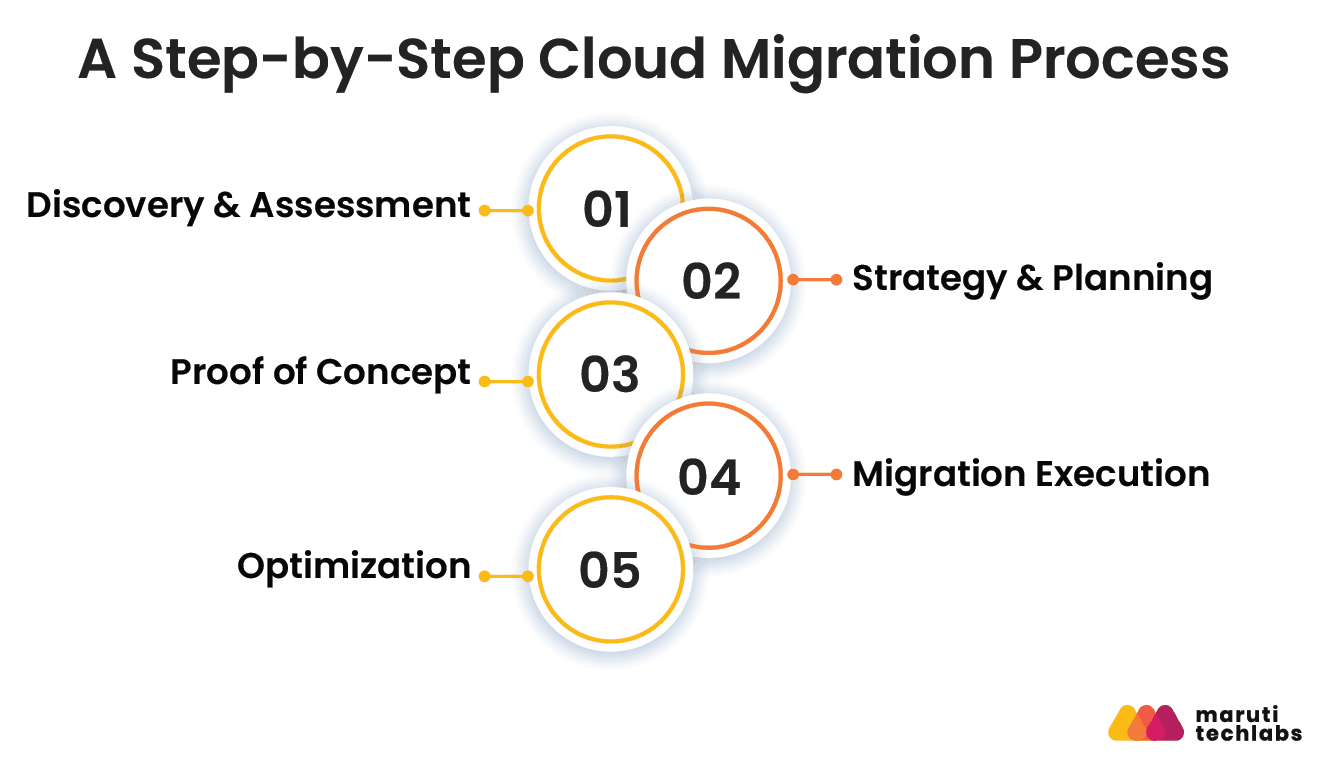
1. Discovery & Assessment
Inventory applications, infrastructure, data, and dependencies to understand the current environment. Use tools like AWS Migration Evaluator, Azure Migrate, or Google Cloud Migrate for Compute to automate discovery and identify hidden dependencies. The insights gathered here form the basis of your migration strategy.
2. Strategy & Planning
Use the assessment findings to decide how each workload will be migrated and assign the appropriate 7 R strategy. Group workloads into migration waves based on complexity and business impact, and define timelines, rollback plans, and success metrics before execution begins.
3. Proof of Concept
Validate the migration approach by moving a low-risk workload first. This pilot helps confirm performance, costs, and operational processes before scaling the migration across the rest of the environment.
4. Migration Execution
Migrate workloads in planned waves while continuously monitoring performance, availability, and security. Deployment approaches such as blue-green or canary releases help reduce downtime and minimize risk for production systems.
5. Optimization
After migration, fine-tune the cloud environment using real usage data. Right-size resources, enable auto-scaling, optimize storage, and review reserved versus on-demand pricing to improve performance and maximize cost savings.
What Should Be on Your Cloud Migration Checklist?
Rather than a flat list of 12 unordered items, group your checklist by when each action happens; it maps more naturally onto the process above and is easier to hand to different teams.
Before migration,
- Define KPIs tied to business outcomes (cost, performance, adoption), not just "migration complete"
- Assign each workload a 7 Rs classification
- Build a cross-functional team spanning IT, security, and the business units that own the applications
- Model costs before committing budget, including data transfer and parallel-run periods
During migration,
- Use Infrastructure as Code (Terraform, CloudFormation, ARM templates) so environments are reproducible, not hand-built
- Apply CI/CD pipelines to keep releases moving during cutover
- Test disaster recovery and business continuity plans, not just design them
- Bake in security and compliance controls from day one, not as a post-migration cleanup task
After migration,
- Set up centralized monitoring and log aggregation (CloudWatch, Azure Monitor, or a third-party tool like Datadog)
- Run a cost optimization pass, right-sizing, reserved instances, auto-scaling
- Establish multi-cloud or hybrid governance if you're running more than one provider
Ongoing
- Build cloud skills through structured training, not just tribal knowledge
- Revisit the strategy on a fixed cadence as workloads and pricing change
AWS vs Azure vs Google Cloud: Which Platform Fits Your Migration?
There's no single "best" provider. The right choice depends on your existing stack, compliance needs, and workload type. Synergy Research Group's Q1 2026 market data puts AWS at roughly 30% of global cloud infrastructure spend, Azure at 25%, and Google Cloud at 13%, with the Big Three together commanding around two-thirds of the market.
Factor | AWS | Azure | Google Cloud |
| Strongest for | Broadest service catalog, most mature migration tooling (Migration Hub, Application Discovery Service) | Microsoft 365 / Active Directory integration | Data analytics and AI/ML (BigQuery, Vertex AI) |
| Best fit | General enterprise, workloads needing the widest range of managed services | Organizations already standardized on Microsoft, healthcare and finance compliance needs (HIPAA, FedRAMP) | Data-heavy or ML-driven workloads |
| Migration tooling | Migration Hub, Application Discovery Service, Database Migration Service | Azure Migrate, Database Migration Service | Migrate for Compute, Database Migration Service |
How Do You Secure a Cloud Migration?
Securing a cloud migration means applying the shared responsibility model, encryption, zero-trust identity, and automated compliance monitoring from day one. Security is too often treated as a checklist item, when it should shape the entire migration design.
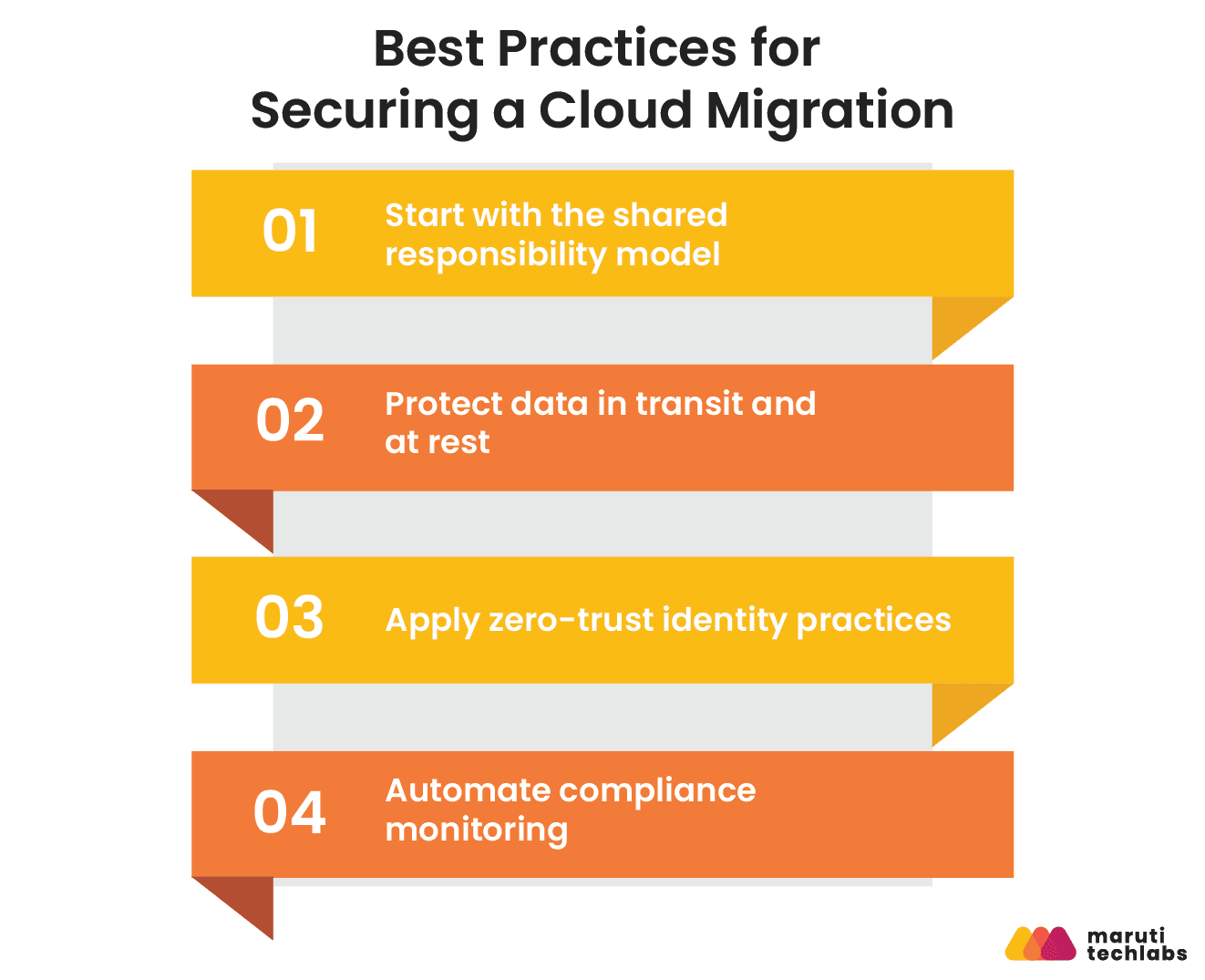
Start with the shared responsibility model
The cloud provider secures the underlying infrastructure, physical data centers, hypervisors, and network hardware. You're responsible for everything above that line: data, identity, application configuration, and access control. Most cloud security incidents trace back to a misunderstanding of where that line sits, not a provider-side failure.
Protect data in transit and at rest
Use TLS for all data in transit and strong encryption at rest, with customer-managed keys for sensitive workloads where regulation or risk tolerance demands it.
Apply zero-trust identity practices
Least-privilege access, mandatory Multi-Factor Authentication (MFA), scoped service accounts, and no long-lived credentials sitting in config files or CI pipelines.
Automate compliance monitoring
Tools like AWS Security Hub, Azure Policy, or Google Cloud Security Command Center continuously check your environment against frameworks like GDPR, HIPAA, or SOC 2, far more reliably than periodic manual audits.
What Does Cloud Migration Actually Cost?
Migration costs extend beyond compute and storage. To estimate the true total cost of ownership (TCO), account for both direct and indirect expenses.
- Direct costs: Compute, storage, licensing, and data transfer.
- Indirect costs: Staff training, migration partner or consulting fees, application testing, downtime during cutover, and software relicensing where applicable.
One commonly overlooked expense is data egress. Most cloud providers charge for data transferred out of their platforms. For example, AWS includes 100 GB of free outbound internet data transfer each month, after which the first 10 TB is billed at $0.09 per GB (pricing varies by region and usage tier).
Applications with high outbound traffic, such as media streaming, file distribution, or multi-cloud replication, can incur substantial egress costs if they are not identified during migration planning.
Post-migration optimization is equally important. Rightsizing resources, enabling auto scaling, and selecting the appropriate pricing model (Reserved Instances, Savings Plans, or on-demand) are often where organizations realize the biggest long-term cost savings
What Are the Biggest Cloud Migration Challenges and How Do You Solve Them?
Industry research consistently cites undocumented dependencies and un-scoped workloads as leading causes of cloud project overruns. Organizations solve these issues by enforcing strict access controls, tracking cloud spending with monitoring tools, and using phased migration plans.
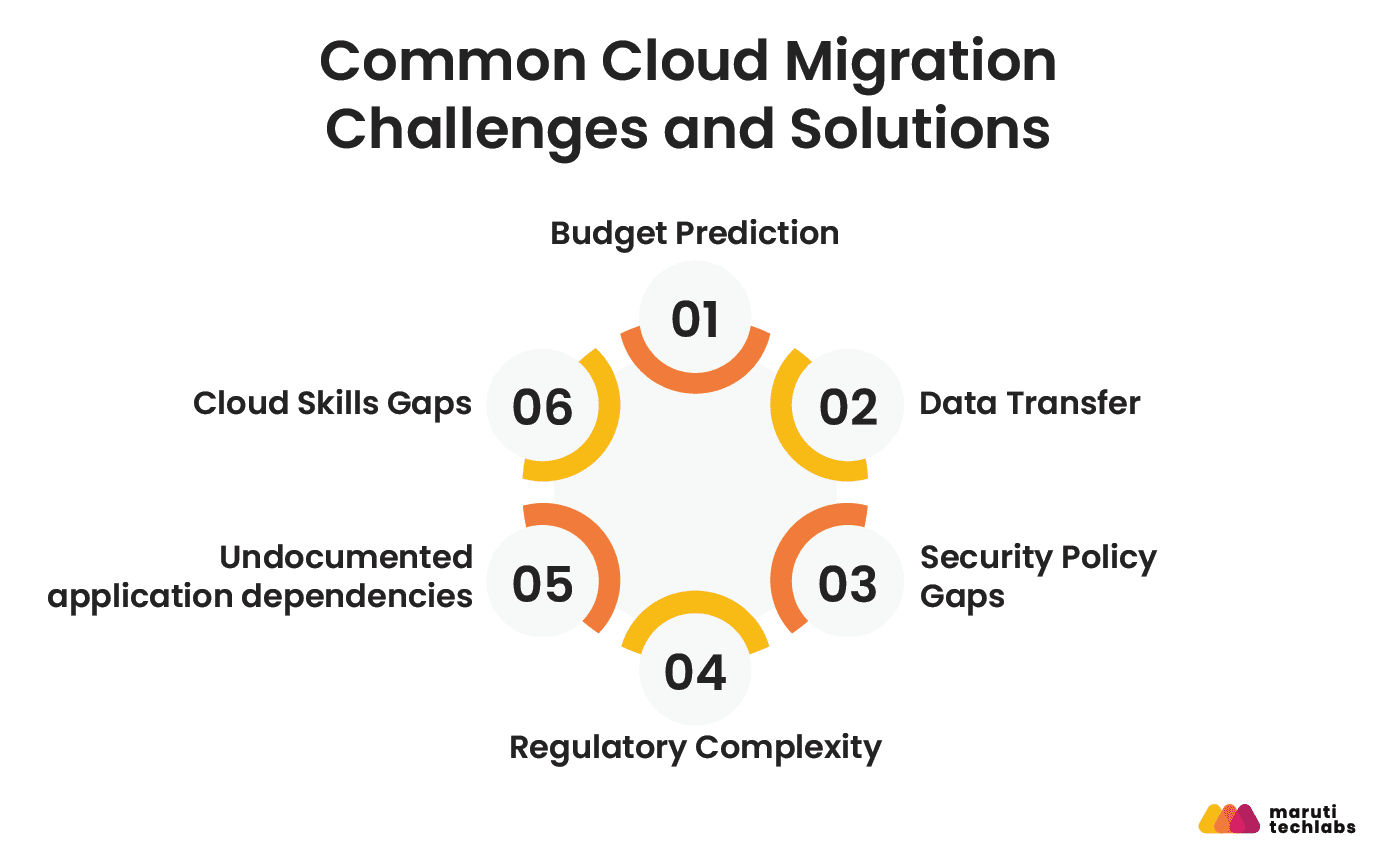
1. Budget Prediction
Fluctuating compute and storage consumption make costs hard to forecast, and unanticipated data transfer or resourcing needs compound the problem.
Fix: build financial planning into the strategy phase, not as a post-hoc reconciliation, and monitor spend continuously rather than at quarter-end.
2. Data Transfer
Moving large datasets is slow, bandwidth-constrained, and risks integrity issues.
Fix: for very large datasets, physical data transfer appliances (offered by most major providers) can be faster and cheaper than moving everything over the wire.
3. Security Policy Gaps
Provider-level security doesn't cover your side of the shared responsibility model.
Fix: define access management, least-privilege permissions, and IP restrictions before migration, not after an incident.
4. Regulatory Complexity
Data privacy laws like GDPR vary by jurisdiction and can dictate where data physically must reside.
Fix: choose region-locked storage options and confirm compliance requirements before selecting a target region; reversing this decision later is expensive.
5. Undocumented application dependencies
Applications that quietly depend on other systems are a leading cause of migration-day failures.
Fix: use dependency-mapping tools during discovery, not during a live cutover window.
6. Cloud Skills Gaps
Teams without cloud-native experience slow migrations and increase misconfiguration risk.
Fix: pair structured upskilling (AWS Skill Builder, Microsoft Learn, Google Cloud Training) with a migration partner for the first wave, so your team learns on a lower-risk workload.
Conclusion
A successful cloud migration comes down to five decisions, made in order: classify every workload using the 7 Rs, follow a phased process instead of a single cutover event, choose a platform (or platforms) based on actual workload needs rather than market share, build security and cost governance in from day one, and treat optimization as a phase, not an afterthought.
Get those five right, and the wasted-spend and downtime problems that derail most migrations largely take care of themselves.
FAQs
1. What's the difference between rehosting and replatforming?
Rehosting ("lift-and-shift") moves an application to the cloud with no changes to its architecture; it's the fastest option but captures the least cloud-native benefit. Replatforming makes targeted optimizations during the move, such as switching to a managed database, without a full application redesign. Replatforming takes more effort but typically reduces long-term operating costs more than a straight rehost.
2. How long does cloud migration take?
For a small organization with a handful of applications, migration typically takes 3–6 months. Enterprise migrations involving dozens of interdependent systems commonly take 12–24 months, depending on the number of workloads, regulatory requirements, and how much re-architecture is involved.
3. Which cloud migration strategy works best for enterprise companies?
There isn't one best strategy. Most enterprises use a mix of the 7 Rs across their estate: rehosting urgent legacy systems, refactoring strategic applications for cloud-native architecture, and retiring redundant systems. The right mix depends on existing infrastructure, business goals, and compliance requirements.
4. What is a cloud migration checklist?
A cloud migration checklist is a structured set of actions grouped by phase, before, during, and after migration, covering workload assessment, cost planning, security controls, monitoring, and post-migration optimization. It's used to make sure nothing (particularly cost governance and dependency mapping) gets missed under deadline pressure.
5. How do you choose a cloud migration services partner?
Evaluate a partner's experience with your specific cloud provider(s), their track record on similar workloads (ask for case studies), their approach to cost governance and security, and how they handle the proof-of-concept phase before committing to a full migration.
Why Migrate with Maruti Techlabs | On-Premise to Cloud Migration for McQueen Autocorp
McQueen Autocorp was constrained by an aging on-premises system that limited scalability and reliability. Maruti Techlabs designed a cloud ecosystem management platform and operating model to move the business to managed cloud services with minimal disruption.
Impact delivered:
- Zero downtime during peak loads, achieved through early testing and auto-scaling
- Significant reduction in hardware, software, and maintenance costs
- Improved ROI and transparency through an agile migration approach
- Elimination of recurring network and power-related issues tied to the on-prem setup
- Exponential improvement in flexibility and scalability post-migration
- Stronger security posture and easier long-term maintenance through streamlined monitoring