Explore how AI agents help enterprises automate tasks, manage risks, and deliver measurable ROI.
Artificial Intelligence and Machine Learning
The Complete Guide to AI Agents for Enterprises
Explore how AI agents help enterprises automate tasks, manage risks, and deliver measurable ROI.
Table of contents
Table of contents
Key Takeaways
Introduction
What is an AI agent?
AI Agent vs Agentic AI: Understanding the Difference
Why Enterprises Are Adopting Agentic AI
10 AI Agent Use Cases in Enterprises
How to Create an AI Agent for Enterprise Use
Enterprise Risks of AI Agents and Mitigation Strategies
ROI of AI Agents: What Enterprises Can Expect
Conclusion
FAQs
Why Maruti Techlabs for AI Development Services
Key Takeaways
AI agents help enterprises move beyond simple automation by handling multi-step tasks.
Agentic AI enables systems to make decisions and complete workflows with less manual input.
Most enterprise value comes from starting with focused, cost-driven use cases.
Poor setup and unclear use cases are the main reasons AI agent projects fail.
Security, governance, and access control must be planned before scaling AI agents.
AI agents are widely used across customer support, finance, supply chain, and HR.
Real ROI comes from time savings, cost reduction, and improved operational efficiency.
Enterprises that scale gradually with clear oversight see more consistent results.
Introduction
Most automation tools in enterprises still handle one task at a time. AI agents are a step ahead. They can take on a series of tasks, make simple decisions along the way, and help teams get more done without constant input. They are not limited to replying or assisting. They can actually move work forward.
That is why more teams are paying attention to them. Around 48% of tech executives are already adopting or deploying agentic AI, and many companies have started building agentic AI and using it in parts of their operations. Many leaders also expect a large share of their AI systems to run with minimal manual input, with 50% expecting over half of them to be autonomous within 24 months.
This interest is coming from real needs across customer support, supply chains, marketing, and finance, where teams are trying to handle growing workloads without adding more complexity.
In this blog, we’ll cover the difference between AI agents and agentic AI, why enterprises are adopting them, key use cases, how to build them, the risks involved, and the ROI businesses can expect.
What is an AI agent?
An AI agent is a system that can handle tasks on its own by understanding what needs to be done and taking the right actions. Unlike regular chatbots that only answer questions, AI agents can plan tasks, solve problems, use tools or data, and complete workflows with very little human support.
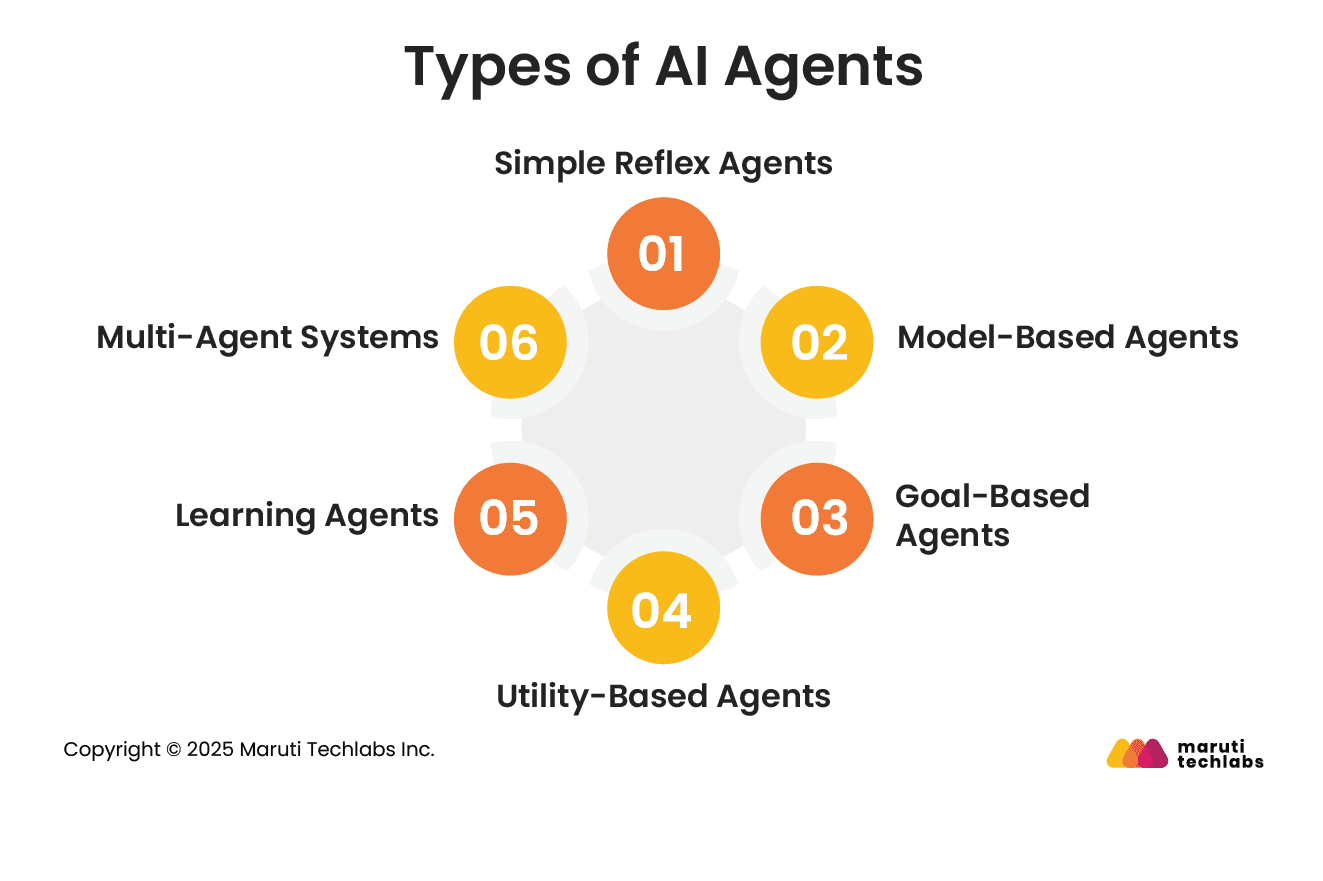
Types of AI Agents
1. Simple Reflex Agents: These agents respond instantly to what is happening around them by following fixed rules. They do not remember past actions or situations.
Example: A thermostat switches the heater on when the room gets too cold.
2. Model-Based Agents: These agents use current information along with past observations to respond more accurately.
Example: A robot remembers obstacles, it already detected while moving around a room.
3. Goal-Based Agents: These agents make decisions based on the result they are trying to achieve.
Example: A navigation app finds the best route to help you reach your destination faster.
4. Utility-Based Agents: These agents compare different choices and select the option that gives the best overall result.
Example: A self-driving car balances safety, speed, and fuel efficiency while driving.
5. Learning Agents: These agents improve over time by learning from user behavior and feedback.
Example: Streaming platforms recommend content based on what users watch regularly.
6. Multi-Agent Systems: These systems involve multiple AI agents working together to handle different tasks at the same time.
Example: In a smart factory, separate AI agents manage production, quality checks, and machine monitoring.
AI Agent vs Agentic AI: Understanding the Difference
AI agents are focused, task-specific software components built to handle clearly defined actions. Agentic AI works at a broader level, bringing multiple agents together to manage complete workflows on its own. In simple terms, AI agents handle individual tasks, while agentic AI focuses on getting the final outcome done.
Aspect
AI Agents
Agentic AI
Purpose
Built for specific, narrow tasks.
Used to complete an entire process end-to-end.
Autonomy
Follow the set instructions.
Can decide how to proceed based on the goal.
Workflow Scope
Handle one task at a time.
Manage multi-step workflows across systems.
Decision-Making
Act when triggered.
Decide next steps and adjust when needed.
Coordination
Work independently.
Coordinate multiple agents together.
Adaptability
Operate within fixed rules.
Adjust approach based on changing conditions.
Best Fit
Repetitive, well-defined tasks.
Complex processes with multiple steps and decisions.
The difference matters because it helps decide what to use. If the need is simple task automation, AI agents are enough. If the goal is to handle a full workflow with less manual effort, agentic AI is a better fit.
Why Enterprises Are Adopting Agentic AI
Enterprises are quickly moving from using AI just to analyze data to using it to take action. Agentic AI can handle tasks on its own, which helps improve productivity, cut operational costs by 30%, and speed up decisions. Unlike traditional AI, it can think through steps, make choices, and manage complete workflows, while also supporting customer interactions and keeping processes running at all times.
The opportunity is significant. AI is expected to generate up to $1.68 trillion in economic value by 2031. At the same time, many organizations are still figuring out how to adapt their teams and workflows to work alongside these systems. As adoption grows, agentic AI is becoming part of core business operations rather than isolated use cases.
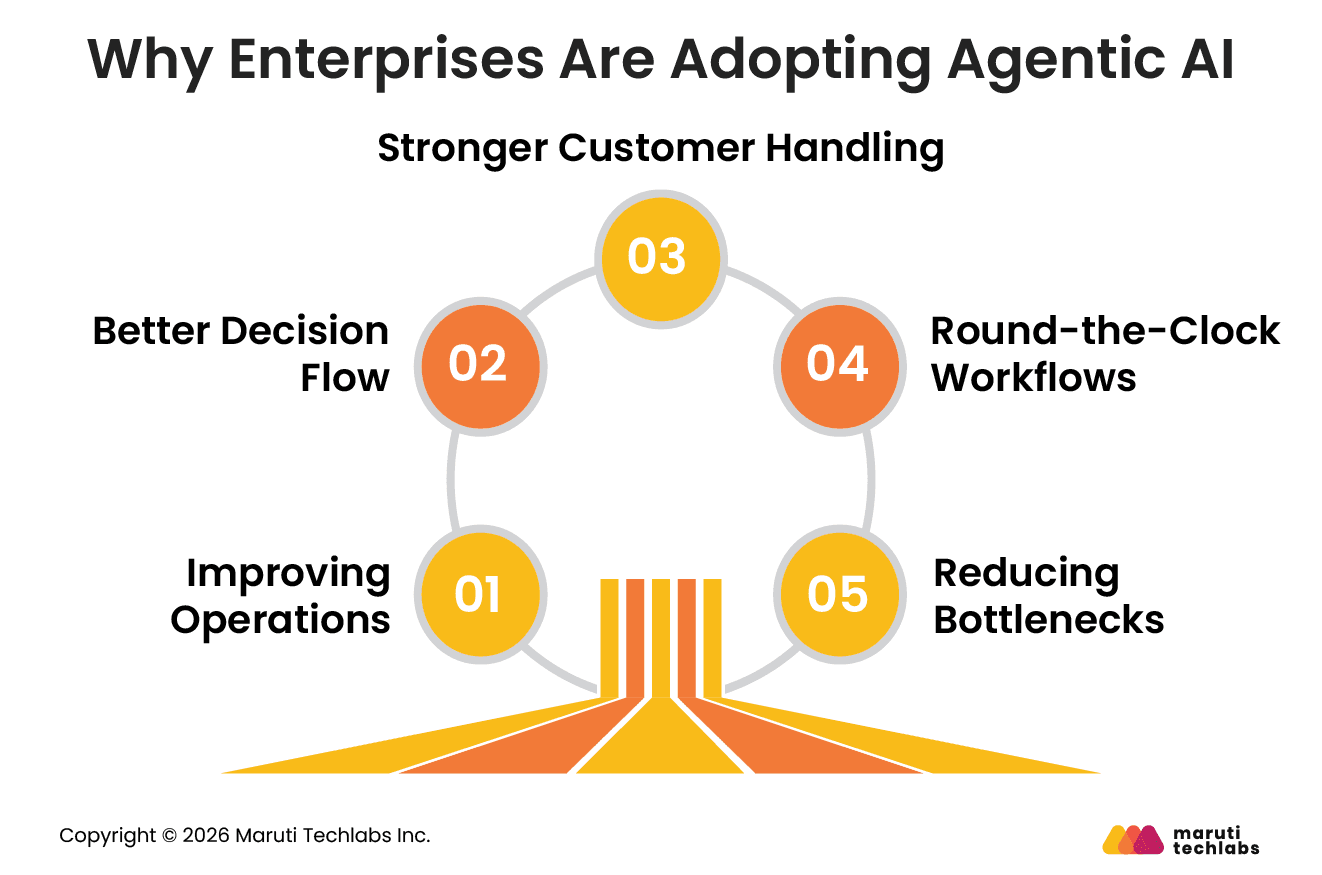
1. Improving Operations
Routine and multi-step processes can run with less manual effort. This helps teams save time, reduce errors, and handle higher volumes of work without adding more resources.
2. Better Decision Flow
Systems can monitor data in real time, spot issues early, and take action without waiting for manual input. This leads to faster and more consistent decision-making.
3. Stronger Customer Handling
Instead of answering one query at a time, systems can manage full interactions. This makes responses more relevant and improves overall customer experience.
4. Round-the-Clock Workflows
Processes continue running without breaks. This supports global operations and helps reduce turnaround time across functions.
5. Reducing Bottlenecks
Work moves forward with fewer dependencies on manual coordination. This helps teams avoid delays and keeps workflows running smoothly.
This is why enterprises are not just focusing on automation anymore, but on building systems that can handle complete workflows with more speed and consistency.
10 AI Agent Use Cases in Enterprises
AI agents are being used to take over repetitive and time-consuming work across teams. This reduces the need for constant follow-ups and manual coordination. Here are some common ways enterprises are using them.
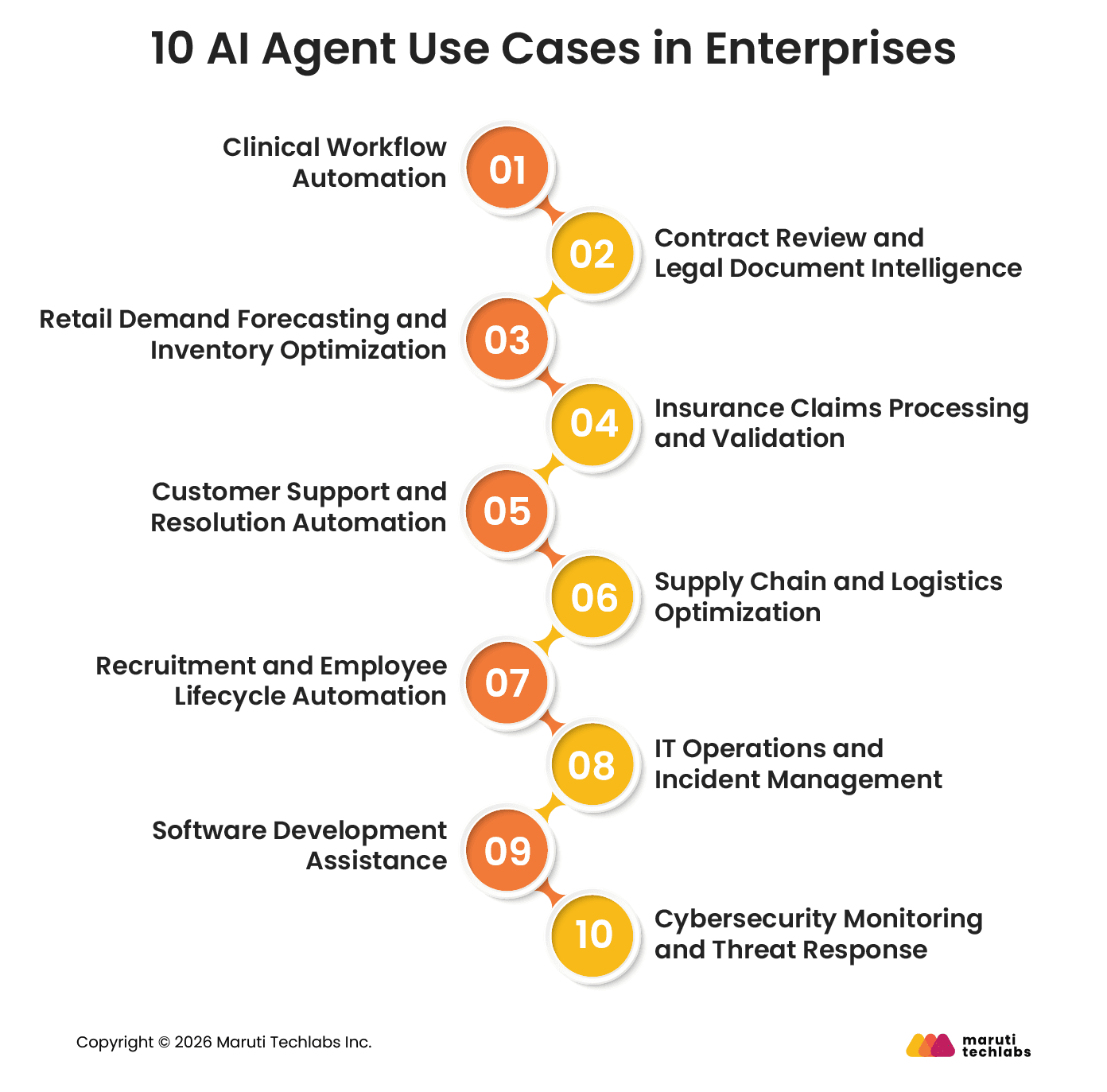
1. Clinical Workflow Automation
AI agents are being used in healthcare systems to manage scheduling, patient follow-ups, and administrative coordination across clinical workflows. As part of the broader adoption of AI in healthcare, they also help with prior authorization, care routing, and documentation support, reducing delays in non-clinical work.
Real-world Deployment: Healthcare systems are deploying agentic workflows in which AI handles intake, extracts patient context, and prepares structured summaries for clinicians to review, significantly reducing the administrative burden on medical staff.
2. Contract Review and Legal Document Intelligence
Enterprises are using AI agents to support legal review processes by extracting clauses, identifying inconsistencies, and flagging compliance risks across large volumes of contracts. With AI legal research, these systems help improve speed and consistency in contract analysis.
Real-world Deployment: In legal teams, these systems are use
d to process contracts, cross-check documentation, and support compliance workflows where accuracy and traceability are critical.
3. Retail Demand Forecasting and Inventory Optimization
Retailers use AI agents to continuously analyze sales data, customer behavior, and external signals like seasonality and promotions to forecast demand and manage inventory.
Real-world Deployment: Large retail systems use AI-driven pricing and inventory intelligence at scale, where decisions such as stock placement and replenishment are dynamically adjusted based on real-time demand patterns.
4. Insurance Claims Processing and Validation
I agents are widely used in insurance workflows to process claims, verify documents, and detect inconsistencies in submissions, reflecting the growing role of AI in insurance.
Real-world Deployment: In production systems, these agents help automate claim triage and policy validation steps, reducing manual processing effort while improving consistency in high-volume insurance operations.
5. Customer Support and Resolution Automation
AI agents are being used to manage end-to-end customer support workflows such as order tracking, refunds, and account updates. They can access customer history, trigger backend actions, and handle routine queries with minimal manual involvement.
Real-world Deployment: In e-commerce and SaaS platforms, AI-driven support systems already resolve a large share of repetitive queries automatically, while routing complex or sensitive cases to human agents with full interaction context.
6. Supply Chain and Logistics Optimization
AI agents continuously monitor supply chain signals such as inventory levels, supplier performance, and demand fluctuations to support operational decisions and reduce disruptions.
Real-world Deployment: Enterprise logistics and retail systems use AI-driven monitoring to adjust inventory distribution, identify delays early, and recommend actions such as rerouting shipments or updating procurement plans in real time.
7. Recruitment and Employee Lifecycle Automation
AI agents support recruitment and onboarding workflows by screening resumes, scheduling interviews, and managing documentation and training coordination for new hires.
Real-world Deployment: In enterprise hiring environments, these systems are used to streamline high-volume recruitment processes and automate onboarding steps, reducing manual coordination and improving consistency across hiring workflows.
8. IT Operations and Incident Management
AI agents are used in IT operations to monitor system health, detect anomalies, and automate routine service requests such as access provisioning or issue resolution.
Real-world Deployment: Many enterprise IT systems already use AI-driven monitoring and automation to detect incidents early, trigger alerts, and assist in resolving issues faster by correlating logs and suggesting remediation steps.
9. Software Development Assistance
AI agents support development teams by assisting with debugging, documentation, testing, and code validation tasks across the software development lifecycle.
Real-world Deployment: In enterprise engineering workflows, these systems are integrated into development pipelines to automate repetitive tasks, support code reviews, and improve development speed across large, distributed teams.
10. Cybersecurity Monitoring and Threat Response
AI agents are used to continuously monitor network activity, detect unusual patterns, and flag potential security threats across systems.
Real-world Deployment: Security operations teams use AI-driven systems to analyze large volumes of alerts, reduce false positives, and assist in faster threat detection and incident response within SOC environments.
How to Create an AI Agent for Enterprise Use
Building an enterprise AI agent involves creating a system that can handle tasks, use tools, and complete workflows on its own. In most cases, the real effort is not just technology. A large part comes from managing data, processes, and how teams work with the system.
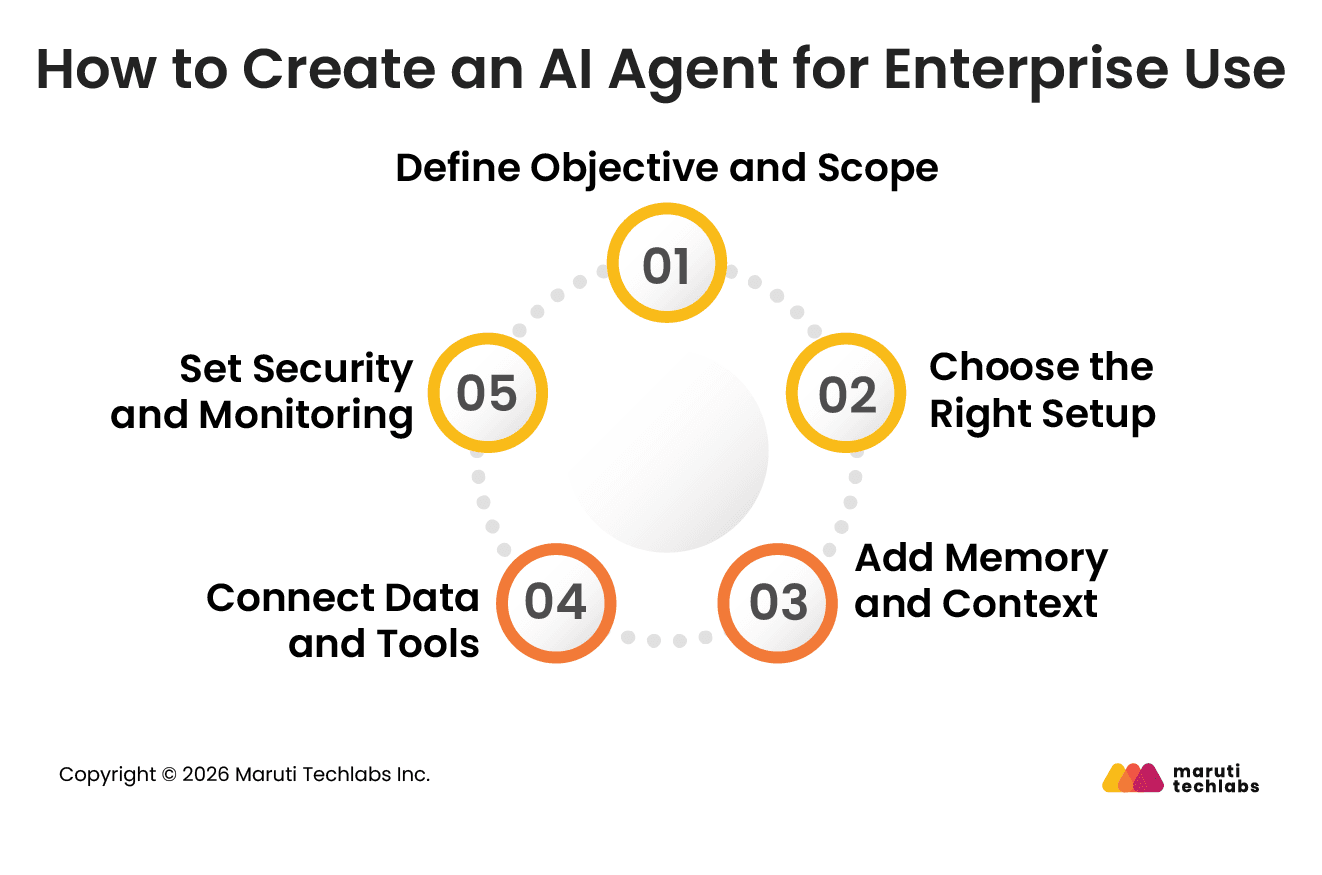
1. Define Objective and Scope
Start with a specific outcome like reducing support tickets or speeding up a process. Decide how much control the system should have. Simple tasks need one agent, while complex workflows may need multiple agents.
2. Choose the Right Setup
Getting the setup right makes a big difference. Start with a strong model to see what good output looks like, then adjust for cost or speed later. Clear, step-by-step instructions usually work better than open-ended prompts.
3. Add Memory and Context
For it to be useful, the system needs to remember what’s going on. Short-term memory helps with ongoing tasks, while historical data helps it learn from past work. This makes responses more accurate and relevant over time.
4. Connect Data and Tools
Access to the right data is critical. Connecting internal documents, systems, and tools allows the agent to take real actions instead of just giving answers. Clean and updated data also helps avoid incorrect outputs.
5. Set Security and Monitoring
Clear limits are important, especially when sensitive data is involved. Access controls and regular checks help keep things reliable. Testing before rollout and tracking performance later helps catch issues early.
As AI agent use cases grow, enterprises often move beyond a single agent. External integrations and multi-agent setups allow different agents to handle parts of a workflow together. This makes it easier to manage complex processes while keeping each part focused.
Enterprise Risks of AI Agents and Mitigation Strategies
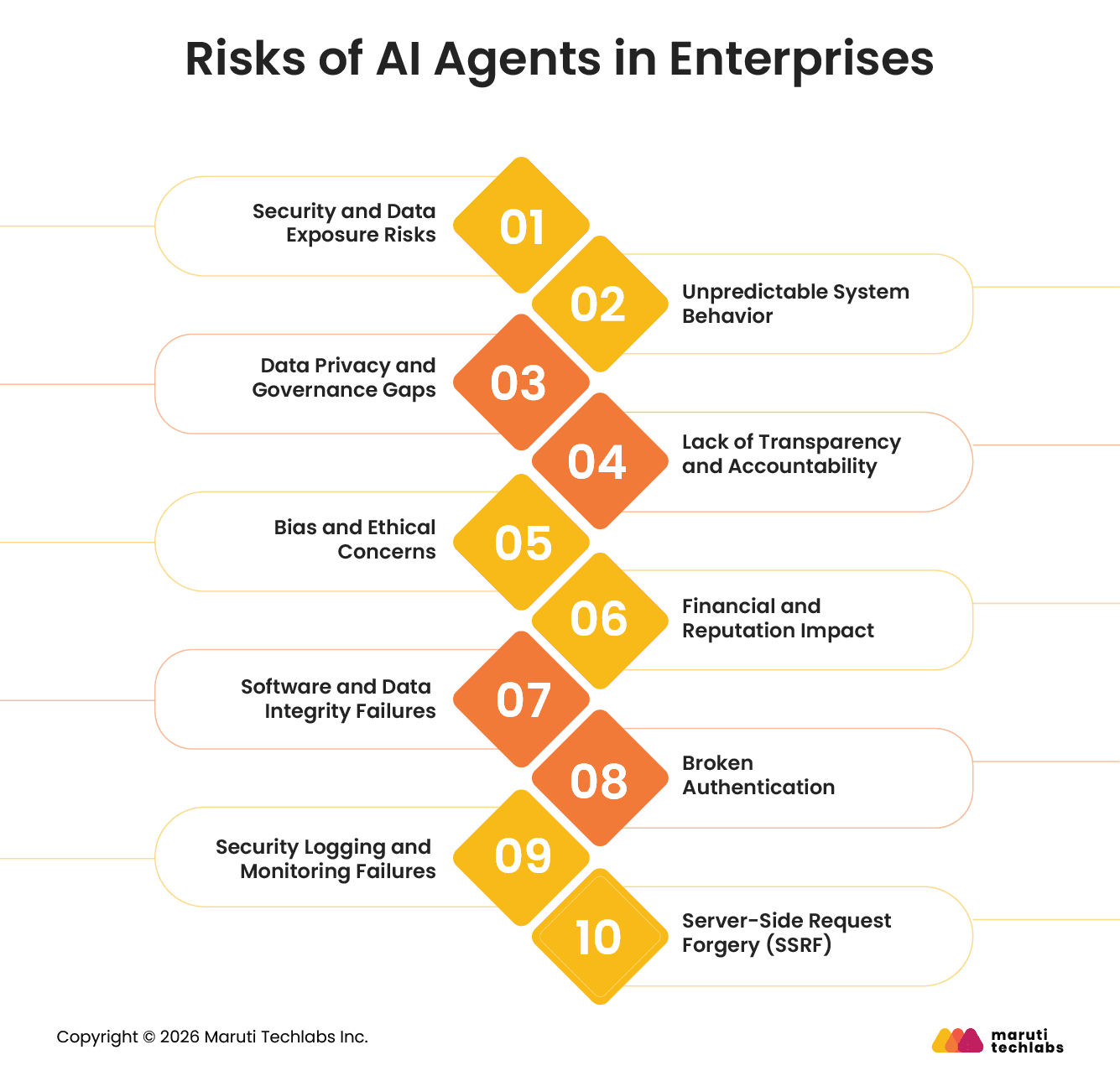
AI agents can make work faster, but they also change how systems behave inside a company. Since they can take actions on their own and connect to multiple tools, things can go wrong in ways that are not always obvious at first.
1. Security and Data Exposure Risks
Risk: Sensitive data can be exposed when an agent has access to more systems than needed. Scenario: An agent pulls customer records from a database and accidentally stores them in logs or shares them with another connected tool. Why it is a risk: Even a small permission issue can lead to sensitive data spreading across systems without anyone noticing.
2. Unpredictable System Behavior
Risk: The system may take actions that do not match the intended workflow. Scenario: An AI support agent retrieves outdated or incorrect policy information and mistakenly approves a refund or action that should not have been allowed.
In the Air Canada chatbot case, a customer was told by the airline’s AI support agent that he could book a flight and later request a bereavement refund. This information was incorrect, but the customer acted on it. The airline later denied the refund, and the case went to court, where the company was held liable for the chatbot’s response. Why it is a risk: One incorrect action can flow into other systems and create multiple downstream errors.
3. Data Privacy and Governance Gaps
Risk: Sensitive information may be accessed even when the task does not actually need it. Scenario: A customer support agent pulls full account details just to check an order status. Why it is a risk: When data moves automatically between tools, it becomes hard to see where it goes or how it gets used later.
4. Lack of Transparency and Accountability
Risk: It is difficult to understand what led the system to make a particular decision. Scenario: A loan gets approved, but there is no clear view of which data or checks were used to approve it. Why it is a risk: When something goes wrong, teams cannot easily trace the cause or explain the decision to auditors or customers.
5. Bias and Ethical Concerns
Risk: Past hiring or business data can shape how the system evaluates new cases. Scenario: A hiring system ranks candidates differently based on historical hiring trends instead of current qualifications. Why it is a risk: These patterns are not always easy to notice at the start, so unfair decisions can keep happening quietly over time before anyone catches them.
6. Financial and Reputation Impact
Risk: A small mistake in automation can affect a lot of customers or transactions at once. Scenario: A pricing rule is updated incorrectly, and the system applies the wrong discount to hundreds of active orders. Why it is a risk: A single wrong setting can spread fast across live transactions, leading to direct financial loss and customer complaints before anyone notices.
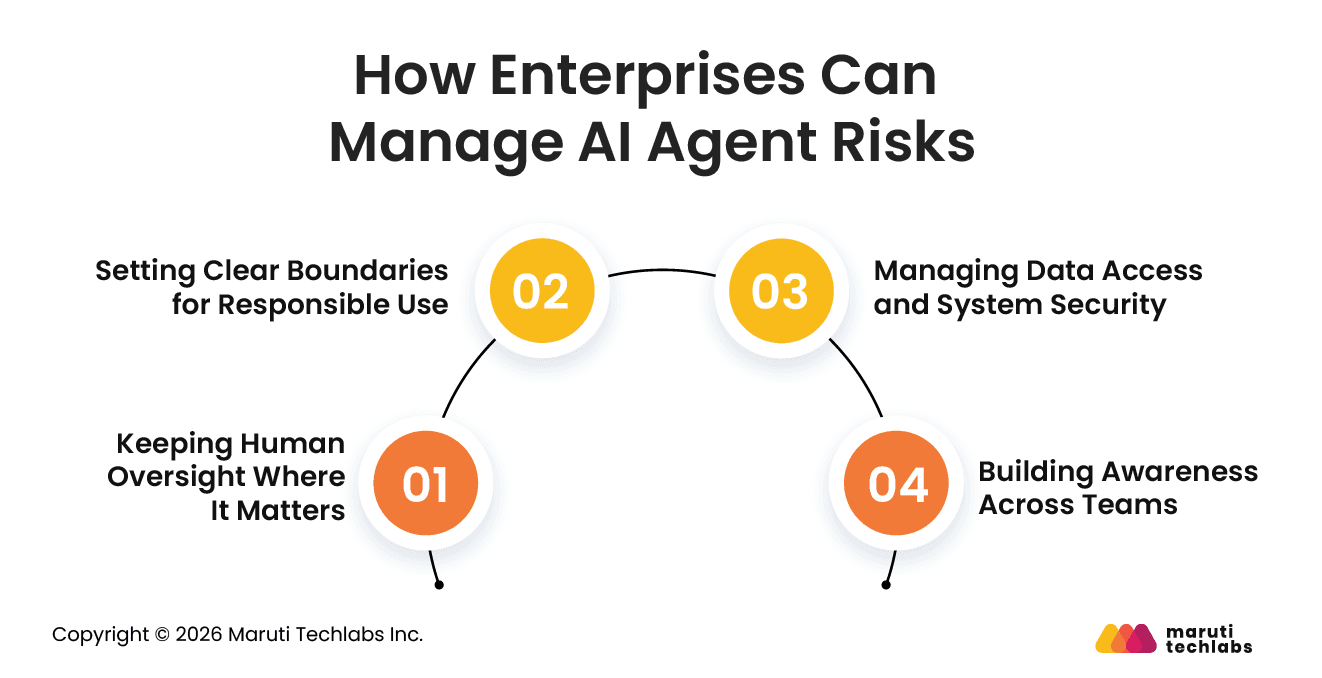
How Enterprises Can Manage These Risks
Enterprises should focus on putting the right controls in place so AI agents can operate effectively without introducing unnecessary risk.
1. Keeping Human Oversight Where It Matters
Important decisions should still be reviewed by people, especially when the impact is high. This helps catch issues early before any action affects real business outcomes.
2. Setting Clear Boundaries for Responsible Use
Clear guidelines should be established to ensure decisions align with organizational values, privacy standards, and regulatory expectations.
3. Managing Data Access and System Security
Access to systems and data should be carefully managed and continuously monitored. This helps prevent unauthorized use and reduces the risk of data exposure.
4. Building Awareness Across Teams
People using these systems should understand how the system works in real situations and where it can make mistakes. This helps teams know when to rely on the output and when to step in and review it.
ROI of AI Agents: What Enterprises Can Expect
AI agents are already being used in real business operations, but the results are not always consistent. Only about 25% of initiatives deliver the expected ROI, and just 16% scale across the enterprise. The gap is not because of the technology itself, but how it is implemented and managed.
Most problems come from how these systems are set up, not the technology itself. Teams often try to take on too much at once or begin without a clear use case. It usually works better to start with one focused problem, show results, and then build from there.
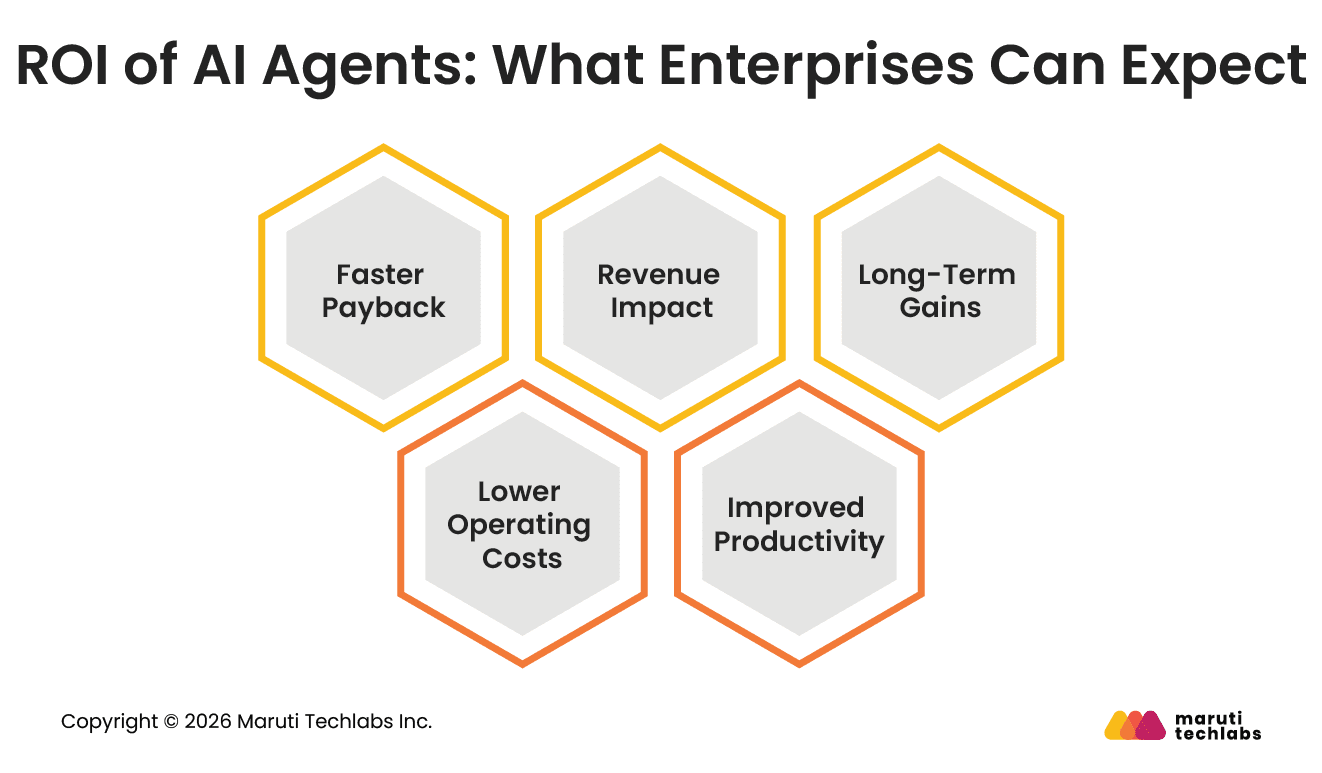
1. Faster Payback
The first gains usually come from saving time on repetitive work. Tasks that earlier took hours can be completed much faster, which makes the impact visible early on.
2. Lower Operating Costs
Day-to-day tasks in areas like support, finance, or operations can be handled with less manual effort. This reduces workload and helps teams manage more work without adding extra resources.
3. Revenue Impact
In some cases, better data use and faster responses lead to improved sales or customer retention. This is usually seen after the initial cost benefits are established.
4. Improved Productivity
Teams spend less time on repetitive tasks and more time on work that needs judgment. This improves overall output without adding complexity.
5. Long-Term Gains
As systems learn from more data and get integrated across workflows, the value increases over time. Returns are not just one-time but continue to build.
Real-World AI Agent Examples in Enterprises
1. JPMorgan Chase
JPMorgan was dealing with time-intensive processes in investment banking, where analysts manually prepared reports by reviewing large volumes of financial data and documents.
They introduced AI-powered systems to automate document analysis and report generation. These systems can extract relevant data, summarize findings, and generate structured reports within seconds.
Impact: Tasks that previously took hours are now completed almost instantly, reducing manual effort and allowing analysts to focus on higher-value decision-making work across hundreds of internal use cases.
2. Klarna
Klarna’s customer support operations involved high response times and large support teams handling repetitive queries.
They deployed AI agents to handle common customer interactions such as order tracking, refunds, and account-related queries, while routing complex issues to human agents.
Impact: Response times dropped from around 11 minutes to under 2 minutes, while the company reported operational savings of approximately $60 million through reduced support workload.
3. Morgan Stanley
Morgan Stanley had large volumes of legacy code that required manual review and maintenance, slowing down modernization efforts.
They implemented AI systems to analyze and review millions of lines of code, helping identify issues, suggest improvements, and assist developers in updating older systems.
Impact: The system saved an estimated 280,000 developer hours, significantly accelerating code review and modernization efforts.
4. Salesforce
Salesforce’s legal operations team was spending significant time and budget on external legal support for contract review and drafting.
They introduced AI tools to assist with contract analysis, drafting, and review workflows, reducing dependency on external legal services.
Impact: The company reduced over $5 million in external legal costs while improving turnaround time for contract-related processes.
5. Walmart
Walmart manages inventory and demand across thousands of stores, which traditionally required complex coordination and forecasting.
They use AI-driven systems to process real-time data from stores, warehouses, and supply chains to optimize inventory planning and demand forecasting.
Impact: Improved inventory accuracy, better demand planning, and more efficient supply chain operations at scale, reducing stockouts and overstock situations.
Conclusion
AI agents are already being used across enterprise functions, but the real shift is still unfolding. The companies that see stronger results are not just adding agents to existing workflows. They are rethinking how work gets done and designing processes around what these systems can handle.
Getting this right depends on how the foundation is set. Security, governance, and scalability need to be built in from the beginning, not added later. Without that, it becomes difficult to scale beyond initial use cases.
What also changes here is the role of automation. It is no longer limited to providing insights. AI agents can take action, complete tasks, and manage workflows with minimal input. This is where the real return starts to show.
Enterprises that approach this with a clear plan and long-term view are more likely to see consistent and measurable results.
FAQs
1. What is agentic AI?
Agentic AI is a system where multiple AI agents work together to complete tasks, make decisions, and handle workflows with minimal human input. Unlike traditional AI tools that respond to single prompts, agentic AI can manage multi-step processes and take actions based on changing conditions.
2. When should an enterprise use AI agents?
AI agents are useful when tasks are repetitive, time-consuming, and rule-based. They work well for processes that require handling large volumes of data or frequent interactions. Enterprises should use them when there is a clear use case where automation can improve speed, consistency, or cost efficiency.
3. Which business functions benefit most from AI agents?
Business teams that spend a lot of time on repetitive daily tasks usually see the biggest benefits from AI agents. Functions like customer support, HR, finance, IT, and supply chain can use them to handle routine work faster, reduce manual effort, and help teams focus on more important tasks.
4. How to build an AI agent for enterprise research?
Start by deciding what kind of research work the AI agent should help with, such as finding documents, summarizing information, or analyzing data. Then connect it to the right business data and tools, automate the workflow, and keep improving it over time based on how accurately and reliably it performs.
5. What should be evaluated before investing in AI agents?
It helps to look at where the agent will be used and what outcome you expect from it. Check if the required data is available and whether your current systems can support it. Cost and effort matter too. Starting with a use case where results can be measured makes it easier to justify further investment.
6. What risks should leaders consider before deployment?
Before deploying AI agents, businesses should think about risks like incorrect decisions, unintended actions, or access to sensitive data. It can also be difficult to understand why an AI agent made a certain choice. Proper testing, controlled access, and regular human oversight help reduce these risks.
7. What ROI can enterprises expect from AI agents?
Most enterprises see ROI through time savings and reduced operational costs in the early stages. Over time, better efficiency, faster decision-making, and improved customer experience add more value. The strongest returns usually come from starting with focused use cases and scaling gradually.
Why Maruti Techlabs for AI Development Services
Maruti Techlabs works with enterprises to build AI solutions that are practical and aligned with real business needs. The focus is on creating systems that fit into existing workflows and deliver clear outcomes, rather than adding isolated tools.
The team works closely from defining the use case to deployment and ongoing improvements. With our AI Development service, organizations can build and scale solutions tailored to their needs. At the same time, our AI Strategy and Readiness service helps assess if the organization is prepared, so the next steps are clear and well planned.
We worked with an automobile industry client handling large volumes of car images and built a computer vision model to detect inappropriate content. This reduced manual effort and cut processing time by 99%, while improving accuracy over time.
Pinakin Ariwala has over 20 years of experience in AI/ML, data engineering, and software development. He has led AI and machine learning projects across industries, including agriculture, finance, and healthcare, and has been featured on the Clutch Leaders Matrix podcast discussing real-world AI/ML applications.
Stuck with a Tech Hurdle?
We fix, build, and optimize. The first consultation is on us!