A clear look at cloud security risks in 2026 and simple steps enterprises can take to reduce exposure.
Cloud
Why Cloud Security Needs More Attention in 2026
A clear look at cloud security risks in 2026 and simple steps enterprises can take to reduce exposure.
Table of contents
Table of contents
Snapshot
Introduction
Why Cloud Security Demands Greater Focus in 2026
10 Major Cloud Security Threats in 2026
Cloud Security Platforms and Threat Detection Tools
10 Cloud Security Best Practices to Follow
Conclusion
FAQs
Snapshot
Cloud security problems often come from basic access and configuration issues, not advanced attacks.
Knowing who can access what and reviewing it regularly reduces most cloud risks.
Small mistakes, such as open storage or unused APIs, can lead to serious exposure.
Security works best when it’s built into daily cloud operations rather than added later.
Consistent monitoring, simple controls, and regular reviews matter more than complex tools.
Introduction
Cloud spending continues to rise rapidly in 2026. According to IDC, the global cloud market is growing at a 19.4% CAGR, largely driven by the increasing use of AI across business operations. More applications, data, and decision-making systems now live in the cloud than ever before.
As cloud usage grows, so do security problems. Cloud environments change constantly. New services are added while users change, and access rules pile up without review.
IBM notes that AI tools and automated systems are adding another layer of risk, especially when they operate without clear ownership or visibility. In many cases, data is exposed because access was never properly tightened or monitored.
Cloud security today is not just about blocking attacks. It is about knowing who has access to what they can reach and whether that access still makes sense. This is why teams focus on ongoing monitoring, strong identity controls, and a zero-trust approach that assumes no access.
This blog explains why cloud security needs greater focus in 2026, highlights the major cloud security threats, reviews key security and threat-detection platforms, and shares practical best practices teams can apply right away.
Why Cloud Security Demands Greater Focus in 2026
Cloud security matters more in 2026 as the cloud is doing far more than just storing your data. It now runs AI models, DevOps pipelines, IoT platforms, and critical business systems. As the cloud takes on more responsibility, the associated risks increase as well. Can you really afford to leave it unprotected?
Most organizations today use multiple clouds: public, private, and on-prem systems. As teams accelerate releases through automation, push code daily via CI/CD pipelines, and rely on AI services to process vast volumes of business data, the attack surface expands. It becomes more distributed, less visible, and significantly harder to control.
The way people access cloud systems has also changed. Employees, partners, and vendors log in from different locations and devices. Access is granted quickly to keep work moving. Over time, permissions accumulate and rarely get cleaned up. This makes identities one of the easiest entry points for attackers.
However, 2026 has seen a shift in attack patterns. Instead of breaking infrastructure, attackers exploit access.
They target identity APIs, misconfigurations, and automated workflows. A single exposed API key or overly permissive role can lead to large data leaks. With AI-driven automation, these gaps are found and exploited at scale, often before teams detect them.
This is why reactive security is no longer enough. Waiting for alerts after something goes wrong costs time, money, and trust. Proactive cloud security helps teams spot risks early before they turn into breaches. It focuses on visibility, access controls, and continuous checks rather than one-time reviews.
Cloud security needs greater focus in 2026 because cloud environments move fast, and threats move faster. Organizations that treat security as an ongoing process are far better prepared to protect data systems and customers in a cloud-first world.
10 Major Cloud Security Threats in 2026
Cloud security threats often start small and grow quietly. Access is given to move faster, automation speeds things up, and small security gaps slip through until real damage finally brings them to light.
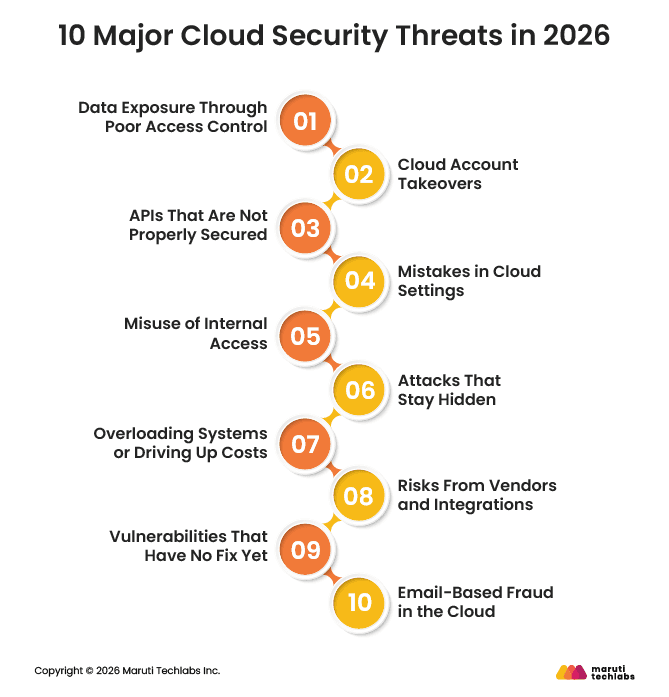
Below are the ten cloud security threats organizations need to pay attention to in 2026:
1. Data Exposure Through Poor Access Control
Most cloud data leaks occur because access was misconfigured. Files are shared too widely, or storage is left open longer than intended. Encryption is sometimes skipped for speed. These issues are easy to miss but hard to undo once the data has been accessed.
2. Cloud Account Takeovers
If someone gains control of a cloud account, they often gain control of much more. Phishing emails, reused passwords, and leaked access keys are common causes. Attackers may quietly create new access or use cloud resources for their own work. Strong login controls help limit this damage.
3. APIs That Are Not Properly Secured
APIs connect cloud services together. When they are not secured well, attackers can reach systems directly. Some APIs stay active even after teams stop using them. Others return more data than needed. Keeping APIs simple, monitored, and up to date reduces risk.
4. Mistakes in Cloud Settings
Many cloud security incidents still stem from simple setup mistakes made during fast-moving deployments. Storage is left public, access permissions are too broad, and default settings remain unchanged. Most of the time, this isn’t about ignoring security, but about teams trying to move quickly and keep delivery on track.
5. Misuse of Internal Access
People inside the organization already have legitimate access to systems and data. Sometimes that access is misused, but more often it simply isn’t updated or removed when roles change. When one of these accounts is compromised, the activity blends in with normal behavior, making suspicious actions much harder to detect.
6. Attacks That Stay Hidden
Some attackers don’t try to cause immediate damage. They take their time, use trusted cloud services, and avoid doing anything that looks suspicious. When access and activity aren’t closely monitored, this kind of behavior can go unnoticed for a long time.
7. Overloading Systems or Driving Up Costs
Cloud platforms are designed to scale easily, which is usually a strength. Attackers exploit this by flooding services or triggering unnecessary scaling through automated requests. Applications may continue running, but costs can rise quickly unless clear limits, monitoring, and alerts are in place.
8. Risks From Vendors and Integrations
Cloud environments rely on a wide range of tools and third-party services, and a weakness in just one of them can ripple across multiple systems. Build tools, shared libraries, and integrations often become weak points when they aren’t reviewed or maintained carefully.
9. Vulnerabilities That Have No Fix Yet
Some flaws are discovered before patches are available. These issues can affect containers, virtual machines, or orchestration tools. When they appear, teams need to rely on monitoring and isolation until fixes are released.
10. Email-Based Fraud in the Cloud
Cloud email accounts are a frequent target because attackers impersonate executives, vendors, or HR teams to move money or collect sensitive data, and these attacks often succeed since they look legitimate at first glance.
As cloud environments grow more complex, new risks keep showing up. AI-driven attacks move faster, serverless systems are harder to track, and multi-cloud setups make access management tougher. In 2026, cloud security is less about reacting after something goes wrong and more about keeping access simple, visible, and under control.
Cloud Security Platforms and Threat Detection Tools
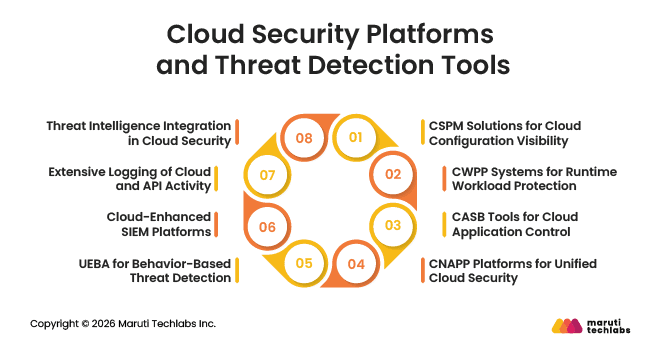
Modern cloud environments need tools that provide visibility across users, workloads, and configurations. The platforms below help teams spot risks early and respond before issues turn into incidents.
1. CSPM Solutions for Cloud Configuration Visibility
CSPM solutions continuously review cloud configurations across accounts. They help identify open storage, weak permissions, and policy violations that often lead to cloud security incidents.
2. CWPP Systems for Runtime Workload Protection
CWPP systems focus on workloads while they are running. They monitor behavior and detect unusual activity, unauthorized actions, or signs of compromise inside cloud workloads.
3. CASB Tools for Cloud Application Control
CASB tools give visibility into how cloud applications are used. They help track approved and unapproved apps and apply data protection rules across cloud services.
4. CNAPP Platforms for Unified Cloud Security
CNAPP platforms bring configuration, workload, identity, and application security into one view. This makes it easier to understand overall cloud risk and manage security at scale.
5. UEBA for Behavior-Based Threat Detection
User and Entity Behavior Analytics helps detect unusual activity. This includes unexpected login times, unusual access locations, and sudden privilege changes.
6. Cloud-Enhanced SIEM Platforms
Cloud-aware SIEM platforms collect and correlate logs from cloud services. They help security teams identify complex or coordinated attacks that may span multiple systems.
7. Extensive Logging of Cloud and API Activity
Detailed logging of API calls, configuration changes, and network activity helps teams investigate incidents faster and spot irregular behavior early.
8. Threat Intelligence Integration in Cloud Security
Incorporating threat intelligence helps teams understand what they are seeing. It adds external context, so suspicious cloud activity can be compared with known attack methods, risky IP addresses, and emerging threats.
Understanding threats is only half the equation. The next step is applying strong, consistent security practices
10 Cloud Security Best Practices to Follow
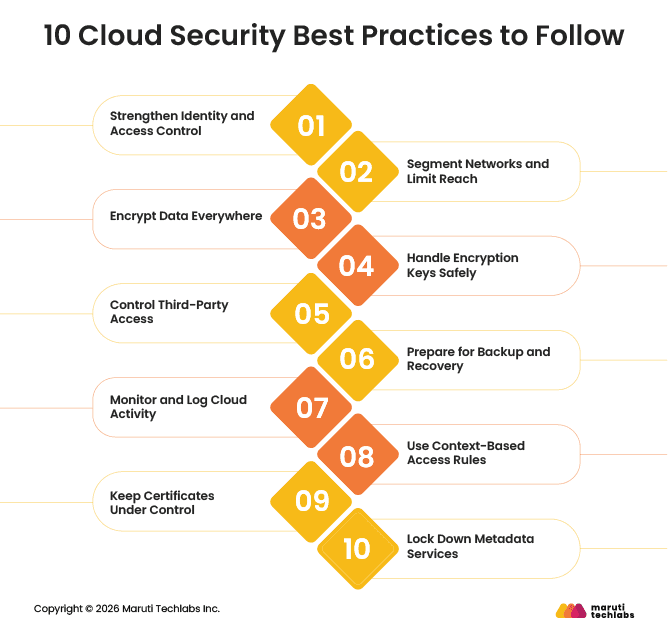
Cloud environments change constantly, and security needs to adapt with them. These best practices focus on reducing everyday risks through clear, practical steps that teams can apply without slowing work.
1. Strengthen Identity and Access Control
Most cloud security issues start with access. Make sure every user signs in securely, especially admins. Review who has access regularly and remove anything that is no longer needed. Never hard-code passwords or keys.
2. Segment Networks and Limit Reach
Not every system needs to talk to every other system. Split your cloud network into smaller parts to keep issues contained. Use firewalls and private connections to reduce unnecessary exposure.
3. Encrypt Data Everywhere
Encryption protects data in the event of a failure. Encrypt sensitive data both when it is stored and when it is shared between systems. Remember to encrypt backups as well, not just live data.
4. Handle Encryption Keys Safely
Strong encryption means little if keys are handled poorly. Store keys in proper key management services, not alongside data. Rotate them automatically and limit who can manage them.
5. Control Third-Party Access
External vendors often need cloud access to do their work. Give them only the access they need and nothing more. Use separate accounts and keep a close eye on their activity.
6. Prepare for Backup and Recovery
Backups help you recover from mistakes, outages, and attacks. Keep multiple copies in different locations and protect at least one copy from deletion. Test recovery regularly to avoid surprises.
7. Monitor and Log Cloud Activity
Visibility matters. Track logins, access changes, and configuration updates across your cloud environment. Set alerts for unusual behavior so problems are noticed early.
8. Use Context-Based Access Rules
Access should depend on the situation. Limit admin access by location, device, or time. For sensitive tasks, use short-term access instead of permanent permissions.
9. Keep Certificates Under Control
Certificates help systems trust each other. Keep a clear record of all certificates in use and renew them automatically. Expired certificates often cause outages and security gaps.
10. Lock Down Metadata Services
Metadata services can expose sensitive information if they’re left open. Keep them tightly restricted and only allow access where it’s truly needed. Also, make sure applications don’t accidentally connect to metadata.
Taken together, these steps help lower cloud risk in a realistic way. The aim isn’t perfect security, but staying in control, knowing what’s happening, and regularly reviewing things.
Conclusion
Cloud security in 2026 is harder to manage as systems spread across more tools and environments. Encryption needs to keep pace with advances in computing. Attacks now often target software supply chains and everyday developer tools. Edge and IoT systems increase exposure, while stricter privacy rules require faster detection and response.
The focus now is on doing the basics well. Strong identity controls matter more than network boundaries. Automation helps teams stay secure without slowing work. Cloud-native tools improve visibility, and regular training helps teams avoid common mistakes.
Cloud security is not static. It moves as fast as the cloud itself. Resilient organizations treat security as a shared responsibility among engineering, DevOps, and IT.
If cloud security is your next focus, Maruti Techlabs’ latest cloud security services help organizations secure access, monitor risk, and protect modern cloud environments. Contact us to get started.
FAQs
1. What are cloud security threats?
Cloud security threats can expose data, disrupt services, or enable unauthorized access in cloud environments. These threats often come from weak access controls, misconfigured settings, insecure APIs, malware, or compromised user accounts.
2. What are the most common cloud security threats?
The most common cloud security threats include stolen credentials, misconfigured storage, insecure APIs, excessive user permissions, malware, and unprotected backups. Many issues happen because cloud environments change quickly, and security settings are not reviewed often enough.
3. How can you address cloud security threats?
Cloud security threats can be reduced by controlling access, fixing misconfigurations, encrypting sensitive data, and monitoring activity. Regular access reviews, secure API management, strong authentication, and continuous logging help catch issues early and limit damage.
4. How can you improve cloud security?
Improve cloud security by focusing on visibility and control. Limit who can access systems, monitor changes, automate security checks, and regularly review settings. Security improves when it becomes part of daily cloud operations rather than a one-time setup.
Lalit Bhatt works across cloud infrastructure, DevOps, and project delivery, bringing 18+ years of experience across cloud migration, AWS architecture, infrastructure improvements, and team mentoring, depending on what clients need.
Stuck with a Tech Hurdle?
We fix, build, and optimize. The first consultation is on us!